
HeartKey Rhythm Overview
The HeartKey Rhythm ECG Analysis Software Library is Software as a Medical Device (SaMD) which can be integrated into different ECG platforms such as ECG management systems, ECG analysis platforms or remote patient monitoring platforms.
The available algorithms are capable of removing ECG noise and enhancing signal clarity to deliver health data with actionable wellness insights for both medical and consumer applications.
If you require more information about any of the libraries covered above, please contact either your B-Secur representative or the B-Secur customer support team at: support@b-secur.com
Cautions
The following items are cautions for HeartKey Rhythm. Note these are not exhaustive
Usage Information
The usage of HeartKey is monitored and managed based on several flexible metrics. Any limits may be found in the appropriate legal agreements. If a limit change or assistance with usage tracking is required, please contact either your B-Secur representative or the B-Secur customer support team at: support@b-secur.com
Software Specifications
The HeartKey Rhythm software shall be able to run on a PC OR server with the minimum specifications below along the configuration required from a cybersecurity perspective:
| Specification | PC | Server |
|---|---|---|
| RAM | 16 GB | 32 GB |
| CPU | Intel® Core i7 or similar | Intel® Xeon® Silver 4208 or similar |
HeartKey Rhythm supports the following inputs data types:
- JSON
- CSV
- EDF / EDF+
The input for all features is a Raw ECG Signal, in JSON, CSV, or EDF / EDF+ format, input as mV or counts.
The data must be greater than 20 seconds in length and less than 24 hours in length. If files greater than 24 hours in length are to be processed, the integrator should split the data up, in individual files containing up to 24 hours of ECG data, and process them separately, combining the outputs as required.
Rate Limiting
To ensure optimal performance and stability, we recommend implementing rate limiting for incoming requests. This should be based on best practices and typical usage patterns, of which we found the following threshold to be suggested
Limit Refresh Period: 60 seconds Requests per Period: 500 requests Timeout Duration: 0 seconds
Regularly monitor your application’s traffic and performance metrics to ensure that the rate limit is appropriate for your installation and set up. Based on your monitoring, you may need to adjust the rate limit to better fit your application's needs. For example, if you notice frequent rate limit hits and the application is stable, consider increasing the allowed requests per period, or if you require a higher throughput of requests, consider increasing the requests per period. You may also want to keep the threshold per running instance and increase the number or running instances.
OpenAPI Specification YAML
For the complete API specification in OpenAPI YAML format, please view or download the file.
HeartKey Rhythm v1
Replace [host] and [port] with the actual host name and port number where the endpoints are hosted.
Base URLs:
Authentication
- HTTP Authentication, scheme: bearer
HeartKey Rhythm - Signal Processing Engine
Signal Processing APIs
getSignalProcessingEngine
Code samples
# You can also use wget
curl -X POST http://{host}:{port}/api/signal-processing-engine \
  -H 'Content-Type: application/json' \
  -H 'Accept: */*' \
  -H 'study-id: 123456789' \
  -H 'study-type: holter-24h' \
  -H 'Authorization: Bearer {access-token}'
  -d "{request-body}"
POST /api/signal-processing-engine
Signal Processing of ECG data from Raw Data
Body parameter
{
  "rawEcgSamples": {
    "data": [
      0.1
    ],
    "leadsOn": [
      true
    ],
    "dataFormat": "MILLIVOLTS"
  },
  "hardwareConfig": {
    "ecgRangeMinUv": 0,
    "ecgRangeMaxUv": 0,
    "samplingFrequency": 0,
    "adcRange": 0,
    "ecgLeadConfig": "UNKNOWN"
  },
  "responseIndexFormat": "TIME",
  "responseTimeIndexUnit": "MILLISECONDS",
  "recordingStartTime": "2019-08-24T14:15:22Z",
  "bradycardiaThreshold": 0,
  "tachycardiaThreshold": 0,
  "absolutePauseThreshold": 0.1,
  "relativePauseThreshold": 0
}
Parameters
| Name | In | Type | Required | Description |
|---|---|---|---|---|
| study-id | header | string | false | must be 1-9 digits long |
| study-type | header | string | false | The Study Type must be one of the specified values |
| body | body | RawSignal | true | none |
Enumerated Values
| Parameter | Value |
|---|---|
| study-type | holter-24h |
| study-type | holter-48h |
| study-type | holter-72h |
| study-type | extended-holter-3-7d |
| study-type | extended-holter-8-14d |
| study-type | MCT |
| study-type | event-monitor |
| study-type | other |
Example responses
200 Response
Constraint Violation
{
  "status": "Bad Request",
  "timestamp": "2024-06-11T10:00:00Z",
  "message": "Constraint Violations",
  "errors": {
    "1": "Raw Data Samples are Required",
    "2": "Hardware Configuration is Required"
  }
}
Illegal Argument Exception
{
  "status": "Bad Request",
  "timestamp": "2024-06-11T10:00:00Z",
  "message": "A method has been passed an inappropriate argument",
  "errors": {
    "cause": "exception message"
  }
}
Processing Exception
{
  "status": "Internal Server Error",
  "timestamp": "2024-06-11T10:00:00Z",
  "message": "An error occurred during processing of the raw signal"
}
Responses
| Status | Meaning | Description | Schema |
|---|---|---|---|
| 200 | OK | OK | SPEResponse |
| 400 | Bad Request | Bad Request | ErrorResponse |
| 401 | Unauthorized | Unauthorized | None |
| 403 | Forbidden | Forbidden | None |
| 406 | Not Acceptable | Not Acceptable | None |
| 500 | Internal Server Error | Internal Server Error | ErrorResponse |
getSignalProcessingEngineFromEdfFile
Code samples
# You can also use wget
curl -X POST http://{host}:{port}/api/signal-processing-engine/edf-file \
  -H 'Content-Type: multipart/form-data' \
  -H 'Accept: */*' \
  -H 'study-id: 123456789' \
  -H 'study-type: holter-24h' \
  -H 'Authorization: Bearer {access-token}'
  -F 'file=@/path/to/file'
  -F 'config={request-config};type=application/json'
POST /api/signal-processing-engine/edf-file
Signal Processing of ECG Data From EDF File
Replace {request-config} with JSON representation of Request Config
Parameters
| Name | In | Type | Required | Description |
|---|---|---|---|---|
| study-id | header | string | false | must be 1-9 digits long |
| study-type | header | string | false | The Study Type must be one of the specified values |
| body | body | object | false | none |
| » file | body | string(binary) | true | EDF file to upload |
| » config | body | object | false | Configuration Settings |
| »» returnFormat | body | integer(int32) | false | Whether the algorithm output should be returned in the response JSON format or in the same file format as the request input EKG file. 0 for JSON, 1 for same file format |
| »» hardwareConfig | body | HardwareConfig | false | Hardware Configuration settings |
| »»» ecgRangeMinUv | body | integer(int32) | false | The lower limit of the dynamic range relating to the input voltage at the EKG electrodes at a resolution of 1uV per bit. Required when processing data in counts, but should always be included to guarantee optimal algorithm performance |
| »»» ecgRangeMaxUv | body | integer(int32) | false | The higher limit of the dynamic range relating to the input voltage at the EKG electrodes at a resolution of 1uV per bit. Required when processing data in counts, but should always be included to guarantee optimal algorithm performance |
| »»» samplingFrequency | body | integer(int32) | false | The number of samples recorded per second at a resolution of 1Hz. Must be between 125 and 500 |
| »»» adcRange | body | integer(int64) | false | The range of signal amplitudes which the ADC can resolve at a resolution of 1 count. Required when processing data in counts |
| »»» ecgLeadConfig | body | string | false | must be one of LEAD_II, ML_II, UNKNOWN for ArrhythmiaAnalysis. ML_I and MCL are deprecated and subject to removal in a future release. |
| »» dataFormat | body | string | false | Informs the library whether to treat provided EKG samples as millivolts, counts or unknowns. |
| »» ecgChannelName | body | string | false | Location of EKG signal within the EDF(+) file. A default value of "ECG" will be assumed if not provided. |
| »» responseIndexFormat | body | string | false | The desired format of the timestamp/duration response outputs from the algorithm. |
| »» responseTimeIndexUnit | body | string | false | The desired unit of the timestamp response outputs from the algorithm. Required when a time format is specified |
Enumerated Values
| Parameter | Value |
|---|---|
| study-type | holter-24h |
| study-type | holter-48h |
| study-type | holter-72h |
| study-type | extended-holter-3-7d |
| study-type | extended-holter-8-14d |
| study-type | MCT |
| study-type | event-monitor |
| study-type | other |
| »»» ecgLeadConfig | UNKNOWN |
| »»» ecgLeadConfig | LEAD_I |
| »»» ecgLeadConfig | LEAD_II |
| »»» ecgLeadConfig | LEAD_III |
| »»» ecgLeadConfig | MCL |
| »»» ecgLeadConfig | ML_I |
| »»» ecgLeadConfig | ML_II |
| »»» ecgLeadConfig | ML_III |
| »»» ecgLeadConfig | LEAD_STERNUM |
| »» dataFormat | MILLIVOLTS |
| »» dataFormat | COUNTS |
| »» dataFormat | UNKNOWN |
| »» responseIndexFormat | TIME |
| »» responseIndexFormat | SAMPLES |
| »» responseIndexFormat | BOTH |
| »» responseTimeIndexUnit | MILLISECONDS |
| »» responseTimeIndexUnit | UTC |
Example responses
200 Response
Constraint Violation
{
  "status": "Bad Request",
  "timestamp": "2024-06-11T10:00:00Z",
  "message": "Constraint Violations",
  "errors": {
    "1": "Raw Data Samples are Required",
    "2": "Sampling Frequency is Required"
  }
}
Missing Request Part
{
  "status": "Bad Request",
  "timestamp": "2024-06-11T10:00:00Z",
  "message": "Missing Servlet Request Part",
  "errors": {
    "cause": "Required part 'file' is not present."
  }
}
Max File Size Exception
{
  "status": "Bad Request",
  "timestamp": "2024-06-11T10:00:00Z",
  "message": "Max Request Size Exceeded. Max size: 500MB"
}
Illegal Argument Exception
{
  "status": "Bad Request",
  "timestamp": "2024-06-11T10:00:00Z",
  "message": "A method has been passed an inappropriate argument",
  "errors": {
    "cause": "Illegal Argument"
  }
}
Unsupported Media Type
{
  "timestamp": "2024-06-11T10:00:00Z",
  "status": "415",
  "error": "Unsupported Media Type"
}
Processing Exception
{
  "status": "Internal Server Error",
  "timestamp": "2024-06-11T10:00:00Z",
  "message": "An error occurred during processing of the raw signal"
}
IO Exception
{
  "status": "internal Server Error",
  "timestamp": "2024-06-11T10:00:00Z",
  "message": "An internal error occurred when reading the file"
}
Responses
| Status | Meaning | Description | Schema |
|---|---|---|---|
| 200 | OK | OK | SPEResponse |
| 400 | Bad Request | Bad Request | ErrorResponse |
| 401 | Unauthorized | Unauthorized | None |
| 403 | Forbidden | Forbidden | None |
| 406 | Not Acceptable | Not Acceptable | None |
| 415 | Unsupported Media Type | Unsupported Media Type | None |
| 500 | Internal Server Error | Internal Server Error | ErrorResponse |
Response Schema
getProcessedSignalEdfFileWebhook
Code samples
# You can also use wget
curl -X POST http://{host}:{port}/api/signal-processing-engine/edf-file/webhook \
  -H 'Content-Type: multipart/form-data' \
  -H 'Accept: */*' \
  -H 'study-id: 123456789' \
  -H 'study-type: holter-24h' \
  -H 'Authorization: Bearer {access-token}'
  -F 'file=@/path/to/file'
  -F 'config={request-config};type=application/json'
POST /api/signal-processing-engine/edf-file/webhook
Signal Processing of ECG Data From EDF File Webhook
Replace {request-config} with JSON representation of Request Config
Parameters
| Name | In | Type | Required | Description |
|---|---|---|---|---|
| study-id | header | string | false | must be 1-9 digits long |
| study-type | header | string | false | The Study Type must be one of the specified values |
| body | body | object | false | none |
| » file | body | string(binary) | true | EDF file to upload |
| » config | body | object | true | Configuration Settings |
| »» responseUrl | body | string | true | URL of the return location of the response, must be a valid https URL. Required for webhook endpoints |
| »» returnFormat | body | integer(int32) | false | Whether the algorithm output should be returned in the response JSON format or in the same file format as the request input EKG file. 0 for JSON, 1 for same file format |
| »» hardwareConfig | body | HardwareConfig | false | Hardware Configuration settings |
| »»» ecgRangeMinUv | body | integer(int32) | false | The lower limit of the dynamic range relating to the input voltage at the EKG electrodes at a resolution of 1uV per bit. Required when processing data in counts, but should always be included to guarantee optimal algorithm performance |
| »»» ecgRangeMaxUv | body | integer(int32) | false | The higher limit of the dynamic range relating to the input voltage at the EKG electrodes at a resolution of 1uV per bit. Required when processing data in counts, but should always be included to guarantee optimal algorithm performance |
| »»» samplingFrequency | body | integer(int32) | false | The number of samples recorded per second at a resolution of 1Hz. Must be between 125 and 500 |
| »»» adcRange | body | integer(int64) | false | The range of signal amplitudes which the ADC can resolve at a resolution of 1 count. Required when processing data in counts |
| »»» ecgLeadConfig | body | string | false | must be one of LEAD_II, ML_II, UNKNOWN for ArrhythmiaAnalysis. ML_I and MCL are deprecated and subject to removal in a future release. |
| »» dataFormat | body | string | false | Informs the library whether to treat provided EKG samples as millivolts, counts or unknowns. |
| »» ecgChannelName | body | string | false | Location of EKG signal within the EDF(+) file. A default value of "ECG" will be assumed if not provided. |
| »» responseIndexFormat | body | string | false | The desired format of the timestamp/duration response outputs from the algorithm. |
| »» responseTimeIndexUnit | body | string | false | The desired unit of the timestamp response outputs from the algorithm. Required when a time format is specified |
| »» recordingStartTime | body | string(date-time) | false | The starting time to which all response timestamp outputs from the algorithm will be calculated in relation to. Required when a Coordinated Universal Time format is specified |
Enumerated Values
| Parameter | Value |
|---|---|
| study-type | holter-24h |
| study-type | holter-48h |
| study-type | holter-72h |
| study-type | extended-holter-3-7d |
| study-type | extended-holter-8-14d |
| study-type | MCT |
| study-type | event-monitor |
| study-type | other |
| »»» ecgLeadConfig | UNKNOWN |
| »»» ecgLeadConfig | LEAD_I |
| »»» ecgLeadConfig | LEAD_II |
| »»» ecgLeadConfig | LEAD_III |
| »»» ecgLeadConfig | MCL |
| »»» ecgLeadConfig | ML_I |
| »»» ecgLeadConfig | ML_II |
| »»» ecgLeadConfig | ML_III |
| »»» ecgLeadConfig | LEAD_STERNUM |
| »» dataFormat | MILLIVOLTS |
| »» dataFormat | COUNTS |
| »» dataFormat | UNKNOWN |
| »» responseIndexFormat | TIME |
| »» responseIndexFormat | SAMPLES |
| »» responseIndexFormat | BOTH |
| »» responseTimeIndexUnit | MILLISECONDS |
| »» responseTimeIndexUnit | UTC |
Example responses
200 Response
Constraint Violation
{
  "status": "Bad Request",
  "timestamp": "2024-06-11T10:00:00Z",
  "message": "Constraint Violations",
  "errors": {
    "1": "Raw Data Samples are Required",
    "2": "Sampling Frequency is Required"
  }
}
Missing Request Part
{
  "status": "Bad Request",
  "timestamp": "2024-06-11T10:00:00Z",
  "message": "Missing Servlet Request Part",
  "errors": {
    "cause": "Required part 'file' is not present."
  }
}
Max File Size Exception
{
  "status": "Bad Request",
  "timestamp": "2024-06-11T10:00:00Z",
  "message": "Max Request Size Exceeded. Max size: 500MB"
}
Illegal Argument Exception
{
  "status": "Bad Request",
  "timestamp": "2024-06-11T10:00:00Z",
  "message": "A method has been passed an inappropriate argument",
  "errors": {
    "cause": "Illegal Argument"
  }
}
Unsupported Media Type
{
  "timestamp": "2024-06-11T10:00:00Z",
  "status": "415",
  "error": "Unsupported Media Type"
}
Processing Exception
{
  "status": "Internal Server Error",
  "timestamp": "2024-06-11T10:00:00Z",
  "message": "An error occurred during processing of the raw signal"
}
IO Exception
{
  "status": "internal Server Error",
  "timestamp": "2024-06-11T10:00:00Z",
  "message": "An internal error occurred when reading the file"
}
Responses
| Status | Meaning | Description | Schema |
|---|---|---|---|
| 200 | OK | OK | AsyncAck |
| 400 | Bad Request | Bad Request | ErrorResponse |
| 401 | Unauthorized | Unauthorized | None |
| 403 | Forbidden | Forbidden | None |
| 406 | Not Acceptable | Not Acceptable | None |
| 415 | Unsupported Media Type | Unsupported Media Type | None |
| 500 | Internal Server Error | Internal Server Error | ErrorResponse |
Response Schema
getSignalProcessingEngineFromEDFDownload
Code samples
# You can also use wget
curl -X POST http://{host}:{port}/api/signal-processing-engine/edf-file/download \
  -H 'Content-Type: application/json' \
  -H 'Accept: */*' \
  -H 'study-id: 123456789' \
  -H 'study-type: holter-24h' \
  -H 'Authorization: Bearer {access-token}'
  -d "{request-body}"
POST /api/signal-processing-engine/edf-file/download
Signal Processing of ECG Data From EDF File Download
Body parameter
{
  "fileUrl": "https://example.com/ecg.edf",
  "responseUrl": "https://example.com/return",
  "returnFormat": 0,
  "hardwareConfig": {
    "ecgRangeMinUv": 0,
    "ecgRangeMaxUv": 0,
    "samplingFrequency": 0,
    "adcRange": 0,
    "ecgLeadConfig": "UNKNOWN"
  },
  "dataFormat": "MILLIVOLTS",
  "ecgColumnIndex": 0,
  "leadsOnColumnIndex": 0,
  "hasHeaders": true,
  "ecgChannelName": "string",
  "responseIndexFormat": "TIME",
  "responseTimeIndexUnit": "MILLISECONDS",
  "recordingStartTime": "2019-08-24T14:15:22Z",
  "bradycardiaThreshold": 0,
  "tachycardiaThreshold": 0,
  "absolutePauseThreshold": 0.1,
  "relativePauseThreshold": 0
}
Parameters
| Name | In | Type | Required | Description |
|---|---|---|---|---|
| study-id | header | string | false | must be 1-9 digits long |
| study-type | header | string | false | The Study Type must be one of the specified values |
| body | body | RequestConfig | true | none |
Enumerated Values
| Parameter | Value |
|---|---|
| study-type | holter-24h |
| study-type | holter-48h |
| study-type | holter-72h |
| study-type | extended-holter-3-7d |
| study-type | extended-holter-8-14d |
| study-type | MCT |
| study-type | event-monitor |
| study-type | other |
Example responses
200 Response
Constraint Violation
{
  "status": "Bad Request",
  "timestamp": "2024-06-11T10:00:00Z",
  "message": "Constraint Violations",
  "errors": {
    "1": "Raw Data Samples are Required",
    "2": "Sampling Frequency is Required"
  }
}
Missing Request Part
{
  "status": "Bad Request",
  "timestamp": "2024-06-11T10:00:00Z",
  "message": "Missing Servlet Request Part",
  "errors": {
    "cause": "Required part 'file' is not present."
  }
}
Max File Size Exception
{
  "status": "Bad Request",
  "timestamp": "2024-06-11T10:00:00Z",
  "message": "Max Request Size Exceeded. Max size: 500MB"
}
Illegal Argument Exception
{
  "status": "Bad Request",
  "timestamp": "2024-06-11T10:00:00Z",
  "message": "A method has been passed an inappropriate argument",
  "errors": {
    "cause": "Illegal Argument"
  }
}
Unsupported Media Type
{
  "timestamp": "2024-06-11T10:00:00Z",
  "status": "415",
  "error": "Unsupported Media Type"
}
Processing Exception
{
  "status": "Internal Server Error",
  "timestamp": "2024-06-11T10:00:00Z",
  "message": "An error occurred during processing of the raw signal"
}
IO Exception
{
  "status": "internal Server Error",
  "timestamp": "2024-06-11T10:00:00Z",
  "message": "An internal error occurred when reading the file"
}
Responses
| Status | Meaning | Description | Schema |
|---|---|---|---|
| 200 | OK | OK | SPEResponse |
| 400 | Bad Request | Bad Request | ErrorResponse |
| 401 | Unauthorized | Unauthorized | None |
| 403 | Forbidden | Forbidden | None |
| 406 | Not Acceptable | Not Acceptable | None |
| 415 | Unsupported Media Type | Unsupported Media Type | None |
| 500 | Internal Server Error | Internal Server Error | ErrorResponse |
Response Schema
getSignalProcessingEngineFromEdfFileWebhookDownload
Code samples
# You can also use wget
curl -X POST http://{host}:{port}/api/signal-processing-engine/edf-file/download/webhook \
  -H 'Content-Type: application/json' \
  -H 'Accept: */*' \
  -H 'study-id: 123456789' \
  -H 'study-type: holter-24h' \
  -H 'Authorization: Bearer {access-token}'
  -d "{request-body}"
POST /api/signal-processing-engine/edf-file/download/webhook
Signal Processing of ECG Data From EDF File Download Webhook
Body parameter
{
  "fileUrl": "https://example.com/ecg.edf",
  "responseUrl": "https://example.com/return",
  "returnFormat": 0,
  "hardwareConfig": {
    "ecgRangeMinUv": 0,
    "ecgRangeMaxUv": 0,
    "samplingFrequency": 0,
    "adcRange": 0,
    "ecgLeadConfig": "UNKNOWN"
  },
  "dataFormat": "MILLIVOLTS",
  "ecgColumnIndex": 0,
  "leadsOnColumnIndex": 0,
  "hasHeaders": true,
  "ecgChannelName": "string",
  "responseIndexFormat": "TIME",
  "responseTimeIndexUnit": "MILLISECONDS",
  "recordingStartTime": "2019-08-24T14:15:22Z",
  "bradycardiaThreshold": 0,
  "tachycardiaThreshold": 0,
  "absolutePauseThreshold": 0.1,
  "relativePauseThreshold": 0
}
Parameters
| Name | In | Type | Required | Description |
|---|---|---|---|---|
| study-id | header | string | false | must be 1-9 digits long |
| study-type | header | string | false | The Study Type must be one of the specified values |
| body | body | RequestConfig | true | none |
Enumerated Values
| Parameter | Value |
|---|---|
| study-type | holter-24h |
| study-type | holter-48h |
| study-type | holter-72h |
| study-type | extended-holter-3-7d |
| study-type | extended-holter-8-14d |
| study-type | MCT |
| study-type | event-monitor |
| study-type | other |
Example responses
200 Response
Constraint Violation
{
  "status": "Bad Request",
  "timestamp": "2024-06-11T10:00:00Z",
  "message": "Constraint Violations",
  "errors": {
    "1": "Raw Data Samples are Required",
    "2": "Sampling Frequency is Required"
  }
}
Missing Request Part
{
  "status": "Bad Request",
  "timestamp": "2024-06-11T10:00:00Z",
  "message": "Missing Servlet Request Part",
  "errors": {
    "cause": "Required part 'file' is not present."
  }
}
Max File Size Exception
{
  "status": "Bad Request",
  "timestamp": "2024-06-11T10:00:00Z",
  "message": "Max Request Size Exceeded. Max size: 500MB"
}
Illegal Argument Exception
{
  "status": "Bad Request",
  "timestamp": "2024-06-11T10:00:00Z",
  "message": "A method has been passed an inappropriate argument",
  "errors": {
    "cause": "Illegal Argument"
  }
}
Unsupported Media Type
{
  "timestamp": "2024-06-11T10:00:00Z",
  "status": "415",
  "error": "Unsupported Media Type"
}
Processing Exception
{
  "status": "Internal Server Error",
  "timestamp": "2024-06-11T10:00:00Z",
  "message": "An error occurred during processing of the raw signal"
}
IO Exception
{
  "status": "internal Server Error",
  "timestamp": "2024-06-11T10:00:00Z",
  "message": "An internal error occurred when reading the file"
}
Responses
| Status | Meaning | Description | Schema |
|---|---|---|---|
| 200 | OK | OK | AsyncAck |
| 400 | Bad Request | Bad Request | ErrorResponse |
| 401 | Unauthorized | Unauthorized | None |
| 403 | Forbidden | Forbidden | None |
| 406 | Not Acceptable | Not Acceptable | None |
| 415 | Unsupported Media Type | Unsupported Media Type | None |
| 500 | Internal Server Error | Internal Server Error | ErrorResponse |
Response Schema
getSignalProcessingEngineFromFile
Code samples
# You can also use wget
curl -X POST http://{host}:{port}/api/signal-processing-engine/ecg-file \
  -H 'Content-Type: multipart/form-data' \
  -H 'Accept: */*' \
  -H 'study-id: 123456789' \
  -H 'study-type: holter-24h' \
  -H 'Authorization: Bearer {access-token}'
  -F 'file=@/path/to/file'
  -F 'config={request-config};type=application/json'
POST /api/signal-processing-engine/ecg-file
Signal Processing of ECG Data From ECG File
Replace {request-config} with JSON representation of Request Config
Parameters
| Name | In | Type | Required | Description |
|---|---|---|---|---|
| study-id | header | string | false | must be 1-9 digits long |
| study-type | header | string | false | The Study Type must be one of the specified values |
| body | body | object | false | none |
| » file | body | string(binary) | true | ECG file to upload |
| » config | body | object | false | Configuration Settings |
| »» returnFormat | body | integer(int32) | false | Whether the algorithm output should be returned in the response JSON format or in the same file format as the request input EKG file. 0 for JSON, 1 for same file format |
| »» hardwareConfig | body | HardwareConfig | false | Hardware Configuration settings |
| »»» ecgRangeMinUv | body | integer(int32) | false | The lower limit of the dynamic range relating to the input voltage at the EKG electrodes at a resolution of 1uV per bit. Required when processing data in counts, but should always be included to guarantee optimal algorithm performance |
| »»» ecgRangeMaxUv | body | integer(int32) | false | The higher limit of the dynamic range relating to the input voltage at the EKG electrodes at a resolution of 1uV per bit. Required when processing data in counts, but should always be included to guarantee optimal algorithm performance |
| »»» samplingFrequency | body | integer(int32) | false | The number of samples recorded per second at a resolution of 1Hz. Must be between 125 and 500 |
| »»» adcRange | body | integer(int64) | false | The range of signal amplitudes which the ADC can resolve at a resolution of 1 count. Required when processing data in counts |
| »»» ecgLeadConfig | body | string | false | must be one of LEAD_II, ML_II, UNKNOWN for ArrhythmiaAnalysis. ML_I and MCL are deprecated and subject to removal in a future release. |
| »» dataFormat | body | string | false | Informs the library whether to treat provided EKG samples as millivolts, counts or unknowns. |
| »» responseIndexFormat | body | string | false | The desired format of the timestamp/duration response outputs from the algorithm. |
| »» responseTimeIndexUnit | body | string | false | The desired unit of the timestamp response outputs from the algorithm. Required when a time format is specified |
| »» recordingStartTime | body | string(date-time) | false | The starting time to which all response timestamp outputs from the algorithm will be calculated in relation to. Required when a Coordinated Universal Time format is specified |
Enumerated Values
| Parameter | Value |
|---|---|
| study-type | holter-24h |
| study-type | holter-48h |
| study-type | holter-72h |
| study-type | extended-holter-3-7d |
| study-type | extended-holter-8-14d |
| study-type | MCT |
| study-type | event-monitor |
| study-type | other |
| »»» ecgLeadConfig | UNKNOWN |
| »»» ecgLeadConfig | LEAD_I |
| »»» ecgLeadConfig | LEAD_II |
| »»» ecgLeadConfig | LEAD_III |
| »»» ecgLeadConfig | MCL |
| »»» ecgLeadConfig | ML_I |
| »»» ecgLeadConfig | ML_II |
| »»» ecgLeadConfig | ML_III |
| »»» ecgLeadConfig | LEAD_STERNUM |
| »» dataFormat | MILLIVOLTS |
| »» dataFormat | COUNTS |
| »» dataFormat | UNKNOWN |
| »» responseIndexFormat | TIME |
| »» responseIndexFormat | SAMPLES |
| »» responseIndexFormat | BOTH |
| »» responseTimeIndexUnit | MILLISECONDS |
| »» responseTimeIndexUnit | UTC |
Example responses
200 Response
Constraint Violation
{
  "status": "Bad Request",
  "timestamp": "2024-06-11T10:00:00Z",
  "message": "Constraint Violations",
  "errors": {
    "1": "Raw Data Samples are Required",
    "2": "Sampling Frequency is Required"
  }
}
Missing Request Part
{
  "status": "Bad Request",
  "timestamp": "2024-06-11T10:00:00Z",
  "message": "Missing Servlet Request Part",
  "errors": {
    "cause": "Required part 'file' is not present."
  }
}
Max File Size Exception
{
  "status": "Bad Request",
  "timestamp": "2024-06-11T10:00:00Z",
  "message": "Max Request Size Exceeded. Max size: 500MB"
}
Illegal Argument Exception
{
  "status": "Bad Request",
  "timestamp": "2024-06-11T10:00:00Z",
  "message": "A method has been passed an inappropriate argument",
  "errors": {
    "cause": "Illegal Argument"
  }
}
Unsupported Media Type
{
  "timestamp": "2024-06-11T10:00:00Z",
  "status": "415",
  "error": "Unsupported Media Type"
}
Processing Exception
{
  "status": "Internal Server Error",
  "timestamp": "2024-06-11T10:00:00Z",
  "message": "An error occurred during processing of the raw signal"
}
IO Exception
{
  "status": "internal Server Error",
  "timestamp": "2024-06-11T10:00:00Z",
  "message": "An internal error occurred when reading the file"
}
Responses
| Status | Meaning | Description | Schema |
|---|---|---|---|
| 200 | OK | OK | SPEResponse |
| 400 | Bad Request | Bad Request | ErrorResponse |
| 401 | Unauthorized | Unauthorized | None |
| 403 | Forbidden | Forbidden | None |
| 406 | Not Acceptable | Not Acceptable | None |
| 415 | Unsupported Media Type | Unsupported Media Type | None |
| 500 | Internal Server Error | Internal Server Error | ErrorResponse |
Response Schema
getProcessedSignalEcgFileWebhook
Code samples
# You can also use wget
curl -X POST http://{host}:{port}/api/signal-processing-engine/ecg-file/webhook \
  -H 'Content-Type: multipart/form-data' \
  -H 'Accept: */*' \
  -H 'study-id: 123456789' \
  -H 'study-type: holter-24h' \
  -H 'Authorization: Bearer {access-token}'
  -F 'file=@/path/to/file'
  -F 'config={request-config};type=application/json'
POST /api/signal-processing-engine/ecg-file/webhook
Signal Processing of ECG Data From ECG File Webhook
Replace {request-config} with JSON representation of Request Config
Parameters
| Name | In | Type | Required | Description |
|---|---|---|---|---|
| study-id | header | string | false | must be 1-9 digits long |
| study-type | header | string | false | The Study Type must be one of the specified values |
| body | body | object | false | none |
| » file | body | string(binary) | true | ECG file to upload |
| » config | body | object | true | Configuration Settings |
| »» responseUrl | body | string | true | URL of the return location of the response, must be a valid https URL. Required for webhook endpoints |
| »» returnFormat | body | integer(int32) | false | Whether the algorithm output should be returned in the response JSON format or in the same file format as the request input EKG file. 0 for JSON, 1 for same file format |
| »» hardwareConfig | body | HardwareConfig | false | Hardware Configuration settings |
| »»» ecgRangeMinUv | body | integer(int32) | false | The lower limit of the dynamic range relating to the input voltage at the EKG electrodes at a resolution of 1uV per bit. Required when processing data in counts, but should always be included to guarantee optimal algorithm performance |
| »»» ecgRangeMaxUv | body | integer(int32) | false | The higher limit of the dynamic range relating to the input voltage at the EKG electrodes at a resolution of 1uV per bit. Required when processing data in counts, but should always be included to guarantee optimal algorithm performance |
| »»» samplingFrequency | body | integer(int32) | false | The number of samples recorded per second at a resolution of 1Hz. Must be between 125 and 500 |
| »»» adcRange | body | integer(int64) | false | The range of signal amplitudes which the ADC can resolve at a resolution of 1 count. Required when processing data in counts |
| »»» ecgLeadConfig | body | string | false | must be one of LEAD_II, ML_II, UNKNOWN for ArrhythmiaAnalysis. ML_I and MCL are deprecated and subject to removal in a future release. |
| »» dataFormat | body | string | false | Informs the library whether to treat provided EKG samples as millivolts, counts or unknowns. |
| »» responseIndexFormat | body | string | false | The desired format of the timestamp/duration response outputs from the algorithm. |
| »» responseTimeIndexUnit | body | string | false | The desired unit of the timestamp response outputs from the algorithm. Required when a time format is specified |
| »» recordingStartTime | body | string(date-time) | false | The starting time to which all response timestamp outputs from the algorithm will be calculated in relation to. Required when a Coordinated Universal Time format is specified |
Enumerated Values
| Parameter | Value |
|---|---|
| study-type | holter-24h |
| study-type | holter-48h |
| study-type | holter-72h |
| study-type | extended-holter-3-7d |
| study-type | extended-holter-8-14d |
| study-type | MCT |
| study-type | event-monitor |
| study-type | other |
| »»» ecgLeadConfig | UNKNOWN |
| »»» ecgLeadConfig | LEAD_I |
| »»» ecgLeadConfig | LEAD_II |
| »»» ecgLeadConfig | LEAD_III |
| »»» ecgLeadConfig | MCL |
| »»» ecgLeadConfig | ML_I |
| »»» ecgLeadConfig | ML_II |
| »»» ecgLeadConfig | ML_III |
| »»» ecgLeadConfig | LEAD_STERNUM |
| »» dataFormat | MILLIVOLTS |
| »» dataFormat | COUNTS |
| »» dataFormat | UNKNOWN |
| »» responseIndexFormat | TIME |
| »» responseIndexFormat | SAMPLES |
| »» responseIndexFormat | BOTH |
| »» responseTimeIndexUnit | MILLISECONDS |
| »» responseTimeIndexUnit | UTC |
Example responses
200 Response
Constraint Violation
{
  "status": "Bad Request",
  "timestamp": "2024-06-11T10:00:00Z",
  "message": "Constraint Violations",
  "errors": {
    "1": "Raw Data Samples are Required",
    "2": "Sampling Frequency is Required"
  }
}
Missing Request Part
{
  "status": "Bad Request",
  "timestamp": "2024-06-11T10:00:00Z",
  "message": "Missing Servlet Request Part",
  "errors": {
    "cause": "Required part 'file' is not present."
  }
}
Max File Size Exception
{
  "status": "Bad Request",
  "timestamp": "2024-06-11T10:00:00Z",
  "message": "Max Request Size Exceeded. Max size: 500MB"
}
Illegal Argument Exception
{
  "status": "Bad Request",
  "timestamp": "2024-06-11T10:00:00Z",
  "message": "A method has been passed an inappropriate argument",
  "errors": {
    "cause": "Illegal Argument"
  }
}
Unsupported Media Type
{
  "timestamp": "2024-06-11T10:00:00Z",
  "status": "415",
  "error": "Unsupported Media Type"
}
Processing Exception
{
  "status": "Internal Server Error",
  "timestamp": "2024-06-11T10:00:00Z",
  "message": "An error occurred during processing of the raw signal"
}
IO Exception
{
  "status": "internal Server Error",
  "timestamp": "2024-06-11T10:00:00Z",
  "message": "An internal error occurred when reading the file"
}
Responses
| Status | Meaning | Description | Schema |
|---|---|---|---|
| 200 | OK | OK | AsyncAck |
| 400 | Bad Request | Bad Request | ErrorResponse |
| 401 | Unauthorized | Unauthorized | None |
| 403 | Forbidden | Forbidden | None |
| 406 | Not Acceptable | Not Acceptable | None |
| 415 | Unsupported Media Type | Unsupported Media Type | None |
| 500 | Internal Server Error | Internal Server Error | ErrorResponse |
Response Schema
getSignalProcessingEngineFromURL
Code samples
# You can also use wget
curl -X POST http://{host}:{port}/api/signal-processing-engine/ecg-file/download \
  -H 'Content-Type: application/json' \
  -H 'Accept: */*' \
  -H 'study-id: 123456789' \
  -H 'study-type: holter-24h' \
  -H 'Authorization: Bearer {access-token}'
  -d "{request-body}"
POST /api/signal-processing-engine/ecg-file/download
Signal Processing of ECG Data From ECG File Download
Body parameter
{
  "fileUrl": "https://example.com/ecg.edf",
  "responseUrl": "https://example.com/return",
  "returnFormat": 0,
  "hardwareConfig": {
    "ecgRangeMinUv": 0,
    "ecgRangeMaxUv": 0,
    "samplingFrequency": 0,
    "adcRange": 0,
    "ecgLeadConfig": "UNKNOWN"
  },
  "dataFormat": "MILLIVOLTS",
  "ecgColumnIndex": 0,
  "leadsOnColumnIndex": 0,
  "hasHeaders": true,
  "ecgChannelName": "string",
  "responseIndexFormat": "TIME",
  "responseTimeIndexUnit": "MILLISECONDS",
  "recordingStartTime": "2019-08-24T14:15:22Z",
  "bradycardiaThreshold": 0,
  "tachycardiaThreshold": 0,
  "absolutePauseThreshold": 0.1,
  "relativePauseThreshold": 0
}
Parameters
| Name | In | Type | Required | Description |
|---|---|---|---|---|
| study-id | header | string | false | must be 1-9 digits long |
| study-type | header | string | false | The Study Type must be one of the specified values |
| body | body | RequestConfig | true | none |
Enumerated Values
| Parameter | Value |
|---|---|
| study-type | holter-24h |
| study-type | holter-48h |
| study-type | holter-72h |
| study-type | extended-holter-3-7d |
| study-type | extended-holter-8-14d |
| study-type | MCT |
| study-type | event-monitor |
| study-type | other |
Example responses
200 Response
Constraint Violation
{
  "status": "Bad Request",
  "timestamp": "2024-06-11T10:00:00Z",
  "message": "Constraint Violations",
  "errors": {
    "1": "Raw Data Samples are Required",
    "2": "Sampling Frequency is Required"
  }
}
Missing Request Part
{
  "status": "Bad Request",
  "timestamp": "2024-06-11T10:00:00Z",
  "message": "Missing Servlet Request Part",
  "errors": {
    "cause": "Required part 'file' is not present."
  }
}
Max File Size Exception
{
  "status": "Bad Request",
  "timestamp": "2024-06-11T10:00:00Z",
  "message": "Max Request Size Exceeded. Max size: 500MB"
}
Illegal Argument Exception
{
  "status": "Bad Request",
  "timestamp": "2024-06-11T10:00:00Z",
  "message": "A method has been passed an inappropriate argument",
  "errors": {
    "cause": "Illegal Argument"
  }
}
Unsupported Media Type
{
  "timestamp": "2024-06-11T10:00:00Z",
  "status": "415",
  "error": "Unsupported Media Type"
}
Processing Exception
{
  "status": "Internal Server Error",
  "timestamp": "2024-06-11T10:00:00Z",
  "message": "An error occurred during processing of the raw signal"
}
IO Exception
{
  "status": "internal Server Error",
  "timestamp": "2024-06-11T10:00:00Z",
  "message": "An internal error occurred when reading the file"
}
Responses
| Status | Meaning | Description | Schema |
|---|---|---|---|
| 200 | OK | OK | SPEResponse |
| 400 | Bad Request | Bad Request | ErrorResponse |
| 401 | Unauthorized | Unauthorized | None |
| 403 | Forbidden | Forbidden | None |
| 406 | Not Acceptable | Not Acceptable | None |
| 415 | Unsupported Media Type | Unsupported Media Type | None |
| 500 | Internal Server Error | Internal Server Error | ErrorResponse |
Response Schema
getSignalProcessingEngineFromFileDownloadAsync
Code samples
# You can also use wget
curl -X POST http://{host}:{port}/api/signal-processing-engine/ecg-file/download/webhook \
  -H 'Content-Type: application/json' \
  -H 'Accept: */*' \
  -H 'study-id: 123456789' \
  -H 'study-type: holter-24h' \
  -H 'Authorization: Bearer {access-token}'
  -d "{request-body}"
POST /api/signal-processing-engine/ecg-file/download/webhook
Signal Processing of ECG Data From ECG File Download Webhook
Body parameter
{
  "fileUrl": "https://example.com/ecg.edf",
  "responseUrl": "https://example.com/return",
  "returnFormat": 0,
  "hardwareConfig": {
    "ecgRangeMinUv": 0,
    "ecgRangeMaxUv": 0,
    "samplingFrequency": 0,
    "adcRange": 0,
    "ecgLeadConfig": "UNKNOWN"
  },
  "dataFormat": "MILLIVOLTS",
  "ecgColumnIndex": 0,
  "leadsOnColumnIndex": 0,
  "hasHeaders": true,
  "ecgChannelName": "string",
  "responseIndexFormat": "TIME",
  "responseTimeIndexUnit": "MILLISECONDS",
  "recordingStartTime": "2019-08-24T14:15:22Z",
  "bradycardiaThreshold": 0,
  "tachycardiaThreshold": 0,
  "absolutePauseThreshold": 0.1,
  "relativePauseThreshold": 0
}
Parameters
| Name | In | Type | Required | Description |
|---|---|---|---|---|
| study-id | header | string | false | must be 1-9 digits long |
| study-type | header | string | false | The Study Type must be one of the specified values |
| body | body | RequestConfig | true | none |
Enumerated Values
| Parameter | Value |
|---|---|
| study-type | holter-24h |
| study-type | holter-48h |
| study-type | holter-72h |
| study-type | extended-holter-3-7d |
| study-type | extended-holter-8-14d |
| study-type | MCT |
| study-type | event-monitor |
| study-type | other |
Example responses
200 Response
Constraint Violation
{
  "status": "Bad Request",
  "timestamp": "2024-06-11T10:00:00Z",
  "message": "Constraint Violations",
  "errors": {
    "1": "Raw Data Samples are Required",
    "2": "Sampling Frequency is Required"
  }
}
Missing Request Part
{
  "status": "Bad Request",
  "timestamp": "2024-06-11T10:00:00Z",
  "message": "Missing Servlet Request Part",
  "errors": {
    "cause": "Required part 'file' is not present."
  }
}
Max File Size Exception
{
  "status": "Bad Request",
  "timestamp": "2024-06-11T10:00:00Z",
  "message": "Max Request Size Exceeded. Max size: 500MB"
}
Illegal Argument Exception
{
  "status": "Bad Request",
  "timestamp": "2024-06-11T10:00:00Z",
  "message": "A method has been passed an inappropriate argument",
  "errors": {
    "cause": "Illegal Argument"
  }
}
Unsupported Media Type
{
  "timestamp": "2024-06-11T10:00:00Z",
  "status": "415",
  "error": "Unsupported Media Type"
}
Processing Exception
{
  "status": "Internal Server Error",
  "timestamp": "2024-06-11T10:00:00Z",
  "message": "An error occurred during processing of the raw signal"
}
IO Exception
{
  "status": "internal Server Error",
  "timestamp": "2024-06-11T10:00:00Z",
  "message": "An internal error occurred when reading the file"
}
Responses
| Status | Meaning | Description | Schema |
|---|---|---|---|
| 200 | OK | OK | AsyncAck |
| 400 | Bad Request | Bad Request | ErrorResponse |
| 401 | Unauthorized | Unauthorized | None |
| 403 | Forbidden | Forbidden | None |
| 406 | Not Acceptable | Not Acceptable | None |
| 415 | Unsupported Media Type | Unsupported Media Type | None |
| 500 | Internal Server Error | Internal Server Error | ErrorResponse |
Response Schema
getSignalProcessingEngineFromCsvFile
Code samples
# You can also use wget
curl -X POST http://{host}:{port}/api/signal-processing-engine/csv-file \
  -H 'Content-Type: multipart/form-data' \
  -H 'Accept: */*' \
  -H 'study-id: 123456789' \
  -H 'study-type: holter-24h' \
  -H 'Authorization: Bearer {access-token}'
  -F 'file=@/path/to/file'
  -F 'config={request-config};type=application/json'
POST /api/signal-processing-engine/csv-file
Signal Processing of ECG Data From CSV File
Replace {request-config} with JSON representation of Request Config
Parameters
| Name | In | Type | Required | Description |
|---|---|---|---|---|
| study-id | header | string | false | must be 1-9 digits long |
| study-type | header | string | false | The Study Type must be one of the specified values |
| body | body | object | false | none |
| » file | body | string(binary) | true | CSV file to upload |
| » config | body | object | true | Configuration Settings |
| »» returnFormat | body | integer(int32) | false | Whether the algorithm output should be returned in the response JSON format or in the same file format as the request input EKG file. 0 for JSON, 1 for same file format |
| »» hardwareConfig | body | HardwareConfig | true | Hardware Configuration settings |
| »»» ecgRangeMinUv | body | integer(int32) | false | The lower limit of the dynamic range relating to the input voltage at the EKG electrodes at a resolution of 1uV per bit. Required when processing data in counts, but should always be included to guarantee optimal algorithm performance |
| »»» ecgRangeMaxUv | body | integer(int32) | false | The higher limit of the dynamic range relating to the input voltage at the EKG electrodes at a resolution of 1uV per bit. Required when processing data in counts, but should always be included to guarantee optimal algorithm performance |
| »»» samplingFrequency | body | integer(int32) | false | The number of samples recorded per second at a resolution of 1Hz. Must be between 125 and 500 |
| »»» adcRange | body | integer(int64) | false | The range of signal amplitudes which the ADC can resolve at a resolution of 1 count. Required when processing data in counts |
| »»» ecgLeadConfig | body | string | false | must be one of LEAD_II, ML_II, UNKNOWN for ArrhythmiaAnalysis. ML_I and MCL are deprecated and subject to removal in a future release. |
| »» dataFormat | body | string | false | Informs the library whether to treat provided EKG samples as millivolts, counts or unknowns. |
| »» ecgColumnIndex | body | integer(int32) | false | The index of the column in the CSV file that contains ECG data for processing. Column numbering begins at 0. |
| »» leadsOnColumnIndex | body | integer(int32) | false | The index of the column in the CSV file that contains leads-on data for processing. Column numbering begins at 0. |
| »» hasHeaders | body | boolean | true | Whether the CSV file for processing has a header row |
| »» responseIndexFormat | body | string | false | The desired format of the timestamp/duration response outputs from the algorithm. |
| »» responseTimeIndexUnit | body | string | false | The desired unit of the timestamp response outputs from the algorithm. Required when a time format is specified |
| »» recordingStartTime | body | string(date-time) | false | The starting time to which all response timestamp outputs from the algorithm will be calculated in relation to. Required when a Coordinated Universal Time format is specified |
Enumerated Values
| Parameter | Value |
|---|---|
| study-type | holter-24h |
| study-type | holter-48h |
| study-type | holter-72h |
| study-type | extended-holter-3-7d |
| study-type | extended-holter-8-14d |
| study-type | MCT |
| study-type | event-monitor |
| study-type | other |
| »»» ecgLeadConfig | UNKNOWN |
| »»» ecgLeadConfig | LEAD_I |
| »»» ecgLeadConfig | LEAD_II |
| »»» ecgLeadConfig | LEAD_III |
| »»» ecgLeadConfig | MCL |
| »»» ecgLeadConfig | ML_I |
| »»» ecgLeadConfig | ML_II |
| »»» ecgLeadConfig | ML_III |
| »»» ecgLeadConfig | LEAD_STERNUM |
| »» dataFormat | MILLIVOLTS |
| »» dataFormat | COUNTS |
| »» dataFormat | UNKNOWN |
| »» responseIndexFormat | TIME |
| »» responseIndexFormat | SAMPLES |
| »» responseIndexFormat | BOTH |
| »» responseTimeIndexUnit | MILLISECONDS |
| »» responseTimeIndexUnit | UTC |
Example responses
200 Response
Constraint Violation
{
  "status": "Bad Request",
  "timestamp": "2024-06-11T10:00:00Z",
  "message": "Constraint Violations",
  "errors": {
    "1": "Raw Data Samples are Required",
    "2": "Sampling Frequency is Required"
  }
}
Missing Request Part
{
  "status": "Bad Request",
  "timestamp": "2024-06-11T10:00:00Z",
  "message": "Missing Servlet Request Part",
  "errors": {
    "cause": "Required part 'file' is not present."
  }
}
Max File Size Exception
{
  "status": "Bad Request",
  "timestamp": "2024-06-11T10:00:00Z",
  "message": "Max Request Size Exceeded. Max size: 500MB"
}
Illegal Argument Exception
{
  "status": "Bad Request",
  "timestamp": "2024-06-11T10:00:00Z",
  "message": "A method has been passed an inappropriate argument",
  "errors": {
    "cause": "Illegal Argument"
  }
}
Unsupported Media Type
{
  "timestamp": "2024-06-11T10:00:00Z",
  "status": "415",
  "error": "Unsupported Media Type"
}
Processing Exception
{
  "status": "Internal Server Error",
  "timestamp": "2024-06-11T10:00:00Z",
  "message": "An error occurred during processing of the raw signal"
}
IO Exception
{
  "status": "internal Server Error",
  "timestamp": "2024-06-11T10:00:00Z",
  "message": "An internal error occurred when reading the file"
}
Responses
| Status | Meaning | Description | Schema |
|---|---|---|---|
| 200 | OK | OK | SPEResponse |
| 400 | Bad Request | Bad Request | ErrorResponse |
| 401 | Unauthorized | Unauthorized | None |
| 403 | Forbidden | Forbidden | None |
| 406 | Not Acceptable | Not Acceptable | None |
| 415 | Unsupported Media Type | Unsupported Media Type | None |
| 500 | Internal Server Error | Internal Server Error | ErrorResponse |
Response Schema
getSignalProcessingEngineFromCsvFileAsync
Code samples
# You can also use wget
curl -X POST http://{host}:{port}/api/signal-processing-engine/csv-file/webhook \
  -H 'Content-Type: multipart/form-data' \
  -H 'Accept: */*' \
  -H 'study-id: 123456789' \
  -H 'study-type: holter-24h' \
  -H 'Authorization: Bearer {access-token}'
  -F 'file=@/path/to/file'
  -F 'config={request-config};type=application/json'
POST /api/signal-processing-engine/csv-file/webhook
Signal Processing of ECG Data From CSV File Webhook
Replace {request-config} with JSON representation of Request Config
Parameters
| Name | In | Type | Required | Description |
|---|---|---|---|---|
| study-id | header | string | false | must be 1-9 digits long |
| study-type | header | string | false | The Study Type must be one of the specified values |
| body | body | object | false | none |
| » file | body | string(binary) | true | CSV file to upload |
| » config | body | object | true | Configuration Settings |
| »» responseUrl | body | string | true | URL of the return location of the response, must be a valid https URL. Required for webhook endpoints |
| »» returnFormat | body | integer(int32) | false | Whether the algorithm output should be returned in the response JSON format or in the same file format as the request input EKG file. 0 for JSON, 1 for same file format |
| »» hardwareConfig | body | HardwareConfig | true | Hardware Configuration settings |
| »»» ecgRangeMinUv | body | integer(int32) | false | The lower limit of the dynamic range relating to the input voltage at the EKG electrodes at a resolution of 1uV per bit. Required when processing data in counts, but should always be included to guarantee optimal algorithm performance |
| »»» ecgRangeMaxUv | body | integer(int32) | false | The higher limit of the dynamic range relating to the input voltage at the EKG electrodes at a resolution of 1uV per bit. Required when processing data in counts, but should always be included to guarantee optimal algorithm performance |
| »»» samplingFrequency | body | integer(int32) | false | The number of samples recorded per second at a resolution of 1Hz. Must be between 125 and 500 |
| »»» adcRange | body | integer(int64) | false | The range of signal amplitudes which the ADC can resolve at a resolution of 1 count. Required when processing data in counts |
| »»» ecgLeadConfig | body | string | false | must be one of LEAD_II, ML_II, UNKNOWN for ArrhythmiaAnalysis. ML_I and MCL are deprecated and subject to removal in a future release. |
| »» dataFormat | body | string | false | Informs the library whether to treat provided EKG samples as millivolts, counts or unknowns. |
| »» ecgColumnIndex | body | integer(int32) | false | The index of the column in the CSV file that contains ECG data for processing. Column numbering begins at 0. |
| »» leadsOnColumnIndex | body | integer(int32) | false | The index of the column in the CSV file that contains leads-on data for processing. Column numbering begins at 0. |
| »» hasHeaders | body | boolean | true | Whether the CSV file for processing has a header row |
| »» responseIndexFormat | body | string | false | The desired format of the timestamp/duration response outputs from the algorithm. |
| »» responseTimeIndexUnit | body | string | false | The desired unit of the timestamp response outputs from the algorithm. Required when a time format is specified |
| »» recordingStartTime | body | string(date-time) | false | The starting time to which all response timestamp outputs from the algorithm will be calculated in relation to. Required when a Coordinated Universal Time format is specified |
Enumerated Values
| Parameter | Value |
|---|---|
| study-type | holter-24h |
| study-type | holter-48h |
| study-type | holter-72h |
| study-type | extended-holter-3-7d |
| study-type | extended-holter-8-14d |
| study-type | MCT |
| study-type | event-monitor |
| study-type | other |
| »»» ecgLeadConfig | UNKNOWN |
| »»» ecgLeadConfig | LEAD_I |
| »»» ecgLeadConfig | LEAD_II |
| »»» ecgLeadConfig | LEAD_III |
| »»» ecgLeadConfig | MCL |
| »»» ecgLeadConfig | ML_I |
| »»» ecgLeadConfig | ML_II |
| »»» ecgLeadConfig | ML_III |
| »»» ecgLeadConfig | LEAD_STERNUM |
| »» dataFormat | MILLIVOLTS |
| »» dataFormat | COUNTS |
| »» dataFormat | UNKNOWN |
| »» responseIndexFormat | TIME |
| »» responseIndexFormat | SAMPLES |
| »» responseIndexFormat | BOTH |
| »» responseTimeIndexUnit | MILLISECONDS |
| »» responseTimeIndexUnit | UTC |
Example responses
200 Response
Constraint Violation
{
  "status": "Bad Request",
  "timestamp": "2024-06-11T10:00:00Z",
  "message": "Constraint Violations",
  "errors": {
    "1": "Raw Data Samples are Required",
    "2": "Sampling Frequency is Required"
  }
}
Missing Request Part
{
  "status": "Bad Request",
  "timestamp": "2024-06-11T10:00:00Z",
  "message": "Missing Servlet Request Part",
  "errors": {
    "cause": "Required part 'file' is not present."
  }
}
Max File Size Exception
{
  "status": "Bad Request",
  "timestamp": "2024-06-11T10:00:00Z",
  "message": "Max Request Size Exceeded. Max size: 500MB"
}
Illegal Argument Exception
{
  "status": "Bad Request",
  "timestamp": "2024-06-11T10:00:00Z",
  "message": "A method has been passed an inappropriate argument",
  "errors": {
    "cause": "Illegal Argument"
  }
}
Unsupported Media Type
{
  "timestamp": "2024-06-11T10:00:00Z",
  "status": "415",
  "error": "Unsupported Media Type"
}
Processing Exception
{
  "status": "Internal Server Error",
  "timestamp": "2024-06-11T10:00:00Z",
  "message": "An error occurred during processing of the raw signal"
}
IO Exception
{
  "status": "internal Server Error",
  "timestamp": "2024-06-11T10:00:00Z",
  "message": "An internal error occurred when reading the file"
}
Responses
| Status | Meaning | Description | Schema |
|---|---|---|---|
| 200 | OK | OK | AsyncAck |
| 400 | Bad Request | Bad Request | ErrorResponse |
| 401 | Unauthorized | Unauthorized | None |
| 403 | Forbidden | Forbidden | None |
| 406 | Not Acceptable | Not Acceptable | None |
| 415 | Unsupported Media Type | Unsupported Media Type | None |
| 500 | Internal Server Error | Internal Server Error | ErrorResponse |
Response Schema
getSignalProcessingEngineFromUrlCSVData
Code samples
# You can also use wget
curl -X POST http://{host}:{port}/api/signal-processing-engine/csv-file/download \
  -H 'Content-Type: application/json' \
  -H 'Accept: */*' \
  -H 'study-id: 123456789' \
  -H 'study-type: holter-24h' \
  -H 'Authorization: Bearer {access-token}'
  -d "{request-body}"
POST /api/signal-processing-engine/csv-file/download
Signal Processing of ECG Data From CSV File Download
Body parameter
{
  "fileUrl": "https://example.com/ecg.edf",
  "responseUrl": "https://example.com/return",
  "returnFormat": 0,
  "hardwareConfig": {
    "ecgRangeMinUv": 0,
    "ecgRangeMaxUv": 0,
    "samplingFrequency": 0,
    "adcRange": 0,
    "ecgLeadConfig": "UNKNOWN"
  },
  "dataFormat": "MILLIVOLTS",
  "ecgColumnIndex": 0,
  "leadsOnColumnIndex": 0,
  "hasHeaders": true,
  "ecgChannelName": "string",
  "responseIndexFormat": "TIME",
  "responseTimeIndexUnit": "MILLISECONDS",
  "recordingStartTime": "2019-08-24T14:15:22Z",
  "bradycardiaThreshold": 0,
  "tachycardiaThreshold": 0,
  "absolutePauseThreshold": 0.1,
  "relativePauseThreshold": 0
}
Parameters
| Name | In | Type | Required | Description |
|---|---|---|---|---|
| study-id | header | string | false | must be 1-9 digits long |
| study-type | header | string | false | The Study Type must be one of the specified values |
| body | body | RequestConfig | true | none |
Enumerated Values
| Parameter | Value |
|---|---|
| study-type | holter-24h |
| study-type | holter-48h |
| study-type | holter-72h |
| study-type | extended-holter-3-7d |
| study-type | extended-holter-8-14d |
| study-type | MCT |
| study-type | event-monitor |
| study-type | other |
Example responses
200 Response
Constraint Violation
{
  "status": "Bad Request",
  "timestamp": "2024-06-11T10:00:00Z",
  "message": "Constraint Violations",
  "errors": {
    "1": "Raw Data Samples are Required",
    "2": "Sampling Frequency is Required"
  }
}
Missing Request Part
{
  "status": "Bad Request",
  "timestamp": "2024-06-11T10:00:00Z",
  "message": "Missing Servlet Request Part",
  "errors": {
    "cause": "Required part 'file' is not present."
  }
}
Max File Size Exception
{
  "status": "Bad Request",
  "timestamp": "2024-06-11T10:00:00Z",
  "message": "Max Request Size Exceeded. Max size: 500MB"
}
Illegal Argument Exception
{
  "status": "Bad Request",
  "timestamp": "2024-06-11T10:00:00Z",
  "message": "A method has been passed an inappropriate argument",
  "errors": {
    "cause": "Illegal Argument"
  }
}
Unsupported Media Type
{
  "timestamp": "2024-06-11T10:00:00Z",
  "status": "415",
  "error": "Unsupported Media Type"
}
Processing Exception
{
  "status": "Internal Server Error",
  "timestamp": "2024-06-11T10:00:00Z",
  "message": "An error occurred during processing of the raw signal"
}
IO Exception
{
  "status": "internal Server Error",
  "timestamp": "2024-06-11T10:00:00Z",
  "message": "An internal error occurred when reading the file"
}
Responses
| Status | Meaning | Description | Schema |
|---|---|---|---|
| 200 | OK | OK | SPEResponse |
| 400 | Bad Request | Bad Request | ErrorResponse |
| 401 | Unauthorized | Unauthorized | None |
| 403 | Forbidden | Forbidden | None |
| 406 | Not Acceptable | Not Acceptable | None |
| 415 | Unsupported Media Type | Unsupported Media Type | None |
| 500 | Internal Server Error | Internal Server Error | ErrorResponse |
Response Schema
getSignalProcessingEngineFromDownloadCsvFileAsync
Code samples
# You can also use wget
curl -X POST http://{host}:{port}/api/signal-processing-engine/csv-file/download/webhook \
  -H 'Content-Type: application/json' \
  -H 'Accept: */*' \
  -H 'study-id: 123456789' \
  -H 'study-type: holter-24h' \
  -H 'Authorization: Bearer {access-token}'
  -d "{request-body}"
POST /api/signal-processing-engine/csv-file/download/webhook
Signal Processing of ECG Data From CSV File Download Webhook
Body parameter
{
  "fileUrl": "https://example.com/ecg.edf",
  "responseUrl": "https://example.com/return",
  "returnFormat": 0,
  "hardwareConfig": {
    "ecgRangeMinUv": 0,
    "ecgRangeMaxUv": 0,
    "samplingFrequency": 0,
    "adcRange": 0,
    "ecgLeadConfig": "UNKNOWN"
  },
  "dataFormat": "MILLIVOLTS",
  "ecgColumnIndex": 0,
  "leadsOnColumnIndex": 0,
  "hasHeaders": true,
  "ecgChannelName": "string",
  "responseIndexFormat": "TIME",
  "responseTimeIndexUnit": "MILLISECONDS",
  "recordingStartTime": "2019-08-24T14:15:22Z",
  "bradycardiaThreshold": 0,
  "tachycardiaThreshold": 0,
  "absolutePauseThreshold": 0.1,
  "relativePauseThreshold": 0
}
Parameters
| Name | In | Type | Required | Description |
|---|---|---|---|---|
| study-id | header | string | false | must be 1-9 digits long |
| study-type | header | string | false | The Study Type must be one of the specified values |
| body | body | RequestConfig | true | none |
Enumerated Values
| Parameter | Value |
|---|---|
| study-type | holter-24h |
| study-type | holter-48h |
| study-type | holter-72h |
| study-type | extended-holter-3-7d |
| study-type | extended-holter-8-14d |
| study-type | MCT |
| study-type | event-monitor |
| study-type | other |
Example responses
200 Response
Constraint Violation
{
  "status": "Bad Request",
  "timestamp": "2024-06-11T10:00:00Z",
  "message": "Constraint Violations",
  "errors": {
    "1": "Raw Data Samples are Required",
    "2": "Sampling Frequency is Required"
  }
}
Missing Request Part
{
  "status": "Bad Request",
  "timestamp": "2024-06-11T10:00:00Z",
  "message": "Missing Servlet Request Part",
  "errors": {
    "cause": "Required part 'file' is not present."
  }
}
Max File Size Exception
{
  "status": "Bad Request",
  "timestamp": "2024-06-11T10:00:00Z",
  "message": "Max Request Size Exceeded. Max size: 500MB"
}
Illegal Argument Exception
{
  "status": "Bad Request",
  "timestamp": "2024-06-11T10:00:00Z",
  "message": "A method has been passed an inappropriate argument",
  "errors": {
    "cause": "Illegal Argument"
  }
}
Unsupported Media Type
{
  "timestamp": "2024-06-11T10:00:00Z",
  "status": "415",
  "error": "Unsupported Media Type"
}
Processing Exception
{
  "status": "Internal Server Error",
  "timestamp": "2024-06-11T10:00:00Z",
  "message": "An error occurred during processing of the raw signal"
}
IO Exception
{
  "status": "internal Server Error",
  "timestamp": "2024-06-11T10:00:00Z",
  "message": "An internal error occurred when reading the file"
}
Responses
| Status | Meaning | Description | Schema |
|---|---|---|---|
| 200 | OK | OK | AsyncAck |
| 400 | Bad Request | Bad Request | ErrorResponse |
| 401 | Unauthorized | Unauthorized | None |
| 403 | Forbidden | Forbidden | None |
| 406 | Not Acceptable | Not Acceptable | None |
| 415 | Unsupported Media Type | Unsupported Media Type | None |
| 500 | Internal Server Error | Internal Server Error | ErrorResponse |
Response Schema
HeartKey Rhythm - Arrhythmia Analysis
Arrhythmia Analysis APIs
getContinuousArrhythmiaFromRawObject
Code samples
# You can also use wget
curl -X POST http://{host}:{port}/api/arrhythmia-analysis \
  -H 'Content-Type: application/json' \
  -H 'Accept: application/json' \
  -H 'study-id: 123456789' \
  -H 'study-type: holter-24h' \
  -H 'Authorization: Bearer {access-token}'
  -d "{request-body}"
POST /api/arrhythmia-analysis
Arrhythmia analysis of ECG data from raw data object
Body parameter
{
  "rawEcgSamples": {
    "data": [
      0.1
    ],
    "leadsOn": [
      true
    ],
    "dataFormat": "MILLIVOLTS"
  },
  "hardwareConfig": {
    "ecgRangeMinUv": 0,
    "ecgRangeMaxUv": 0,
    "samplingFrequency": 0,
    "adcRange": 0,
    "ecgLeadConfig": "UNKNOWN"
  },
  "responseIndexFormat": "TIME",
  "responseTimeIndexUnit": "MILLISECONDS",
  "recordingStartTime": "2019-08-24T14:15:22Z",
  "bradycardiaThreshold": 0,
  "tachycardiaThreshold": 0,
  "absolutePauseThreshold": 0.1,
  "relativePauseThreshold": 0
}
Parameters
| Name | In | Type | Required | Description |
|---|---|---|---|---|
| study-id | header | string | false | must be 1-9 digits long |
| study-type | header | string | false | The Study Type must be one of the specified values |
| body | body | RawSignal | true | none |
Enumerated Values
| Parameter | Value |
|---|---|
| study-type | holter-24h |
| study-type | holter-48h |
| study-type | holter-72h |
| study-type | extended-holter-3-7d |
| study-type | extended-holter-8-14d |
| study-type | MCT |
| study-type | event-monitor |
| study-type | other |
Example responses
200 Response
{
  "arrhythmiaClassifications": [
    {
      "arrClassification": "INCONCLUSIVE",
      "durationSamples": 0,
      "durationTime": 0,
      "startSample": 0,
      "endSample": 0,
      "startTimestampMs": 0,
      "endTimestampMs": 0,
      "startTimestampUTC": "2019-08-24T14:15:22Z",
      "endTimestampUTC": "2019-08-24T14:15:22Z",
      "heartRateMetrics": {
        "min": 0.1,
        "max": 0.1,
        "avg": 0.1
      },
      "beatCount": 0
    }
  ],
  "beatClusters": [
    {
      "beatLevel": {
        "beatClassification": "Q",
        "beatClusterIndex": 0,
        "rpeakLocationSampleIndices": [
          0
        ],
        "rpeakLocationTimestampsUTC": [
          "2019-08-24T14:15:22Z"
        ],
        "rpeakLocationTimestampsMs": [
          0
        ]
      },
      "beatClusterLevel": {
        "template": [
          0.1
        ],
        "numberOfBeats": 0,
        "numberOfClusters": 0
      }
    }
  ],
  "heartRates": [
    {
      "heartRate": 0,
      "sampleIndex": 0,
      "timestampMs": 0,
      "timestampUTC": "2019-08-24T14:15:22Z",
      "displayStatus": "DO_NOT_DISPLAY"
    }
  ],
  "rhythmBurdens": {
    "INCONCLUSIVE": 0.05,
    "NORMAL": 0.5,
    "ATRIAL_FIBRILLATION": 0.1,
    "BRADYCARDIA": 0.05,
    "TACHYCARDIA": 0.1,
    "PAUSE": 0.01,
    "UNREADABLE": 0.01
  },
  "beatBurdens": {
    "Q": 0.4,
    "N": 0.2,
    "V": 0.1,
    "S": 0.05,
    "F": 0.05
  },
  "ectopicBeatBurdens": {
    "ISOLATED_PVC": {
      "total": 10,
      "burden": 0.5
    }
  },
  "arrhythmiaAnalysisConfig": {
    "bradycardiaThreshold": 0,
    "tachycardiaThreshold": 0,
    "absolutePauseThreshold": 0.1,
    "relativePauseThreshold": 0
  },
  "heartRateTrend": {
    "min": 0,
    "max": 0,
    "average": 0.1
  }
}
Constraint Violation
{
  "status": "Bad Request",
  "timestamp": "2024-06-11T10:00:00Z",
  "message": "Constraint Violations",
  "errors": {
    "1": "Raw Data Samples are Required",
    "2": "Hardware Configuration is Required"
  }
}
Illegal Argument Exception
{
  "status": "Bad Request",
  "timestamp": "2024-06-11T10:00:00Z",
  "message": "A method has been passed an inappropriate argument",
  "errors": {
    "cause": "exception message"
  }
}
Processing Exception
{
  "status": "Internal Server Error",
  "timestamp": "2024-06-11T10:00:00Z",
  "message": "An error occurred during processing of the raw signal"
}
Responses
| Status | Meaning | Description | Schema |
|---|---|---|---|
| 200 | OK | OK | ArrhythmiaAnalysisInfo |
| 400 | Bad Request | Bad Request | ErrorResponse |
| 401 | Unauthorized | Unauthorized | None |
| 403 | Forbidden | Forbidden | None |
| 406 | Not Acceptable | Not Acceptable | None |
| 500 | Internal Server Error | Internal Server Error | ErrorResponse |
getContinuousArrhythmiaFromEdfFile
Code samples
# You can also use wget
curl -X POST http://{host}:{port}/api/arrhythmia-analysis/edf-file \
  -H 'Content-Type: multipart/form-data' \
  -H 'Accept: application/json' \
  -H 'study-id: 123456789' \
  -H 'study-type: holter-24h' \
  -H 'Authorization: Bearer {access-token}'
  -F 'file=@/path/to/file'
  -F 'config={request-config};type=application/json'
POST /api/arrhythmia-analysis/edf-file
Arrhythmia Analysis of ECG data from EDF file.
Replace {request-config} with JSON representation of Request Config
Parameters
| Name | In | Type | Required | Description |
|---|---|---|---|---|
| study-id | header | string | false | must be 1-9 digits long |
| study-type | header | string | false | The Study Type must be one of the specified values |
| body | body | object | false | none |
| » file | body | string(binary) | true | The EDF file to upload |
| » config | body | object | false | Configuration Settings |
| »» hardwareConfig | body | HardwareConfig | false | Hardware Configuration settings |
| »»» ecgRangeMinUv | body | integer(int32) | false | The lower limit of the dynamic range relating to the input voltage at the EKG electrodes at a resolution of 1uV per bit. Required when processing data in counts, but should always be included to guarantee optimal algorithm performance |
| »»» ecgRangeMaxUv | body | integer(int32) | false | The higher limit of the dynamic range relating to the input voltage at the EKG electrodes at a resolution of 1uV per bit. Required when processing data in counts, but should always be included to guarantee optimal algorithm performance |
| »»» samplingFrequency | body | integer(int32) | false | The number of samples recorded per second at a resolution of 1Hz. Must be between 125 and 500 |
| »»» adcRange | body | integer(int64) | false | The range of signal amplitudes which the ADC can resolve at a resolution of 1 count. Required when processing data in counts |
| »»» ecgLeadConfig | body | string | false | must be one of LEAD_II, ML_II, UNKNOWN for ArrhythmiaAnalysis. ML_I and MCL are deprecated and subject to removal in a future release. |
| »» dataFormat | body | string | false | Informs the library whether to treat provided EKG samples as millivolts, counts or unknowns. |
| »» ecgChannelName | body | string | false | Location of EKG signal within the EDF(+) file. A default value of "ECG" will be assumed if not provided. |
| »» responseIndexFormat | body | string | false | The desired format of the timestamp/duration response outputs from the algorithm. |
| »» responseTimeIndexUnit | body | string | false | The desired unit of the timestamp response outputs from the algorithm. Required when a time format is specified |
| »» recordingStartTime | body | string(date-time) | false | The starting time to which all response timestamp outputs from the algorithm will be calculated in relation to. Required when a Coordinated Universal Time format is specified |
| »» bradycardiaThreshold | body | integer(int32) | false | Threshold for defining bradycardia. Limited to 30, 35, 40, 45, 50, 55, 60 |
| »» tachycardiaThreshold | body | integer(int32) | false | Threshold for defining tachycardia. Limited to 100, 110, 120, 130, 140, 150 |
| »» absolutePauseThreshold | body | number(double) | false | Threshold for defining absolute pause. Limited to 1.5, 2, 2.5, 3, 3.5, 4, 4.5 |
| »» relativePauseThreshold | body | integer(int32) | false | Threshold for defining relative pause. Limited to 150, 175, 200 |
Enumerated Values
| Parameter | Value |
|---|---|
| study-type | holter-24h |
| study-type | holter-48h |
| study-type | holter-72h |
| study-type | extended-holter-3-7d |
| study-type | extended-holter-8-14d |
| study-type | MCT |
| study-type | event-monitor |
| study-type | other |
| »»» ecgLeadConfig | UNKNOWN |
| »»» ecgLeadConfig | LEAD_I |
| »»» ecgLeadConfig | LEAD_II |
| »»» ecgLeadConfig | LEAD_III |
| »»» ecgLeadConfig | MCL |
| »»» ecgLeadConfig | ML_I |
| »»» ecgLeadConfig | ML_II |
| »»» ecgLeadConfig | ML_III |
| »»» ecgLeadConfig | LEAD_STERNUM |
| »» dataFormat | MILLIVOLTS |
| »» dataFormat | COUNTS |
| »» dataFormat | UNKNOWN |
| »» responseIndexFormat | TIME |
| »» responseIndexFormat | SAMPLES |
| »» responseIndexFormat | BOTH |
| »» responseTimeIndexUnit | MILLISECONDS |
| »» responseTimeIndexUnit | UTC |
Example responses
200 Response
{
  "arrhythmiaClassifications": [
    {
      "arrClassification": "INCONCLUSIVE",
      "durationSamples": 0,
      "durationTime": 0,
      "startSample": 0,
      "endSample": 0,
      "startTimestampMs": 0,
      "endTimestampMs": 0,
      "startTimestampUTC": "2019-08-24T14:15:22Z",
      "endTimestampUTC": "2019-08-24T14:15:22Z",
      "heartRateMetrics": {
        "min": 0.1,
        "max": 0.1,
        "avg": 0.1
      },
      "beatCount": 0
    }
  ],
  "beatClusters": [
    {
      "beatLevel": {
        "beatClassification": "Q",
        "beatClusterIndex": 0,
        "rpeakLocationSampleIndices": [
          0
        ],
        "rpeakLocationTimestampsUTC": [
          "2019-08-24T14:15:22Z"
        ],
        "rpeakLocationTimestampsMs": [
          0
        ]
      },
      "beatClusterLevel": {
        "template": [
          0.1
        ],
        "numberOfBeats": 0,
        "numberOfClusters": 0
      }
    }
  ],
  "heartRates": [
    {
      "heartRate": 0,
      "sampleIndex": 0,
      "timestampMs": 0,
      "timestampUTC": "2019-08-24T14:15:22Z",
      "displayStatus": "DO_NOT_DISPLAY"
    }
  ],
  "rhythmBurdens": {
    "INCONCLUSIVE": 0.05,
    "NORMAL": 0.5,
    "ATRIAL_FIBRILLATION": 0.1,
    "BRADYCARDIA": 0.05,
    "TACHYCARDIA": 0.1,
    "PAUSE": 0.01,
    "UNREADABLE": 0.01
  },
  "beatBurdens": {
    "Q": 0.4,
    "N": 0.2,
    "V": 0.1,
    "S": 0.05,
    "F": 0.05
  },
  "ectopicBeatBurdens": {
    "ISOLATED_PVC": {
      "total": 10,
      "burden": 0.5
    }
  },
  "arrhythmiaAnalysisConfig": {
    "bradycardiaThreshold": 0,
    "tachycardiaThreshold": 0,
    "absolutePauseThreshold": 0.1,
    "relativePauseThreshold": 0
  },
  "heartRateTrend": {
    "min": 0,
    "max": 0,
    "average": 0.1
  }
}
Constraint Violation
{
  "status": "Bad Request",
  "timestamp": "2024-06-11T10:00:00Z",
  "message": "Constraint Violations",
  "errors": {
    "1": "Raw Data Samples are Required",
    "2": "Sampling Frequency is Required"
  }
}
Missing Request Part
{
  "status": "Bad Request",
  "timestamp": "2024-06-11T10:00:00Z",
  "message": "Missing Servlet Request Part",
  "errors": {
    "cause": "Required part 'file' is not present."
  }
}
Max File Size Exception
{
  "status": "Bad Request",
  "timestamp": "2024-06-11T10:00:00Z",
  "message": "Max Request Size Exceeded. Max size: 500MB"
}
Illegal Argument Exception
{
  "status": "Bad Request",
  "timestamp": "2024-06-11T10:00:00Z",
  "message": "A method has been passed an inappropriate argument",
  "errors": {
    "cause": "Illegal Argument"
  }
}
Unsupported Media Type
{
  "timestamp": "2024-06-11T10:00:00Z",
  "status": "415",
  "error": "Unsupported Media Type"
}
Processing Exception
{
  "status": "Internal Server Error",
  "timestamp": "2024-06-11T10:00:00Z",
  "message": "An error occurred during processing of the raw signal"
}
IO Exception
{
  "status": "internal Server Error",
  "timestamp": "2024-06-11T10:00:00Z",
  "message": "An internal error occurred when reading the file"
}
Responses
| Status | Meaning | Description | Schema |
|---|---|---|---|
| 200 | OK | OK | ArrhythmiaAnalysisInfo |
| 400 | Bad Request | Bad Request | ErrorResponse |
| 401 | Unauthorized | Unauthorized | None |
| 403 | Forbidden | Forbidden | None |
| 406 | Not Acceptable | Not Acceptable | None |
| 415 | Unsupported Media Type | Unsupported Media Type | None |
| 500 | Internal Server Error | Internal Server Error | ErrorResponse |
Response Schema
getContinuousArrhythmiaFromEdfFileWebhook
Code samples
# You can also use wget
curl -X POST http://{host}:{port}/api/arrhythmia-analysis/edf-file/webhook \
  -H 'Content-Type: multipart/form-data' \
  -H 'Accept: */*' \
  -H 'study-id: 123456789' \
  -H 'study-type: holter-24h' \
  -H 'Authorization: Bearer {access-token}'
  -F 'file=@/path/to/file'
  -F 'config={request-config};type=application/json'
POST /api/arrhythmia-analysis/edf-file/webhook
Arrhythmia Analysis of ECG data from EDF file and sent to webhook url.
Replace {request-config} with JSON representation of Request Config
Parameters
| Name | In | Type | Required | Description |
|---|---|---|---|---|
| study-id | header | string | false | must be 1-9 digits long |
| study-type | header | string | false | The Study Type must be one of the specified values |
| body | body | object | false | none |
| » file | body | string(binary) | true | The EDF file to upload |
| » config | body | object | true | Configuration Settings |
| »» responseUrl | body | string | true | URL of the return location of the response, must be a valid https URL. Required for webhook endpoints |
| »» hardwareConfig | body | HardwareConfig | false | Hardware Configuration settings |
| »»» ecgRangeMinUv | body | integer(int32) | false | The lower limit of the dynamic range relating to the input voltage at the EKG electrodes at a resolution of 1uV per bit. Required when processing data in counts, but should always be included to guarantee optimal algorithm performance |
| »»» ecgRangeMaxUv | body | integer(int32) | false | The higher limit of the dynamic range relating to the input voltage at the EKG electrodes at a resolution of 1uV per bit. Required when processing data in counts, but should always be included to guarantee optimal algorithm performance |
| »»» samplingFrequency | body | integer(int32) | false | The number of samples recorded per second at a resolution of 1Hz. Must be between 125 and 500 |
| »»» adcRange | body | integer(int64) | false | The range of signal amplitudes which the ADC can resolve at a resolution of 1 count. Required when processing data in counts |
| »»» ecgLeadConfig | body | string | false | must be one of LEAD_II, ML_II, UNKNOWN for ArrhythmiaAnalysis. ML_I and MCL are deprecated and subject to removal in a future release. |
| »» dataFormat | body | string | false | Informs the library whether to treat provided EKG samples as millivolts, counts or unknowns. |
| »» ecgChannelName | body | string | false | Location of EKG signal within the EDF(+) file. A default value of "ECG" will be assumed if not provided. |
| »» responseIndexFormat | body | string | false | The desired format of the timestamp/duration response outputs from the algorithm. |
| »» responseTimeIndexUnit | body | string | false | The desired unit of the timestamp response outputs from the algorithm. Required when a time format is specified |
| »» recordingStartTime | body | string(date-time) | false | The starting time to which all response timestamp outputs from the algorithm will be calculated in relation to. Required when a Coordinated Universal Time format is specified |
| »» bradycardiaThreshold | body | integer(int32) | false | Threshold for defining bradycardia. Limited to 30, 35, 40, 45, 50, 55, 60 |
| »» tachycardiaThreshold | body | integer(int32) | false | Threshold for defining tachycardia. Limited to 100, 110, 120, 130, 140, 150 |
| »» absolutePauseThreshold | body | number(double) | false | Threshold for defining absolute pause. Limited to 1.5, 2, 2.5, 3, 3.5, 4, 4.5 |
| »» relativePauseThreshold | body | integer(int32) | false | Threshold for defining relative pause. Limited to 150, 175, 200 |
Enumerated Values
| Parameter | Value |
|---|---|
| study-type | holter-24h |
| study-type | holter-48h |
| study-type | holter-72h |
| study-type | extended-holter-3-7d |
| study-type | extended-holter-8-14d |
| study-type | MCT |
| study-type | event-monitor |
| study-type | other |
| »»» ecgLeadConfig | UNKNOWN |
| »»» ecgLeadConfig | LEAD_I |
| »»» ecgLeadConfig | LEAD_II |
| »»» ecgLeadConfig | LEAD_III |
| »»» ecgLeadConfig | MCL |
| »»» ecgLeadConfig | ML_I |
| »»» ecgLeadConfig | ML_II |
| »»» ecgLeadConfig | ML_III |
| »»» ecgLeadConfig | LEAD_STERNUM |
| »» dataFormat | MILLIVOLTS |
| »» dataFormat | COUNTS |
| »» dataFormat | UNKNOWN |
| »» responseIndexFormat | TIME |
| »» responseIndexFormat | SAMPLES |
| »» responseIndexFormat | BOTH |
| »» responseTimeIndexUnit | MILLISECONDS |
| »» responseTimeIndexUnit | UTC |
Example responses
200 Response
Constraint Violation
{
  "status": "Bad Request",
  "timestamp": "2024-06-11T10:00:00Z",
  "message": "Constraint Violations",
  "errors": {
    "1": "Raw Data Samples are Required",
    "2": "Sampling Frequency is Required"
  }
}
Missing Request Part
{
  "status": "Bad Request",
  "timestamp": "2024-06-11T10:00:00Z",
  "message": "Missing Servlet Request Part",
  "errors": {
    "cause": "Required part 'file' is not present."
  }
}
Max File Size Exception
{
  "status": "Bad Request",
  "timestamp": "2024-06-11T10:00:00Z",
  "message": "Max Request Size Exceeded. Max size: 500MB"
}
Illegal Argument Exception
{
  "status": "Bad Request",
  "timestamp": "2024-06-11T10:00:00Z",
  "message": "A method has been passed an inappropriate argument",
  "errors": {
    "cause": "Illegal Argument"
  }
}
Unsupported Media Type
{
  "timestamp": "2024-06-11T10:00:00Z",
  "status": "415",
  "error": "Unsupported Media Type"
}
Processing Exception
{
  "status": "Internal Server Error",
  "timestamp": "2024-06-11T10:00:00Z",
  "message": "An error occurred during processing of the raw signal"
}
IO Exception
{
  "status": "internal Server Error",
  "timestamp": "2024-06-11T10:00:00Z",
  "message": "An internal error occurred when reading the file"
}
Responses
| Status | Meaning | Description | Schema |
|---|---|---|---|
| 200 | OK | OK | AsyncAck |
| 400 | Bad Request | Bad Request | ErrorResponse |
| 401 | Unauthorized | Unauthorized | None |
| 403 | Forbidden | Forbidden | None |
| 406 | Not Acceptable | Not Acceptable | None |
| 415 | Unsupported Media Type | Unsupported Media Type | None |
| 500 | Internal Server Error | Internal Server Error | ErrorResponse |
Response Schema
getContinuousArrhythmiaFromEdfFileDownload
Code samples
# You can also use wget
curl -X POST http://{host}:{port}/api/arrhythmia-analysis/edf-file/download \
  -H 'Content-Type: application/json' \
  -H 'Accept: application/json' \
  -H 'study-id: 123456789' \
  -H 'study-type: holter-24h' \
  -H 'Authorization: Bearer {access-token}'
  -d "{request-body}"
POST /api/arrhythmia-analysis/edf-file/download
Arrhythmia Analysis of ECG data from EDF file downloaded from file storage.
Body parameter
{
  "fileUrl": "https://example.com/ecg.edf",
  "responseUrl": "https://example.com/return",
  "returnFormat": 0,
  "hardwareConfig": {
    "ecgRangeMinUv": 0,
    "ecgRangeMaxUv": 0,
    "samplingFrequency": 0,
    "adcRange": 0,
    "ecgLeadConfig": "UNKNOWN"
  },
  "dataFormat": "MILLIVOLTS",
  "ecgColumnIndex": 0,
  "leadsOnColumnIndex": 0,
  "hasHeaders": true,
  "ecgChannelName": "string",
  "responseIndexFormat": "TIME",
  "responseTimeIndexUnit": "MILLISECONDS",
  "recordingStartTime": "2019-08-24T14:15:22Z",
  "bradycardiaThreshold": 0,
  "tachycardiaThreshold": 0,
  "absolutePauseThreshold": 0.1,
  "relativePauseThreshold": 0
}
Parameters
| Name | In | Type | Required | Description |
|---|---|---|---|---|
| study-id | header | string | false | must be 1-9 digits long |
| study-type | header | string | false | The Study Type must be one of the specified values |
| body | body | RequestConfig | true | none |
Enumerated Values
| Parameter | Value |
|---|---|
| study-type | holter-24h |
| study-type | holter-48h |
| study-type | holter-72h |
| study-type | extended-holter-3-7d |
| study-type | extended-holter-8-14d |
| study-type | MCT |
| study-type | event-monitor |
| study-type | other |
Example responses
200 Response
{
  "arrhythmiaClassifications": [
    {
      "arrClassification": "INCONCLUSIVE",
      "durationSamples": 0,
      "durationTime": 0,
      "startSample": 0,
      "endSample": 0,
      "startTimestampMs": 0,
      "endTimestampMs": 0,
      "startTimestampUTC": "2019-08-24T14:15:22Z",
      "endTimestampUTC": "2019-08-24T14:15:22Z",
      "heartRateMetrics": {
        "min": 0.1,
        "max": 0.1,
        "avg": 0.1
      },
      "beatCount": 0
    }
  ],
  "beatClusters": [
    {
      "beatLevel": {
        "beatClassification": "Q",
        "beatClusterIndex": 0,
        "rpeakLocationSampleIndices": [
          0
        ],
        "rpeakLocationTimestampsUTC": [
          "2019-08-24T14:15:22Z"
        ],
        "rpeakLocationTimestampsMs": [
          0
        ]
      },
      "beatClusterLevel": {
        "template": [
          0.1
        ],
        "numberOfBeats": 0,
        "numberOfClusters": 0
      }
    }
  ],
  "heartRates": [
    {
      "heartRate": 0,
      "sampleIndex": 0,
      "timestampMs": 0,
      "timestampUTC": "2019-08-24T14:15:22Z",
      "displayStatus": "DO_NOT_DISPLAY"
    }
  ],
  "rhythmBurdens": {
    "INCONCLUSIVE": 0.05,
    "NORMAL": 0.5,
    "ATRIAL_FIBRILLATION": 0.1,
    "BRADYCARDIA": 0.05,
    "TACHYCARDIA": 0.1,
    "PAUSE": 0.01,
    "UNREADABLE": 0.01
  },
  "beatBurdens": {
    "Q": 0.4,
    "N": 0.2,
    "V": 0.1,
    "S": 0.05,
    "F": 0.05
  },
  "ectopicBeatBurdens": {
    "ISOLATED_PVC": {
      "total": 10,
      "burden": 0.5
    }
  },
  "arrhythmiaAnalysisConfig": {
    "bradycardiaThreshold": 0,
    "tachycardiaThreshold": 0,
    "absolutePauseThreshold": 0.1,
    "relativePauseThreshold": 0
  },
  "heartRateTrend": {
    "min": 0,
    "max": 0,
    "average": 0.1
  }
}
Constraint Violation
{
  "status": "Bad Request",
  "timestamp": "2024-06-11T10:00:00Z",
  "message": "Constraint Violations",
  "errors": {
    "1": "Raw Data Samples are Required",
    "2": "Sampling Frequency is Required"
  }
}
Missing Request Part
{
  "status": "Bad Request",
  "timestamp": "2024-06-11T10:00:00Z",
  "message": "Missing Servlet Request Part",
  "errors": {
    "cause": "Required part 'file' is not present."
  }
}
Max File Size Exception
{
  "status": "Bad Request",
  "timestamp": "2024-06-11T10:00:00Z",
  "message": "Max Request Size Exceeded. Max size: 500MB"
}
Illegal Argument Exception
{
  "status": "Bad Request",
  "timestamp": "2024-06-11T10:00:00Z",
  "message": "A method has been passed an inappropriate argument",
  "errors": {
    "cause": "Illegal Argument"
  }
}
Unsupported Media Type
{
  "timestamp": "2024-06-11T10:00:00Z",
  "status": "415",
  "error": "Unsupported Media Type"
}
Processing Exception
{
  "status": "Internal Server Error",
  "timestamp": "2024-06-11T10:00:00Z",
  "message": "An error occurred during processing of the raw signal"
}
IO Exception
{
  "status": "internal Server Error",
  "timestamp": "2024-06-11T10:00:00Z",
  "message": "An internal error occurred when reading the file"
}
Responses
| Status | Meaning | Description | Schema |
|---|---|---|---|
| 200 | OK | OK | ArrhythmiaAnalysisInfo |
| 400 | Bad Request | Bad Request | ErrorResponse |
| 401 | Unauthorized | Unauthorized | None |
| 403 | Forbidden | Forbidden | None |
| 406 | Not Acceptable | Not Acceptable | None |
| 415 | Unsupported Media Type | Unsupported Media Type | None |
| 500 | Internal Server Error | Internal Server Error | ErrorResponse |
Response Schema
getContinuousArrhythmiaFromEdfFileWebhookDownload
Code samples
# You can also use wget
curl -X POST http://{host}:{port}/api/arrhythmia-analysis/edf-file/download/webhook \
  -H 'Content-Type: application/json' \
  -H 'Accept: */*' \
  -H 'study-id: 123456789' \
  -H 'study-type: holter-24h' \
  -H 'Authorization: Bearer {access-token}'
  -d "{request-body}"
POST /api/arrhythmia-analysis/edf-file/download/webhook
Arrhythmia Analysis of ECG data from EDF file downloaded from file storage and sent to webhook url.
Body parameter
{
  "fileUrl": "https://example.com/ecg.edf",
  "responseUrl": "https://example.com/return",
  "returnFormat": 0,
  "hardwareConfig": {
    "ecgRangeMinUv": 0,
    "ecgRangeMaxUv": 0,
    "samplingFrequency": 0,
    "adcRange": 0,
    "ecgLeadConfig": "UNKNOWN"
  },
  "dataFormat": "MILLIVOLTS",
  "ecgColumnIndex": 0,
  "leadsOnColumnIndex": 0,
  "hasHeaders": true,
  "ecgChannelName": "string",
  "responseIndexFormat": "TIME",
  "responseTimeIndexUnit": "MILLISECONDS",
  "recordingStartTime": "2019-08-24T14:15:22Z",
  "bradycardiaThreshold": 0,
  "tachycardiaThreshold": 0,
  "absolutePauseThreshold": 0.1,
  "relativePauseThreshold": 0
}
Parameters
| Name | In | Type | Required | Description |
|---|---|---|---|---|
| study-id | header | string | false | must be 1-9 digits long |
| study-type | header | string | false | The Study Type must be one of the specified values |
| body | body | RequestConfig | true | none |
Enumerated Values
| Parameter | Value |
|---|---|
| study-type | holter-24h |
| study-type | holter-48h |
| study-type | holter-72h |
| study-type | extended-holter-3-7d |
| study-type | extended-holter-8-14d |
| study-type | MCT |
| study-type | event-monitor |
| study-type | other |
Example responses
200 Response
Constraint Violation
{
  "status": "Bad Request",
  "timestamp": "2024-06-11T10:00:00Z",
  "message": "Constraint Violations",
  "errors": {
    "1": "Raw Data Samples are Required",
    "2": "Sampling Frequency is Required"
  }
}
Missing Request Part
{
  "status": "Bad Request",
  "timestamp": "2024-06-11T10:00:00Z",
  "message": "Missing Servlet Request Part",
  "errors": {
    "cause": "Required part 'file' is not present."
  }
}
Max File Size Exception
{
  "status": "Bad Request",
  "timestamp": "2024-06-11T10:00:00Z",
  "message": "Max Request Size Exceeded. Max size: 500MB"
}
Illegal Argument Exception
{
  "status": "Bad Request",
  "timestamp": "2024-06-11T10:00:00Z",
  "message": "A method has been passed an inappropriate argument",
  "errors": {
    "cause": "Illegal Argument"
  }
}
Unsupported Media Type
{
  "timestamp": "2024-06-11T10:00:00Z",
  "status": "415",
  "error": "Unsupported Media Type"
}
Processing Exception
{
  "status": "Internal Server Error",
  "timestamp": "2024-06-11T10:00:00Z",
  "message": "An error occurred during processing of the raw signal"
}
IO Exception
{
  "status": "internal Server Error",
  "timestamp": "2024-06-11T10:00:00Z",
  "message": "An internal error occurred when reading the file"
}
Responses
| Status | Meaning | Description | Schema |
|---|---|---|---|
| 200 | OK | OK | AsyncAck |
| 400 | Bad Request | Bad Request | ErrorResponse |
| 401 | Unauthorized | Unauthorized | None |
| 403 | Forbidden | Forbidden | None |
| 406 | Not Acceptable | Not Acceptable | None |
| 415 | Unsupported Media Type | Unsupported Media Type | None |
| 500 | Internal Server Error | Internal Server Error | ErrorResponse |
Response Schema
getContinuousArrhythmiaFromEcgFile
Code samples
# You can also use wget
curl -X POST http://{host}:{port}/api/arrhythmia-analysis/ecg-file \
  -H 'Content-Type: multipart/form-data' \
  -H 'Accept: application/json' \
  -H 'study-id: 123456789' \
  -H 'study-type: holter-24h' \
  -H 'Authorization: Bearer {access-token}'
  -F 'file=@/path/to/file'
  -F 'config={request-config};type=application/json'
POST /api/arrhythmia-analysis/ecg-file
Arrhythmia Analysis of ECG data from ECG file.
Replace {request-config} with JSON representation of Request Config
Parameters
| Name | In | Type | Required | Description |
|---|---|---|---|---|
| study-id | header | string | false | must be 1-9 digits long |
| study-type | header | string | false | The Study Type must be one of the specified values |
| body | body | object | false | none |
| » file | body | string(binary) | true | The ECG file to upload |
| » config | body | object | false | Configuration Settings |
| »» hardwareConfig | body | HardwareConfig | false | Hardware Configuration settings |
| »»» ecgRangeMinUv | body | integer(int32) | false | The lower limit of the dynamic range relating to the input voltage at the EKG electrodes at a resolution of 1uV per bit. Required when processing data in counts, but should always be included to guarantee optimal algorithm performance |
| »»» ecgRangeMaxUv | body | integer(int32) | false | The higher limit of the dynamic range relating to the input voltage at the EKG electrodes at a resolution of 1uV per bit. Required when processing data in counts, but should always be included to guarantee optimal algorithm performance |
| »»» samplingFrequency | body | integer(int32) | false | The number of samples recorded per second at a resolution of 1Hz. Must be between 125 and 500 |
| »»» adcRange | body | integer(int64) | false | The range of signal amplitudes which the ADC can resolve at a resolution of 1 count. Required when processing data in counts |
| »»» ecgLeadConfig | body | string | false | must be one of LEAD_II, ML_II, UNKNOWN for ArrhythmiaAnalysis. ML_I and MCL are deprecated and subject to removal in a future release. |
| »» dataFormat | body | string | false | Informs the library whether to treat provided EKG samples as millivolts, counts or unknowns. |
| »» responseIndexFormat | body | string | false | The desired format of the timestamp/duration response outputs from the algorithm. |
| »» responseTimeIndexUnit | body | string | false | The desired unit of the timestamp response outputs from the algorithm. Required when a time format is specified |
| »» recordingStartTime | body | string(date-time) | false | The starting time to which all response timestamp outputs from the algorithm will be calculated in relation to. Required when a Coordinated Universal Time format is specified |
| »» bradycardiaThreshold | body | integer(int32) | false | Threshold for defining bradycardia. Limited to 30, 35, 40, 45, 50, 55, 60 |
| »» tachycardiaThreshold | body | integer(int32) | false | Threshold for defining tachycardia. Limited to 100, 110, 120, 130, 140, 150 |
| »» absolutePauseThreshold | body | number(double) | false | Threshold for defining absolute pause. Limited to 1.5, 2, 2.5, 3, 3.5, 4, 4.5 |
| »» relativePauseThreshold | body | integer(int32) | false | Threshold for defining relative pause. Limited to 150, 175, 200 |
Enumerated Values
| Parameter | Value |
|---|---|
| study-type | holter-24h |
| study-type | holter-48h |
| study-type | holter-72h |
| study-type | extended-holter-3-7d |
| study-type | extended-holter-8-14d |
| study-type | MCT |
| study-type | event-monitor |
| study-type | other |
| »»» ecgLeadConfig | UNKNOWN |
| »»» ecgLeadConfig | LEAD_I |
| »»» ecgLeadConfig | LEAD_II |
| »»» ecgLeadConfig | LEAD_III |
| »»» ecgLeadConfig | MCL |
| »»» ecgLeadConfig | ML_I |
| »»» ecgLeadConfig | ML_II |
| »»» ecgLeadConfig | ML_III |
| »»» ecgLeadConfig | LEAD_STERNUM |
| »» dataFormat | MILLIVOLTS |
| »» dataFormat | COUNTS |
| »» dataFormat | UNKNOWN |
| »» responseIndexFormat | TIME |
| »» responseIndexFormat | SAMPLES |
| »» responseIndexFormat | BOTH |
| »» responseTimeIndexUnit | MILLISECONDS |
| »» responseTimeIndexUnit | UTC |
Example responses
200 Response
{
  "arrhythmiaClassifications": [
    {
      "arrClassification": "INCONCLUSIVE",
      "durationSamples": 0,
      "durationTime": 0,
      "startSample": 0,
      "endSample": 0,
      "startTimestampMs": 0,
      "endTimestampMs": 0,
      "startTimestampUTC": "2019-08-24T14:15:22Z",
      "endTimestampUTC": "2019-08-24T14:15:22Z",
      "heartRateMetrics": {
        "min": 0.1,
        "max": 0.1,
        "avg": 0.1
      },
      "beatCount": 0
    }
  ],
  "beatClusters": [
    {
      "beatLevel": {
        "beatClassification": "Q",
        "beatClusterIndex": 0,
        "rpeakLocationSampleIndices": [
          0
        ],
        "rpeakLocationTimestampsUTC": [
          "2019-08-24T14:15:22Z"
        ],
        "rpeakLocationTimestampsMs": [
          0
        ]
      },
      "beatClusterLevel": {
        "template": [
          0.1
        ],
        "numberOfBeats": 0,
        "numberOfClusters": 0
      }
    }
  ],
  "heartRates": [
    {
      "heartRate": 0,
      "sampleIndex": 0,
      "timestampMs": 0,
      "timestampUTC": "2019-08-24T14:15:22Z",
      "displayStatus": "DO_NOT_DISPLAY"
    }
  ],
  "rhythmBurdens": {
    "INCONCLUSIVE": 0.05,
    "NORMAL": 0.5,
    "ATRIAL_FIBRILLATION": 0.1,
    "BRADYCARDIA": 0.05,
    "TACHYCARDIA": 0.1,
    "PAUSE": 0.01,
    "UNREADABLE": 0.01
  },
  "beatBurdens": {
    "Q": 0.4,
    "N": 0.2,
    "V": 0.1,
    "S": 0.05,
    "F": 0.05
  },
  "ectopicBeatBurdens": {
    "ISOLATED_PVC": {
      "total": 10,
      "burden": 0.5
    }
  },
  "arrhythmiaAnalysisConfig": {
    "bradycardiaThreshold": 0,
    "tachycardiaThreshold": 0,
    "absolutePauseThreshold": 0.1,
    "relativePauseThreshold": 0
  },
  "heartRateTrend": {
    "min": 0,
    "max": 0,
    "average": 0.1
  }
}
Constraint Violation
{
  "status": "Bad Request",
  "timestamp": "2024-06-11T10:00:00Z",
  "message": "Constraint Violations",
  "errors": {
    "1": "Raw Data Samples are Required",
    "2": "Sampling Frequency is Required"
  }
}
Missing Request Part
{
  "status": "Bad Request",
  "timestamp": "2024-06-11T10:00:00Z",
  "message": "Missing Servlet Request Part",
  "errors": {
    "cause": "Required part 'file' is not present."
  }
}
Max File Size Exception
{
  "status": "Bad Request",
  "timestamp": "2024-06-11T10:00:00Z",
  "message": "Max Request Size Exceeded. Max size: 500MB"
}
Illegal Argument Exception
{
  "status": "Bad Request",
  "timestamp": "2024-06-11T10:00:00Z",
  "message": "A method has been passed an inappropriate argument",
  "errors": {
    "cause": "Illegal Argument"
  }
}
Unsupported Media Type
{
  "timestamp": "2024-06-11T10:00:00Z",
  "status": "415",
  "error": "Unsupported Media Type"
}
Processing Exception
{
  "status": "Internal Server Error",
  "timestamp": "2024-06-11T10:00:00Z",
  "message": "An error occurred during processing of the raw signal"
}
IO Exception
{
  "status": "internal Server Error",
  "timestamp": "2024-06-11T10:00:00Z",
  "message": "An internal error occurred when reading the file"
}
Responses
| Status | Meaning | Description | Schema |
|---|---|---|---|
| 200 | OK | OK | ArrhythmiaAnalysisInfo |
| 400 | Bad Request | Bad Request | ErrorResponse |
| 401 | Unauthorized | Unauthorized | None |
| 403 | Forbidden | Forbidden | None |
| 406 | Not Acceptable | Not Acceptable | None |
| 415 | Unsupported Media Type | Unsupported Media Type | None |
| 500 | Internal Server Error | Internal Server Error | ErrorResponse |
Response Schema
getContinuousArrhythmiaFromEcgFileWebhook
Code samples
# You can also use wget
curl -X POST http://{host}:{port}/api/arrhythmia-analysis/ecg-file/webhook \
  -H 'Content-Type: multipart/form-data' \
  -H 'Accept: */*' \
  -H 'study-id: 123456789' \
  -H 'study-type: holter-24h' \
  -H 'Authorization: Bearer {access-token}'
  -F 'file=@/path/to/file'
  -F 'config={request-config};type=application/json'
POST /api/arrhythmia-analysis/ecg-file/webhook
Arrhythmia Analysis of ECG data from ECG file and sent to webhook url.
Replace {request-config} with JSON representation of Request Config
Parameters
| Name | In | Type | Required | Description |
|---|---|---|---|---|
| study-id | header | string | false | must be 1-9 digits long |
| study-type | header | string | false | The Study Type must be one of the specified values |
| body | body | object | false | none |
| » file | body | string(binary) | true | The ECG file to upload |
| » config | body | object | true | Configuration Settings |
| »» responseUrl | body | string | true | URL of the return location of the response, must be a valid https URL. Required for webhook endpoints |
| »» hardwareConfig | body | HardwareConfig | false | Hardware Configuration settings |
| »»» ecgRangeMinUv | body | integer(int32) | false | The lower limit of the dynamic range relating to the input voltage at the EKG electrodes at a resolution of 1uV per bit. Required when processing data in counts, but should always be included to guarantee optimal algorithm performance |
| »»» ecgRangeMaxUv | body | integer(int32) | false | The higher limit of the dynamic range relating to the input voltage at the EKG electrodes at a resolution of 1uV per bit. Required when processing data in counts, but should always be included to guarantee optimal algorithm performance |
| »»» samplingFrequency | body | integer(int32) | false | The number of samples recorded per second at a resolution of 1Hz. Must be between 125 and 500 |
| »»» adcRange | body | integer(int64) | false | The range of signal amplitudes which the ADC can resolve at a resolution of 1 count. Required when processing data in counts |
| »»» ecgLeadConfig | body | string | false | must be one of LEAD_II, ML_II, UNKNOWN for ArrhythmiaAnalysis. ML_I and MCL are deprecated and subject to removal in a future release. |
| »» dataFormat | body | string | false | Informs the library whether to treat provided EKG samples as millivolts, counts or unknowns. |
| »» responseIndexFormat | body | string | false | The desired format of the timestamp/duration response outputs from the algorithm. |
| »» responseTimeIndexUnit | body | string | false | The desired unit of the timestamp response outputs from the algorithm. Required when a time format is specified |
| »» recordingStartTime | body | string(date-time) | false | The starting time to which all response timestamp outputs from the algorithm will be calculated in relation to. Required when a Coordinated Universal Time format is specified |
| »» bradycardiaThreshold | body | integer(int32) | false | Threshold for defining bradycardia. Limited to 30, 35, 40, 45, 50, 55, 60 |
| »» tachycardiaThreshold | body | integer(int32) | false | Threshold for defining tachycardia. Limited to 100, 110, 120, 130, 140, 150 |
| »» absolutePauseThreshold | body | number(double) | false | Threshold for defining absolute pause. Limited to 1.5, 2, 2.5, 3, 3.5, 4, 4.5 |
| »» relativePauseThreshold | body | integer(int32) | false | Threshold for defining relative pause. Limited to 150, 175, 200 |
Enumerated Values
| Parameter | Value |
|---|---|
| study-type | holter-24h |
| study-type | holter-48h |
| study-type | holter-72h |
| study-type | extended-holter-3-7d |
| study-type | extended-holter-8-14d |
| study-type | MCT |
| study-type | event-monitor |
| study-type | other |
| »»» ecgLeadConfig | UNKNOWN |
| »»» ecgLeadConfig | LEAD_I |
| »»» ecgLeadConfig | LEAD_II |
| »»» ecgLeadConfig | LEAD_III |
| »»» ecgLeadConfig | MCL |
| »»» ecgLeadConfig | ML_I |
| »»» ecgLeadConfig | ML_II |
| »»» ecgLeadConfig | ML_III |
| »»» ecgLeadConfig | LEAD_STERNUM |
| »» dataFormat | MILLIVOLTS |
| »» dataFormat | COUNTS |
| »» dataFormat | UNKNOWN |
| »» responseIndexFormat | TIME |
| »» responseIndexFormat | SAMPLES |
| »» responseIndexFormat | BOTH |
| »» responseTimeIndexUnit | MILLISECONDS |
| »» responseTimeIndexUnit | UTC |
Example responses
200 Response
Constraint Violation
{
  "status": "Bad Request",
  "timestamp": "2024-06-11T10:00:00Z",
  "message": "Constraint Violations",
  "errors": {
    "1": "Raw Data Samples are Required",
    "2": "Sampling Frequency is Required"
  }
}
Missing Request Part
{
  "status": "Bad Request",
  "timestamp": "2024-06-11T10:00:00Z",
  "message": "Missing Servlet Request Part",
  "errors": {
    "cause": "Required part 'file' is not present."
  }
}
Max File Size Exception
{
  "status": "Bad Request",
  "timestamp": "2024-06-11T10:00:00Z",
  "message": "Max Request Size Exceeded. Max size: 500MB"
}
Illegal Argument Exception
{
  "status": "Bad Request",
  "timestamp": "2024-06-11T10:00:00Z",
  "message": "A method has been passed an inappropriate argument",
  "errors": {
    "cause": "Illegal Argument"
  }
}
Unsupported Media Type
{
  "timestamp": "2024-06-11T10:00:00Z",
  "status": "415",
  "error": "Unsupported Media Type"
}
Processing Exception
{
  "status": "Internal Server Error",
  "timestamp": "2024-06-11T10:00:00Z",
  "message": "An error occurred during processing of the raw signal"
}
IO Exception
{
  "status": "internal Server Error",
  "timestamp": "2024-06-11T10:00:00Z",
  "message": "An internal error occurred when reading the file"
}
Responses
| Status | Meaning | Description | Schema |
|---|---|---|---|
| 200 | OK | OK | AsyncAck |
| 400 | Bad Request | Bad Request | ErrorResponse |
| 401 | Unauthorized | Unauthorized | None |
| 403 | Forbidden | Forbidden | None |
| 406 | Not Acceptable | Not Acceptable | None |
| 415 | Unsupported Media Type | Unsupported Media Type | None |
| 500 | Internal Server Error | Internal Server Error | ErrorResponse |
Response Schema
getContinuousArrhythmiaFromEcgFileDownload
Code samples
# You can also use wget
curl -X POST http://{host}:{port}/api/arrhythmia-analysis/ecg-file/download \
  -H 'Content-Type: application/json' \
  -H 'Accept: application/json' \
  -H 'study-id: 123456789' \
  -H 'study-type: holter-24h' \
  -H 'Authorization: Bearer {access-token}'
  -d "{request-body}"
POST /api/arrhythmia-analysis/ecg-file/download
Arrhythmia Analysis of ECG data from ECG file downloaded from file storage.
Body parameter
{
  "fileUrl": "https://example.com/ecg.edf",
  "responseUrl": "https://example.com/return",
  "returnFormat": 0,
  "hardwareConfig": {
    "ecgRangeMinUv": 0,
    "ecgRangeMaxUv": 0,
    "samplingFrequency": 0,
    "adcRange": 0,
    "ecgLeadConfig": "UNKNOWN"
  },
  "dataFormat": "MILLIVOLTS",
  "ecgColumnIndex": 0,
  "leadsOnColumnIndex": 0,
  "hasHeaders": true,
  "ecgChannelName": "string",
  "responseIndexFormat": "TIME",
  "responseTimeIndexUnit": "MILLISECONDS",
  "recordingStartTime": "2019-08-24T14:15:22Z",
  "bradycardiaThreshold": 0,
  "tachycardiaThreshold": 0,
  "absolutePauseThreshold": 0.1,
  "relativePauseThreshold": 0
}
Parameters
| Name | In | Type | Required | Description |
|---|---|---|---|---|
| study-id | header | string | false | must be 1-9 digits long |
| study-type | header | string | false | The Study Type must be one of the specified values |
| body | body | RequestConfig | true | none |
Enumerated Values
| Parameter | Value |
|---|---|
| study-type | holter-24h |
| study-type | holter-48h |
| study-type | holter-72h |
| study-type | extended-holter-3-7d |
| study-type | extended-holter-8-14d |
| study-type | MCT |
| study-type | event-monitor |
| study-type | other |
Example responses
200 Response
{
  "arrhythmiaClassifications": [
    {
      "arrClassification": "INCONCLUSIVE",
      "durationSamples": 0,
      "durationTime": 0,
      "startSample": 0,
      "endSample": 0,
      "startTimestampMs": 0,
      "endTimestampMs": 0,
      "startTimestampUTC": "2019-08-24T14:15:22Z",
      "endTimestampUTC": "2019-08-24T14:15:22Z",
      "heartRateMetrics": {
        "min": 0.1,
        "max": 0.1,
        "avg": 0.1
      },
      "beatCount": 0
    }
  ],
  "beatClusters": [
    {
      "beatLevel": {
        "beatClassification": "Q",
        "beatClusterIndex": 0,
        "rpeakLocationSampleIndices": [
          0
        ],
        "rpeakLocationTimestampsUTC": [
          "2019-08-24T14:15:22Z"
        ],
        "rpeakLocationTimestampsMs": [
          0
        ]
      },
      "beatClusterLevel": {
        "template": [
          0.1
        ],
        "numberOfBeats": 0,
        "numberOfClusters": 0
      }
    }
  ],
  "heartRates": [
    {
      "heartRate": 0,
      "sampleIndex": 0,
      "timestampMs": 0,
      "timestampUTC": "2019-08-24T14:15:22Z",
      "displayStatus": "DO_NOT_DISPLAY"
    }
  ],
  "rhythmBurdens": {
    "INCONCLUSIVE": 0.05,
    "NORMAL": 0.5,
    "ATRIAL_FIBRILLATION": 0.1,
    "BRADYCARDIA": 0.05,
    "TACHYCARDIA": 0.1,
    "PAUSE": 0.01,
    "UNREADABLE": 0.01
  },
  "beatBurdens": {
    "Q": 0.4,
    "N": 0.2,
    "V": 0.1,
    "S": 0.05,
    "F": 0.05
  },
  "ectopicBeatBurdens": {
    "ISOLATED_PVC": {
      "total": 10,
      "burden": 0.5
    }
  },
  "arrhythmiaAnalysisConfig": {
    "bradycardiaThreshold": 0,
    "tachycardiaThreshold": 0,
    "absolutePauseThreshold": 0.1,
    "relativePauseThreshold": 0
  },
  "heartRateTrend": {
    "min": 0,
    "max": 0,
    "average": 0.1
  }
}
Constraint Violation
{
  "status": "Bad Request",
  "timestamp": "2024-06-11T10:00:00Z",
  "message": "Constraint Violations",
  "errors": {
    "1": "Raw Data Samples are Required",
    "2": "Sampling Frequency is Required"
  }
}
Missing Request Part
{
  "status": "Bad Request",
  "timestamp": "2024-06-11T10:00:00Z",
  "message": "Missing Servlet Request Part",
  "errors": {
    "cause": "Required part 'file' is not present."
  }
}
Max File Size Exception
{
  "status": "Bad Request",
  "timestamp": "2024-06-11T10:00:00Z",
  "message": "Max Request Size Exceeded. Max size: 500MB"
}
Illegal Argument Exception
{
  "status": "Bad Request",
  "timestamp": "2024-06-11T10:00:00Z",
  "message": "A method has been passed an inappropriate argument",
  "errors": {
    "cause": "Illegal Argument"
  }
}
Unsupported Media Type
{
  "timestamp": "2024-06-11T10:00:00Z",
  "status": "415",
  "error": "Unsupported Media Type"
}
Processing Exception
{
  "status": "Internal Server Error",
  "timestamp": "2024-06-11T10:00:00Z",
  "message": "An error occurred during processing of the raw signal"
}
IO Exception
{
  "status": "internal Server Error",
  "timestamp": "2024-06-11T10:00:00Z",
  "message": "An internal error occurred when reading the file"
}
Responses
| Status | Meaning | Description | Schema |
|---|---|---|---|
| 200 | OK | OK | ArrhythmiaAnalysisInfo |
| 400 | Bad Request | Bad Request | ErrorResponse |
| 401 | Unauthorized | Unauthorized | None |
| 403 | Forbidden | Forbidden | None |
| 406 | Not Acceptable | Not Acceptable | None |
| 415 | Unsupported Media Type | Unsupported Media Type | None |
| 500 | Internal Server Error | Internal Server Error | ErrorResponse |
Response Schema
getContinuousArrhythmiaFromEcgFileWebhookDownload
Code samples
# You can also use wget
curl -X POST http://{host}:{port}/api/arrhythmia-analysis/ecg-file/download/webhook \
  -H 'Content-Type: application/json' \
  -H 'Accept: */*' \
  -H 'study-id: 123456789' \
  -H 'study-type: holter-24h' \
  -H 'Authorization: Bearer {access-token}'
  -d "{request-body}"
POST /api/arrhythmia-analysis/ecg-file/download/webhook
Arrhythmia Analysis of ECG data from ECG file downloaded from file storage and sent to webhook url.
Body parameter
{
  "fileUrl": "https://example.com/ecg.edf",
  "responseUrl": "https://example.com/return",
  "returnFormat": 0,
  "hardwareConfig": {
    "ecgRangeMinUv": 0,
    "ecgRangeMaxUv": 0,
    "samplingFrequency": 0,
    "adcRange": 0,
    "ecgLeadConfig": "UNKNOWN"
  },
  "dataFormat": "MILLIVOLTS",
  "ecgColumnIndex": 0,
  "leadsOnColumnIndex": 0,
  "hasHeaders": true,
  "ecgChannelName": "string",
  "responseIndexFormat": "TIME",
  "responseTimeIndexUnit": "MILLISECONDS",
  "recordingStartTime": "2019-08-24T14:15:22Z",
  "bradycardiaThreshold": 0,
  "tachycardiaThreshold": 0,
  "absolutePauseThreshold": 0.1,
  "relativePauseThreshold": 0
}
Parameters
| Name | In | Type | Required | Description |
|---|---|---|---|---|
| study-id | header | string | false | must be 1-9 digits long |
| study-type | header | string | false | The Study Type must be one of the specified values |
| body | body | RequestConfig | true | none |
Enumerated Values
| Parameter | Value |
|---|---|
| study-type | holter-24h |
| study-type | holter-48h |
| study-type | holter-72h |
| study-type | extended-holter-3-7d |
| study-type | extended-holter-8-14d |
| study-type | MCT |
| study-type | event-monitor |
| study-type | other |
Example responses
200 Response
Constraint Violation
{
  "status": "Bad Request",
  "timestamp": "2024-06-11T10:00:00Z",
  "message": "Constraint Violations",
  "errors": {
    "1": "Raw Data Samples are Required",
    "2": "Sampling Frequency is Required"
  }
}
Missing Request Part
{
  "status": "Bad Request",
  "timestamp": "2024-06-11T10:00:00Z",
  "message": "Missing Servlet Request Part",
  "errors": {
    "cause": "Required part 'file' is not present."
  }
}
Max File Size Exception
{
  "status": "Bad Request",
  "timestamp": "2024-06-11T10:00:00Z",
  "message": "Max Request Size Exceeded. Max size: 500MB"
}
Illegal Argument Exception
{
  "status": "Bad Request",
  "timestamp": "2024-06-11T10:00:00Z",
  "message": "A method has been passed an inappropriate argument",
  "errors": {
    "cause": "Illegal Argument"
  }
}
Unsupported Media Type
{
  "timestamp": "2024-06-11T10:00:00Z",
  "status": "415",
  "error": "Unsupported Media Type"
}
Processing Exception
{
  "status": "Internal Server Error",
  "timestamp": "2024-06-11T10:00:00Z",
  "message": "An error occurred during processing of the raw signal"
}
IO Exception
{
  "status": "internal Server Error",
  "timestamp": "2024-06-11T10:00:00Z",
  "message": "An internal error occurred when reading the file"
}
Responses
| Status | Meaning | Description | Schema |
|---|---|---|---|
| 200 | OK | OK | AsyncAck |
| 400 | Bad Request | Bad Request | ErrorResponse |
| 401 | Unauthorized | Unauthorized | None |
| 403 | Forbidden | Forbidden | None |
| 406 | Not Acceptable | Not Acceptable | None |
| 415 | Unsupported Media Type | Unsupported Media Type | None |
| 500 | Internal Server Error | Internal Server Error | ErrorResponse |
Response Schema
getContinuousArrhythmiaFromCsvFile
Code samples
# You can also use wget
curl -X POST http://{host}:{port}/api/arrhythmia-analysis/csv-file \
  -H 'Content-Type: multipart/form-data' \
  -H 'Accept: */*' \
  -H 'study-id: 123456789' \
  -H 'study-type: holter-24h' \
  -H 'Authorization: Bearer {access-token}'
  -F 'file=@/path/to/file'
  -F 'config={request-config};type=application/json'
POST /api/arrhythmia-analysis/csv-file
Arrhythmia Analysis of ECG data from CSV file.
Replace {request-config} with JSON representation of Request Config
Parameters
| Name | In | Type | Required | Description |
|---|---|---|---|---|
| study-id | header | string | false | must be 1-9 digits long |
| study-type | header | string | false | The Study Type must be one of the specified values |
| body | body | object | false | none |
| » file | body | string(binary) | true | The CSV file to upload |
| » config | body | object | true | Configuration Settings |
| »» returnFormat | body | integer(int32) | false | Whether the algorithm output should be returned in the response JSON format or in the same file format as the request input EKG file. 0 for JSON, 1 for same file format |
| »» hardwareConfig | body | HardwareConfig | true | Hardware Configuration settings |
| »»» ecgRangeMinUv | body | integer(int32) | false | The lower limit of the dynamic range relating to the input voltage at the EKG electrodes at a resolution of 1uV per bit. Required when processing data in counts, but should always be included to guarantee optimal algorithm performance |
| »»» ecgRangeMaxUv | body | integer(int32) | false | The higher limit of the dynamic range relating to the input voltage at the EKG electrodes at a resolution of 1uV per bit. Required when processing data in counts, but should always be included to guarantee optimal algorithm performance |
| »»» samplingFrequency | body | integer(int32) | false | The number of samples recorded per second at a resolution of 1Hz. Must be between 125 and 500 |
| »»» adcRange | body | integer(int64) | false | The range of signal amplitudes which the ADC can resolve at a resolution of 1 count. Required when processing data in counts |
| »»» ecgLeadConfig | body | string | false | must be one of LEAD_II, ML_II, UNKNOWN for ArrhythmiaAnalysis. ML_I and MCL are deprecated and subject to removal in a future release. |
| »» dataFormat | body | string | false | Informs the library whether to treat provided EKG samples as millivolts, counts or unknowns. |
| »» ecgColumnIndex | body | integer(int32) | false | The index of the column in the CSV file that contains ECG data for processing. Column numbering begins at 0. |
| »» leadsOnColumnIndex | body | integer(int32) | false | The index of the column in the CSV file that contains leads-on data for processing. Column numbering begins at 0. |
| »» hasHeaders | body | boolean | true | Whether the CSV file for processing has a header row |
| »» responseIndexFormat | body | string | false | The desired format of the timestamp/duration response outputs from the algorithm. |
| »» responseTimeIndexUnit | body | string | false | The desired unit of the timestamp response outputs from the algorithm. Required when a time format is specified |
| »» recordingStartTime | body | string(date-time) | false | The starting time to which all response timestamp outputs from the algorithm will be calculated in relation to. Required when a Coordinated Universal Time format is specified |
| »» bradycardiaThreshold | body | integer(int32) | false | Threshold for defining bradycardia. Limited to 30, 35, 40, 45, 50, 55, 60 |
| »» tachycardiaThreshold | body | integer(int32) | false | Threshold for defining tachycardia. Limited to 100, 110, 120, 130, 140, 150 |
| »» absolutePauseThreshold | body | number(double) | false | Threshold for defining absolute pause. Limited to 1.5, 2, 2.5, 3, 3.5, 4, 4.5 |
| »» relativePauseThreshold | body | integer(int32) | false | Threshold for defining relative pause. Limited to 150, 175, 200 |
Enumerated Values
| Parameter | Value |
|---|---|
| study-type | holter-24h |
| study-type | holter-48h |
| study-type | holter-72h |
| study-type | extended-holter-3-7d |
| study-type | extended-holter-8-14d |
| study-type | MCT |
| study-type | event-monitor |
| study-type | other |
| »»» ecgLeadConfig | UNKNOWN |
| »»» ecgLeadConfig | LEAD_I |
| »»» ecgLeadConfig | LEAD_II |
| »»» ecgLeadConfig | LEAD_III |
| »»» ecgLeadConfig | MCL |
| »»» ecgLeadConfig | ML_I |
| »»» ecgLeadConfig | ML_II |
| »»» ecgLeadConfig | ML_III |
| »»» ecgLeadConfig | LEAD_STERNUM |
| »» dataFormat | MILLIVOLTS |
| »» dataFormat | COUNTS |
| »» dataFormat | UNKNOWN |
| »» responseIndexFormat | TIME |
| »» responseIndexFormat | SAMPLES |
| »» responseIndexFormat | BOTH |
| »» responseTimeIndexUnit | MILLISECONDS |
| »» responseTimeIndexUnit | UTC |
Example responses
200 Response
Constraint Violation
{
  "status": "Bad Request",
  "timestamp": "2024-06-11T10:00:00Z",
  "message": "Constraint Violations",
  "errors": {
    "1": "Raw Data Samples are Required",
    "2": "Sampling Frequency is Required"
  }
}
Missing Request Part
{
  "status": "Bad Request",
  "timestamp": "2024-06-11T10:00:00Z",
  "message": "Missing Servlet Request Part",
  "errors": {
    "cause": "Required part 'file' is not present."
  }
}
Max File Size Exception
{
  "status": "Bad Request",
  "timestamp": "2024-06-11T10:00:00Z",
  "message": "Max Request Size Exceeded. Max size: 500MB"
}
Illegal Argument Exception
{
  "status": "Bad Request",
  "timestamp": "2024-06-11T10:00:00Z",
  "message": "A method has been passed an inappropriate argument",
  "errors": {
    "cause": "Illegal Argument"
  }
}
Unsupported Media Type
{
  "timestamp": "2024-06-11T10:00:00Z",
  "status": "415",
  "error": "Unsupported Media Type"
}
Processing Exception
{
  "status": "Internal Server Error",
  "timestamp": "2024-06-11T10:00:00Z",
  "message": "An error occurred during processing of the raw signal"
}
IO Exception
{
  "status": "internal Server Error",
  "timestamp": "2024-06-11T10:00:00Z",
  "message": "An internal error occurred when reading the file"
}
Responses
| Status | Meaning | Description | Schema |
|---|---|---|---|
| 200 | OK | OK | Inline |
| 400 | Bad Request | Bad Request | ErrorResponse |
| 401 | Unauthorized | Unauthorized | None |
| 403 | Forbidden | Forbidden | None |
| 406 | Not Acceptable | Not Acceptable | None |
| 415 | Unsupported Media Type | Unsupported Media Type | None |
| 500 | Internal Server Error | Internal Server Error | ErrorResponse |
Response Schema
Enumerated Values
| Property | Value |
|---|---|
| arrClassification | INCONCLUSIVE |
| arrClassification | NORMAL |
| arrClassification | ATRIAL_FIBRILLATION |
| arrClassification | BRADYCARDIA |
| arrClassification | TACHYCARDIA |
| arrClassification | PAUSE |
| arrClassification | UNREADABLE |
| beatClassification | Q |
| beatClassification | N |
| beatClassification | V |
| beatClassification | S |
| beatClassification | F |
| displayStatus | DO_NOT_DISPLAY |
| displayStatus | ESTIMATED |
| displayStatus | ACCURATE |
| fileType | ECG |
| fileType | EDF |
| fileType | CSV |
getContinuousArrhythmiaFromCsvFileWebhook
Code samples
# You can also use wget
curl -X POST http://{host}:{port}/api/arrhythmia-analysis/csv-file/webhook \
  -H 'Content-Type: multipart/form-data' \
  -H 'Accept: */*' \
  -H 'study-id: 123456789' \
  -H 'study-type: holter-24h' \
  -H 'Authorization: Bearer {access-token}'
  -F 'file=@/path/to/file'
  -F 'config={request-config};type=application/json'
POST /api/arrhythmia-analysis/csv-file/webhook
Arrhythmia Analysis of ECG data from CSV file and sent to webhook url.
Replace {request-config} with JSON representation of Request Config
Parameters
| Name | In | Type | Required | Description |
|---|---|---|---|---|
| study-id | header | string | false | must be 1-9 digits long |
| study-type | header | string | false | The Study Type must be one of the specified values |
| body | body | object | false | none |
| » file | body | string(binary) | true | The CSV file to upload |
| » config | body | object | true | Configuration Settings |
| »» responseUrl | body | string | true | URL of the return location of the response, must be a valid https URL. Required for webhook endpoints |
| »» returnFormat | body | integer(int32) | false | Whether the algorithm output should be returned in the response JSON format or in the same file format as the request input EKG file. 0 for JSON, 1 for same file format |
| »» hardwareConfig | body | HardwareConfig | true | Hardware Configuration settings |
| »»» ecgRangeMinUv | body | integer(int32) | false | The lower limit of the dynamic range relating to the input voltage at the EKG electrodes at a resolution of 1uV per bit. Required when processing data in counts, but should always be included to guarantee optimal algorithm performance |
| »»» ecgRangeMaxUv | body | integer(int32) | false | The higher limit of the dynamic range relating to the input voltage at the EKG electrodes at a resolution of 1uV per bit. Required when processing data in counts, but should always be included to guarantee optimal algorithm performance |
| »»» samplingFrequency | body | integer(int32) | false | The number of samples recorded per second at a resolution of 1Hz. Must be between 125 and 500 |
| »»» adcRange | body | integer(int64) | false | The range of signal amplitudes which the ADC can resolve at a resolution of 1 count. Required when processing data in counts |
| »»» ecgLeadConfig | body | string | false | must be one of LEAD_II, ML_II, UNKNOWN for ArrhythmiaAnalysis. ML_I and MCL are deprecated and subject to removal in a future release. |
| »» dataFormat | body | string | false | Informs the library whether to treat provided EKG samples as millivolts, counts or unknowns. |
| »» ecgColumnIndex | body | integer(int32) | false | The index of the column in the CSV file that contains ECG data for processing. Column numbering begins at 0. |
| »» leadsOnColumnIndex | body | integer(int32) | false | The index of the column in the CSV file that contains leads-on data for processing. Column numbering begins at 0. |
| »» hasHeaders | body | boolean | true | Whether the CSV file for processing has a header row |
| »» responseIndexFormat | body | string | false | The desired format of the timestamp/duration response outputs from the algorithm. |
| »» responseTimeIndexUnit | body | string | false | The desired unit of the timestamp response outputs from the algorithm. Required when a time format is specified |
| »» recordingStartTime | body | string(date-time) | false | The starting time to which all response timestamp outputs from the algorithm will be calculated in relation to. Required when a Coordinated Universal Time format is specified |
| »» bradycardiaThreshold | body | integer(int32) | false | Threshold for defining bradycardia. Limited to 30, 35, 40, 45, 50, 55, 60 |
| »» tachycardiaThreshold | body | integer(int32) | false | Threshold for defining tachycardia. Limited to 100, 110, 120, 130, 140, 150 |
| »» absolutePauseThreshold | body | number(double) | false | Threshold for defining absolute pause. Limited to 1.5, 2, 2.5, 3, 3.5, 4, 4.5 |
| »» relativePauseThreshold | body | integer(int32) | false | Threshold for defining relative pause. Limited to 150, 175, 200 |
Enumerated Values
| Parameter | Value |
|---|---|
| study-type | holter-24h |
| study-type | holter-48h |
| study-type | holter-72h |
| study-type | extended-holter-3-7d |
| study-type | extended-holter-8-14d |
| study-type | MCT |
| study-type | event-monitor |
| study-type | other |
| »»» ecgLeadConfig | UNKNOWN |
| »»» ecgLeadConfig | LEAD_I |
| »»» ecgLeadConfig | LEAD_II |
| »»» ecgLeadConfig | LEAD_III |
| »»» ecgLeadConfig | MCL |
| »»» ecgLeadConfig | ML_I |
| »»» ecgLeadConfig | ML_II |
| »»» ecgLeadConfig | ML_III |
| »»» ecgLeadConfig | LEAD_STERNUM |
| »» dataFormat | MILLIVOLTS |
| »» dataFormat | COUNTS |
| »» dataFormat | UNKNOWN |
| »» responseIndexFormat | TIME |
| »» responseIndexFormat | SAMPLES |
| »» responseIndexFormat | BOTH |
| »» responseTimeIndexUnit | MILLISECONDS |
| »» responseTimeIndexUnit | UTC |
Example responses
200 Response
Constraint Violation
{
  "status": "Bad Request",
  "timestamp": "2024-06-11T10:00:00Z",
  "message": "Constraint Violations",
  "errors": {
    "1": "Raw Data Samples are Required",
    "2": "Sampling Frequency is Required"
  }
}
Missing Request Part
{
  "status": "Bad Request",
  "timestamp": "2024-06-11T10:00:00Z",
  "message": "Missing Servlet Request Part",
  "errors": {
    "cause": "Required part 'file' is not present."
  }
}
Max File Size Exception
{
  "status": "Bad Request",
  "timestamp": "2024-06-11T10:00:00Z",
  "message": "Max Request Size Exceeded. Max size: 500MB"
}
Illegal Argument Exception
{
  "status": "Bad Request",
  "timestamp": "2024-06-11T10:00:00Z",
  "message": "A method has been passed an inappropriate argument",
  "errors": {
    "cause": "Illegal Argument"
  }
}
Unsupported Media Type
{
  "timestamp": "2024-06-11T10:00:00Z",
  "status": "415",
  "error": "Unsupported Media Type"
}
Processing Exception
{
  "status": "Internal Server Error",
  "timestamp": "2024-06-11T10:00:00Z",
  "message": "An error occurred during processing of the raw signal"
}
IO Exception
{
"status": "internal Server Error",
"timestamp": "2024-06-11T10:00:00Z",
"message": "An internal error occurred when reading the file"
}
Responses
| Status | Meaning | Description | Schema |
|---|---|---|---|
| 200 | OK | OK | AsyncAck |
| 400 | Bad Request | Bad Request | ErrorResponse |
| 401 | Unauthorized | Unauthorized | None |
| 403 | Forbidden | Forbidden | None |
| 406 | Not Acceptable | Not Acceptable | None |
| 415 | Unsupported Media Type | Unsupported Media Type | None |
| 500 | Internal Server Error | Internal Server Error | ErrorResponse |
Response Schema
getContinuousArrhythmiaFromCsvFileDownload
Code samples
# You can also use wget
curl -X POST http://{host}:{port}/api/arrhythmia-analysis/csv-file/download \
-H 'Content-Type: application/json' \
-H 'Accept: */*' \
-H 'study-id: 123456789' \
-H 'study-type: holter-24h' \
-H 'Authorization: Bearer {access-token}'
-d "{request-body}"
POST /api/arrhythmia-analysis/csv-file/download
Arrhythmia Analysis of ECG data from CSV file downloaded from file storage.
Body parameter
{
"fileUrl": "https://example.com/ecg.edf",
"responseUrl": "https://example.com/return",
"returnFormat": 0,
"hardwareConfig": {
"ecgRangeMinUv": 0,
"ecgRangeMaxUv": 0,
"samplingFrequency": 0,
"adcRange": 0,
"ecgLeadConfig": "UNKNOWN"
},
"dataFormat": "MILLIVOLTS",
"ecgColumnIndex": 0,
"leadsOnColumnIndex": 0,
"hasHeaders": true,
"ecgChannelName": "string",
"responseIndexFormat": "TIME",
"responseTimeIndexUnit": "MILLISECONDS",
"recordingStartTime": "2019-08-24T14:15:22Z",
"bradycardiaThreshold": 0,
"tachycardiaThreshold": 0,
"absolutePauseThreshold": 0.1,
"relativePauseThreshold": 0
}
Parameters
| Name | In | Type | Required | Description |
|---|---|---|---|---|
| study-id | header | string | false | must be 1-9 digits long |
| study-type | header | string | false | The Study Type must be one of the specified values |
| body | body | RequestConfig | true | none |
Enumerated Values
| Parameter | Value |
|---|---|
| study-type | holter-24h |
| study-type | holter-48h |
| study-type | holter-72h |
| study-type | extended-holter-3-7d |
| study-type | extended-holter-8-14d |
| study-type | MCT |
| study-type | event-monitor |
| study-type | other |
Example responses
200 Response
Constraint Violation
{
"status": "Bad Request",
"timestamp": "2024-06-11T10:00:00Z",
"message": "Constraint Violations",
"errors": {
"1": "Raw Data Samples are Required",
"2": "Sampling Frequency is Required"
}
}
Missing Request Part
{
"status": "Bad Request",
"timestamp": "2024-06-11T10:00:00Z",
"message": "Missing Servlet Request Part",
"errors": {
"cause": "Required part 'file' is not present."
}
}
Max File Size Exception
{
"status": "Bad Request",
"timestamp": "2024-06-11T10:00:00Z",
"message": "Max Request Size Exceeded. Max size: 500MB"
}
Illegal Argument Exception
{
"status": "Bad Request",
"timestamp": "2024-06-11T10:00:00Z",
"message": "A method has been passed an inappropriate argument",
"errors": {
"cause": "Illegal Argument"
}
}
Unsupported Media Type
{
"timestamp": "2024-06-11T10:00:00Z",
"status": "415",
"error": "Unsupported Media Type"
}
Processing Exception
{
"status": "Internal Server Error",
"timestamp": "2024-06-11T10:00:00Z",
"message": "An error occurred during processing of the raw signal"
}
IO Exception
{
"status": "internal Server Error",
"timestamp": "2024-06-11T10:00:00Z",
"message": "An internal error occurred when reading the file"
}
Responses
| Status | Meaning | Description | Schema |
|---|---|---|---|
| 200 | OK | OK | Inline |
| 400 | Bad Request | Bad Request | ErrorResponse |
| 401 | Unauthorized | Unauthorized | None |
| 403 | Forbidden | Forbidden | None |
| 406 | Not Acceptable | Not Acceptable | None |
| 415 | Unsupported Media Type | Unsupported Media Type | None |
| 500 | Internal Server Error | Internal Server Error | ErrorResponse |
Response Schema
Enumerated Values
| Property | Value |
|---|---|
| arrClassification | INCONCLUSIVE |
| arrClassification | NORMAL |
| arrClassification | ATRIAL_FIBRILLATION |
| arrClassification | BRADYCARDIA |
| arrClassification | TACHYCARDIA |
| arrClassification | PAUSE |
| arrClassification | UNREADABLE |
| beatClassification | Q |
| beatClassification | N |
| beatClassification | V |
| beatClassification | S |
| beatClassification | F |
| displayStatus | DO_NOT_DISPLAY |
| displayStatus | ESTIMATED |
| displayStatus | ACCURATE |
| fileType | ECG |
| fileType | EDF |
| fileType | CSV |
getContinuousArrhythmiaFromCsvFileWebhookDownload
Code samples
# You can also use wget
curl -X POST http://{host}:{port}/api/arrhythmia-analysis/csv-file/download/webhook \
-H 'Content-Type: application/json' \
-H 'Accept: */*' \
-H 'study-id: 123456789' \
-H 'study-type: holter-24h' \
-H 'Authorization: Bearer {access-token}'
-d "{request-body}"
POST /api/arrhythmia-analysis/csv-file/download/webhook
Arrhythmia Analysis of ECG data from CSV file downloaded from file storage and sent to webhook url.
Body parameter
{
"fileUrl": "https://example.com/ecg.edf",
"responseUrl": "https://example.com/return",
"returnFormat": 0,
"hardwareConfig": {
"ecgRangeMinUv": 0,
"ecgRangeMaxUv": 0,
"samplingFrequency": 0,
"adcRange": 0,
"ecgLeadConfig": "UNKNOWN"
},
"dataFormat": "MILLIVOLTS",
"ecgColumnIndex": 0,
"leadsOnColumnIndex": 0,
"hasHeaders": true,
"ecgChannelName": "string",
"responseIndexFormat": "TIME",
"responseTimeIndexUnit": "MILLISECONDS",
"recordingStartTime": "2019-08-24T14:15:22Z",
"bradycardiaThreshold": 0,
"tachycardiaThreshold": 0,
"absolutePauseThreshold": 0.1,
"relativePauseThreshold": 0
}
Parameters
| Name | In | Type | Required | Description |
|---|---|---|---|---|
| study-id | header | string | false | must be 1-9 digits long |
| study-type | header | string | false | The Study Type must be one of the specified values |
| body | body | RequestConfig | true | none |
Enumerated Values
| Parameter | Value |
|---|---|
| study-type | holter-24h |
| study-type | holter-48h |
| study-type | holter-72h |
| study-type | extended-holter-3-7d |
| study-type | extended-holter-8-14d |
| study-type | MCT |
| study-type | event-monitor |
| study-type | other |
Example responses
200 Response
Constraint Violation
{
"status": "Bad Request",
"timestamp": "2024-06-11T10:00:00Z",
"message": "Constraint Violations",
"errors": {
"1": "Raw Data Samples are Required",
"2": "Sampling Frequency is Required"
}
}
Missing Request Part
{
"status": "Bad Request",
"timestamp": "2024-06-11T10:00:00Z",
"message": "Missing Servlet Request Part",
"errors": {
"cause": "Required part 'file' is not present."
}
}
Max File Size Exception
{
"status": "Bad Request",
"timestamp": "2024-06-11T10:00:00Z",
"message": "Max Request Size Exceeded. Max size: 500MB"
}
Illegal Argument Exception
{
"status": "Bad Request",
"timestamp": "2024-06-11T10:00:00Z",
"message": "A method has been passed an inappropriate argument",
"errors": {
"cause": "Illegal Argument"
}
}
Unsupported Media Type
{
"timestamp": "2024-06-11T10:00:00Z",
"status": "415",
"error": "Unsupported Media Type"
}
Processing Exception
{
"status": "Internal Server Error",
"timestamp": "2024-06-11T10:00:00Z",
"message": "An error occurred during processing of the raw signal"
}
IO Exception
{
"status": "internal Server Error",
"timestamp": "2024-06-11T10:00:00Z",
"message": "An internal error occurred when reading the file"
}
Responses
| Status | Meaning | Description | Schema |
|---|---|---|---|
| 200 | OK | OK | AsyncAck |
| 400 | Bad Request | Bad Request | ErrorResponse |
| 401 | Unauthorized | Unauthorized | None |
| 403 | Forbidden | Forbidden | None |
| 406 | Not Acceptable | Not Acceptable | None |
| 415 | Unsupported Media Type | Unsupported Media Type | None |
| 500 | Internal Server Error | Internal Server Error | ErrorResponse |
Response Schema
version-controller
getVersion
Code samples
# You can also use wget
curl -X GET http://{host}:{port}/api/version \
-H 'Accept: */*' \
-H 'study-id: 123456789' \
-H 'study-type: holter-24h' \
-H 'Authorization: Bearer {access-token}'
GET /api/version
Parameters
| Name | In | Type | Required | Description |
|---|---|---|---|---|
| study-id | header | string | false | must be 1-9 digits long |
| study-type | header | string | false | The Study Type must be one of the specified values |
Enumerated Values
| Parameter | Value |
|---|---|
| study-type | holter-24h |
| study-type | holter-48h |
| study-type | holter-72h |
| study-type | extended-holter-3-7d |
| study-type | extended-holter-8-14d |
| study-type | MCT |
| study-type | event-monitor |
| study-type | other |
Example responses
200 Response
Responses
| Status | Meaning | Description | Schema |
|---|---|---|---|
| 200 | OK | OK | string |
| 400 | Bad Request | Bad Request | Inline |
| 401 | Unauthorized | Unauthorized | None |
Response Schema
health-controller
getHealthCheck
Code samples
# You can also use wget
curl -X GET http://{host}:{port}/ \
-H 'Accept: */*' \
-H 'study-id: 123456789' \
-H 'study-type: holter-24h'
GET /
Parameters
| Name | In | Type | Required | Description |
|---|---|---|---|---|
| study-id | header | string | false | must be 1-9 digits long |
| study-type | header | string | false | The Study Type must be one of the specified values |
Enumerated Values
| Parameter | Value |
|---|---|
| study-type | holter-24h |
| study-type | holter-48h |
| study-type | holter-72h |
| study-type | extended-holter-3-7d |
| study-type | extended-holter-8-14d |
| study-type | MCT |
| study-type | event-monitor |
| study-type | other |
Example responses
200 Response
Responses
| Status | Meaning | Description | Schema |
|---|---|---|---|
| 200 | OK | OK | string |
| 400 | Bad Request | Bad Request | Inline |
Response Schema
Schemas
ErrorResponse
{
"status": "string",
"timestamp": "string",
"message": "string",
"errors": {
"property1": "string",
"property2": "string"
}
}
Error Response data
Properties
| Name | Type | Required | Restrictions | Description |
|---|---|---|---|---|
| status | string | false | none | Error response status code |
| timestamp | string | false | none | Error occurred time |
| message | string | false | none | Error message describing the issue |
| errors | object | false | none | error description |
| » additionalProperties | string | false | none | none |
HardwareConfig
{
"ecgRangeMinUv": 0,
"ecgRangeMaxUv": 0,
"samplingFrequency": 0,
"adcRange": 0,
"ecgLeadConfig": "UNKNOWN"
}
Hardware Configuration settings
Properties
| Name | Type | Required | Restrictions | Description |
|---|---|---|---|---|
| ecgRangeMinUv | integer(int32) | false | none | The lower limit of the dynamic range relating to the input voltage at the EKG electrodes at a resolution of 1uV per bit. Required when processing data in counts, but should always be included to guarantee optimal algorithm performance |
| ecgRangeMaxUv | integer(int32) | false | none | The higher limit of the dynamic range relating to the input voltage at the EKG electrodes at a resolution of 1uV per bit. Required when processing data in counts, but should always be included to guarantee optimal algorithm performance |
| samplingFrequency | integer(int32) | false | none | The number of samples recorded per second at a resolution of 1Hz. Must be between 125 and 500 |
| adcRange | integer(int64) | false | none | The range of signal amplitudes which the ADC can resolve at a resolution of 1 count. Required when processing data in counts |
| ecgLeadConfig | string | false | none | must be one of LEAD_II, ML_II, UNKNOWN for ArrhythmiaAnalysis. ML_I and MCL are deprecated and subject to removal in a future release. |
Enumerated Values
| Property | Value |
|---|---|
| ecgLeadConfig | UNKNOWN |
| ecgLeadConfig | LEAD_I |
| ecgLeadConfig | LEAD_II |
| ecgLeadConfig | LEAD_III |
| ecgLeadConfig | MCL |
| ecgLeadConfig | ML_I |
| ecgLeadConfig | ML_II |
| ecgLeadConfig | ML_III |
| ecgLeadConfig | LEAD_STERNUM |
RawDataSamples
{
"data": [
0.1
],
"leadsOn": [
true
],
"dataFormat": "MILLIVOLTS"
}
Raw data samples for processing
Properties
| Name | Type | Required | Restrictions | Description |
|---|---|---|---|---|
| data | [number] | false | none | Raw EKG sample data for analysis. When processing counts data, if any ECG counts samples are negative, the library will assume that all samples are signed. Otherwise, all samples will be assumed to be unsigned |
| leadsOn | [boolean] | false | none | The electrode-contact status of sample readings. Recommended for optimal algorithm performance |
| dataFormat | string | false | none | Informs the library whether to treat provided EKG samples as millivolts, counts or unknowns. |
Enumerated Values
| Property | Value |
|---|---|
| dataFormat | MILLIVOLTS |
| dataFormat | COUNTS |
| dataFormat | UNKNOWN |
RawSignal
{
"rawEcgSamples": {
"data": [
0.1
],
"leadsOn": [
true
],
"dataFormat": "MILLIVOLTS"
},
"hardwareConfig": {
"ecgRangeMinUv": 0,
"ecgRangeMaxUv": 0,
"samplingFrequency": 0,
"adcRange": 0,
"ecgLeadConfig": "UNKNOWN"
},
"responseIndexFormat": "TIME",
"responseTimeIndexUnit": "MILLISECONDS",
"recordingStartTime": "2019-08-24T14:15:22Z",
"bradycardiaThreshold": 0,
"tachycardiaThreshold": 0,
"absolutePauseThreshold": 0.1,
"relativePauseThreshold": 0
}
Raw Signal data containing hardware configuration data and raw ecg samples
Properties
| Name | Type | Required | Restrictions | Description |
|---|---|---|---|---|
| rawEcgSamples | RawDataSamples | true | none | Raw data samples for processing |
| hardwareConfig | HardwareConfig | true | none | Hardware Configuration settings |
| responseIndexFormat | string | false | none | The desired format of the timestamp/duration response outputs from the algorithm. |
| responseTimeIndexUnit | string | false | none | The desired unit of the timestamp response outputs from the algorithm. Required when a time format is specified |
| recordingStartTime | string(date-time) | false | none | The starting time to which all response timestamp outputs from the algorithm will be calculated in relation to. Required when a Coordinated Universal Time format is specified |
| bradycardiaThreshold | integer(int32) | false | none | Threshold for defining bradycardia. Limited to 30, 35, 40, 45, 50, 55, 60 |
| tachycardiaThreshold | integer(int32) | false | none | Threshold for defining tachycardia. Limited to 100, 110, 120, 130, 140, 150 |
| absolutePauseThreshold | number(double) | false | none | Threshold for defining absolute pause. Limited to 1.5, 2, 2.5, 3, 3.5, 4, 4.5 |
| relativePauseThreshold | integer(int32) | false | none | Threshold for defining relative pause. Limited to 150, 175, 200 |
Enumerated Values
| Property | Value |
|---|---|
| responseIndexFormat | TIME |
| responseIndexFormat | SAMPLES |
| responseIndexFormat | BOTH |
| responseTimeIndexUnit | MILLISECONDS |
| responseTimeIndexUnit | UTC |
ArrhythmiaAnalysisConfig
{
"bradycardiaThreshold": 0,
"tachycardiaThreshold": 0,
"absolutePauseThreshold": 0.1,
"relativePauseThreshold": 0
}
Arrhythmia Analysis configuration settings
Properties
| Name | Type | Required | Restrictions | Description |
|---|---|---|---|---|
| bradycardiaThreshold | integer(int32) | false | none | Threshold for defining bradycardia. Limited to 30, 35, 40, 45, 50, 55, 60 |
| tachycardiaThreshold | integer(int32) | false | none | Threshold for defining tachycardia. Limited to 100, 110, 120, 130, 140, 150 |
| absolutePauseThreshold | number(double) | false | none | Threshold for defining absolute pause. Limited to 1.5, 2, 2.5, 3, 3.5, 4, 4.5 |
| relativePauseThreshold | integer(int32) | false | none | Threshold for defining relative pause. Limited to 150, 175, 200 |
ArrhythmiaAnalysisInfo
{
"arrhythmiaClassifications": [
{
"arrClassification": "INCONCLUSIVE",
"durationSamples": 0,
"durationTime": 0,
"startSample": 0,
"endSample": 0,
"startTimestampMs": 0,
"endTimestampMs": 0,
"startTimestampUTC": "2019-08-24T14:15:22Z",
"endTimestampUTC": "2019-08-24T14:15:22Z",
"heartRateMetrics": {
"min": 0.1,
"max": 0.1,
"avg": 0.1
},
"beatCount": 0
}
],
"beatClusters": [
{
"beatLevel": {
"beatClassification": "Q",
"beatClusterIndex": 0,
"rpeakLocationSampleIndices": [
0
],
"rpeakLocationTimestampsUTC": [
"2019-08-24T14:15:22Z"
],
"rpeakLocationTimestampsMs": [
0
]
},
"beatClusterLevel": {
"template": [
0.1
],
"numberOfBeats": 0,
"numberOfClusters": 0
}
}
],
"heartRates": [
{
"heartRate": 0,
"sampleIndex": 0,
"timestampMs": 0,
"timestampUTC": "2019-08-24T14:15:22Z",
"displayStatus": "DO_NOT_DISPLAY"
}
],
"rhythmBurdens": {
"INCONCLUSIVE": 0.05,
"NORMAL": 0.5,
"ATRIAL_FIBRILLATION": 0.1,
"BRADYCARDIA": 0.05,
"TACHYCARDIA": 0.1,
"PAUSE": 0.01,
"UNREADABLE": 0.01
},
"beatBurdens": {
"Q": 0.4,
"N": 0.2,
"V": 0.1,
"S": 0.05,
"F": 0.05
},
"ectopicBeatBurdens": {
"ISOLATED_PVC": {
"total": 10,
"burden": 0.5
}
},
"arrhythmiaAnalysisConfig": {
"bradycardiaThreshold": 0,
"tachycardiaThreshold": 0,
"absolutePauseThreshold": 0.1,
"relativePauseThreshold": 0
},
"heartRateTrend": {
"min": 0,
"max": 0,
"average": 0.1
}
}
Arrhythmia Analysis Information
Properties
| Name | Type | Required | Restrictions | Description |
|---|---|---|---|---|
| arrhythmiaClassifications | [RhythmClassifications] | false | none | Response outputs related to the arrhythmia classifications |
| beatClusters | [RhythmClusters] | false | none | Response outputs related to beat clustering based on rhythm similarity |
| heartRates | [HeartRates] | false | none | Heart Rate data |
| rhythmBurdens | object | false | none | Rhythm burdens mapped by classification type |
| » INCONCLUSIVE | number(double) | false | none | Rhythm Burdens for INCONCLUSIVE Type |
| » NORMAL | number(double) | false | none | Rhythm Burdens for NORMAL Type |
| » ATRIAL_FIBRILLATION | number(double) | false | none | Rhythm Burdens for ATRIAL_FIBRILLATION Type |
| » BRADYCARDIA | number(double) | false | none | Rhythm Burdens for BRADYCARDIA Type |
| » TACHYCARDIA | number(double) | false | none | Rhythm Burdens for TACHYCARDIA Type |
| » PAUSE | number(double) | false | none | Rhythm Burdens for PAUSE Type |
| » UNREADABLE | number(double) | false | none | Rhythm Burdens for UNREADABLE Type |
| beatBurdens | object | false | none | Beat burdens mapped by beat classification type |
| » Q | number(double) | false | none | Burden for Q type |
| » N | number(double) | false | none | Burden for N type |
| » V | number(double) | false | none | Burden for V type |
| » S | number(double) | false | none | Burden for S type |
| » F | number(double) | false | none | Burden for F type |
| ectopicBeatBurdens | object | false | none | Ectopic beat burdens mapped by beat type |
| » ISOLATED_PVC | EctopicBeatStatistics | false | none | Ectopic Beat Statistics |
| arrhythmiaAnalysisConfig | ArrhythmiaAnalysisConfig | false | none | Arrhythmia Analysis configuration settings |
| heartRateTrend | HeartRateTrend | false | none | Metrics containing min, max and average heart rate data |
ArrhythmiaHeartRateMetrics
{
"min": 0.1,
"max": 0.1,
"avg": 0.1
}
Min , Max and Average Heart Rate Metrics
Properties
| Name | Type | Required | Restrictions | Description |
|---|---|---|---|---|
| min | number(double) | false | none | Minimum heart rate in this arrhythmia classification window |
| max | number(double) | false | none | Maximum heart rate in this arrhythmia classification window |
| avg | number(double) | false | none | Average heart rate in this arrhythmia classification window |
BeatClusterLevel
{
"template": [
0.1
],
"numberOfBeats": 0,
"numberOfClusters": 0
}
Beat Cluster level outputs containing number of beats and cluster data
Properties
| Name | Type | Required | Restrictions | Description |
|---|---|---|---|---|
| template | [number] | false | none | Averaged heart beat template of the beat cluster level |
| numberOfBeats | integer(int32) | false | none | Number of beats within the beat cluster level |
| numberOfClusters | integer(int32) | false | none | Number of clusters within the beat cluster level |
BeatLevel
{
"beatClassification": "Q",
"beatClusterIndex": 0,
"rpeakLocationSampleIndices": [
0
],
"rpeakLocationTimestampsUTC": [
"2019-08-24T14:15:22Z"
],
"rpeakLocationTimestampsMs": [
0
]
}
Response outputs related to the beat level generated from clustering
Properties
| Name | Type | Required | Restrictions | Description |
|---|---|---|---|---|
| beatClassification | string | false | none | Beat Level Classification |
| beatClusterIndex | integer(int32) | false | none | Beat cluster index position |
| rpeakLocationSampleIndices | [integer] | false | none | Position of R peak locations expressed as a sample number |
| rpeakLocationTimestampsUTC | [string] | false | none | Position of R peak locations expressed in Coordinate Universal Time (UTC) |
| rpeakLocationTimestampsMs | [integer] | false | none | Position of R peak location expressed as a time value since library initialisation |
Enumerated Values
| Property | Value |
|---|---|
| beatClassification | Q |
| beatClassification | N |
| beatClassification | V |
| beatClassification | S |
| beatClassification | F |
EctopicBeatStatistics
{
"ISOLATED_PVC": {
"total": 10,
"burden": 0.5
}
}
Ectopic Beat Statistics
Properties
| Name | Type | Required | Restrictions | Description |
|---|---|---|---|---|
| total | number(double) | false | none | The total number of ectopic beats relating to a specific beat annotation |
| burden | number(double) | false | none | The burden of ectopic beats relating to a specific beat annotation |
HeartRateTrend
{
"min": 0,
"max": 0,
"average": 0.1
}
Metrics containing min, max and average heart rate data
Properties
| Name | Type | Required | Restrictions | Description |
|---|---|---|---|---|
| min | integer(int32) | false | none | Overall minimum heart rate |
| max | integer(int32) | false | none | Overall maximum heart rate |
| average | number(double) | false | none | Overall average heart rate |
HeartRates
{
"heartRate": 0,
"sampleIndex": 0,
"timestampMs": 0,
"timestampUTC": "2019-08-24T14:15:22Z",
"displayStatus": "DO_NOT_DISPLAY"
}
Heart rate Metrics
Properties
| Name | Type | Required | Restrictions | Description |
|---|---|---|---|---|
| heartRate | integer(int32) | false | none | Heart rate |
| sampleIndex | integer(int32) | false | none | Sample position index of heart rate output |
| timestampMs | integer(int32) | false | none | Time of heart rate output since library initialisation |
| timestampUTC | string(date-time) | false | none | Time of heart rate output expressed in Coordinate Universal Time (UTC) |
| displayStatus | string | false | none | Heart Rate Display Status |
Enumerated Values
| Property | Value |
|---|---|
| displayStatus | DO_NOT_DISPLAY |
| displayStatus | ESTIMATED |
| displayStatus | ACCURATE |
RhythmClassifications
{
"arrClassification": "INCONCLUSIVE",
"durationSamples": 0,
"durationTime": 0,
"startSample": 0,
"endSample": 0,
"startTimestampMs": 0,
"endTimestampMs": 0,
"startTimestampUTC": "2019-08-24T14:15:22Z",
"endTimestampUTC": "2019-08-24T14:15:22Z",
"heartRateMetrics": {
"min": 0.1,
"max": 0.1,
"avg": 0.1
},
"beatCount": 0
}
Response outputs related to the arrhythmia classifications
Properties
| Name | Type | Required | Restrictions | Description |
|---|---|---|---|---|
| arrClassification | string | false | none | Arrhythmia Classification |
| durationSamples | integer(int32) | false | none | Duration of the analysed ECG segment expressed as a sample number |
| durationTime | integer(int32) | false | none | Duration of the analysed ECG segment expressed as a time value |
| startSample | integer(int32) | false | none | The start position index of the analysed ECG segment |
| endSample | integer(int32) | false | none | The end position index of the analysed ECG segment |
| startTimestampMs | integer(int32) | false | none | The start position of the analysed ECG segment expressed as a time value since library initialisation |
| endTimestampMs | integer(int32) | false | none | The end position of the analysed ECG segment expressed as a time value since library initialisation |
| startTimestampUTC | string(date-time) | false | none | The start position of the analysed segment denoted in Coordinate Universal Time (UTC) |
| endTimestampUTC | string(date-time) | false | none | The end position of the analysed segment denoted in Coordinate Universal Time (UTC) |
| heartRateMetrics | ArrhythmiaHeartRateMetrics | false | none | Min , Max and Average Heart Rate Metrics |
| beatCount | integer(int32) | false | none | Number of beats captured in the analysed ECG segment |
Enumerated Values
| Property | Value |
|---|---|
| arrClassification | INCONCLUSIVE |
| arrClassification | NORMAL |
| arrClassification | ATRIAL_FIBRILLATION |
| arrClassification | BRADYCARDIA |
| arrClassification | TACHYCARDIA |
| arrClassification | PAUSE |
| arrClassification | UNREADABLE |
RhythmClusters
{
"beatLevel": {
"beatClassification": "Q",
"beatClusterIndex": 0,
"rpeakLocationSampleIndices": [
0
],
"rpeakLocationTimestampsUTC": [
"2019-08-24T14:15:22Z"
],
"rpeakLocationTimestampsMs": [
0
]
},
"beatClusterLevel": {
"template": [
0.1
],
"numberOfBeats": 0,
"numberOfClusters": 0
}
}
Response outputs related to beat clustering based on rhythm similarity
Properties
| Name | Type | Required | Restrictions | Description |
|---|---|---|---|---|
| beatLevel | BeatLevel | false | none | Response outputs related to the beat level generated from clustering |
| beatClusterLevel | BeatClusterLevel | false | none | Beat Cluster level outputs containing number of beats and cluster data |
ProcessedDataSamples
{
"processedValues": [
0.1
],
"leadsOn": [
true
]
}
Response outputs containing processed values and leads on data
Properties
| Name | Type | Required | Restrictions | Description |
|---|---|---|---|---|
| processedValues | [number] | false | none | Filtered ECG sample values |
| leadsOn | [boolean] | false | none | The electrode-contact status of sample readings |
ProcessedSignal
{
"processedDataSamples": {
"processedValues": [
0.1
],
"leadsOn": [
true
]
},
"validRPeakLocs": [
0
],
"samplingFrequency": 0
}
Response outputs containing processed samples, valid R peak location and sampling frequency
Properties
| Name | Type | Required | Restrictions | Description |
|---|---|---|---|---|
| processedDataSamples | ProcessedDataSamples | false | none | Response outputs containing processed values and leads on data |
| validRPeakLocs | [integer] | false | none | The position index of R peaks within the ECG input samples |
| samplingFrequency | integer(int32) | false | none | The sampling frequency of the processed data |
SPEResponse
{
"processedSignal": {
"processedDataSamples": {
"processedValues": [
0.1
],
"leadsOn": [
true
]
},
"validRPeakLocs": [
0
],
"samplingFrequency": 0
},
"sigQualityInfo": {
"sigQualityRatings": [
{
"startSample": 0,
"endSample": 0,
"durationSamples": 0,
"startTimestampMs": 0,
"endTimestampMs": 0,
"durationTime": 0,
"startTimestampUTC": "2019-08-24T14:15:22Z",
"endTimestampUTC": "2019-08-24T14:15:22Z",
"sigQualityRating": "LOW"
}
],
"burdens": {
"LOW": 30,
"HIGH": 70
}
},
"processedFile": "string"
}
Signal processing engine response outputs
Properties
| Name | Type | Required | Restrictions | Description |
|---|---|---|---|---|
| processedSignal | ProcessedSignal | false | none | Response outputs containing processed samples, valid R peak location and sampling frequency |
| sigQualityInfo | SigQualityInfo | false | none | Signal Quality response containing signal quality ratings |
| processedFile | string(byte) | false | none | The response represented as a Base64 encoded string. Only populated when the "returnFormat" request parameter evaluates to true |
SigQualityInfo
{
"sigQualityRatings": [
{
"startSample": 0,
"endSample": 0,
"durationSamples": 0,
"startTimestampMs": 0,
"endTimestampMs": 0,
"durationTime": 0,
"startTimestampUTC": "2019-08-24T14:15:22Z",
"endTimestampUTC": "2019-08-24T14:15:22Z",
"sigQualityRating": "LOW"
}
],
"burdens": {
"LOW": 30,
"HIGH": 70
}
}
Signal Quality response containing signal quality ratings
Properties
| Name | Type | Required | Restrictions | Description |
|---|---|---|---|---|
| sigQualityRatings | [SigQualityRatingSummary] | false | none | Contains data relating to signal quality |
| burdens | object | false | none | burdens mapped by signal quality |
| » LOW | number(double) | false | none | Burden for signal quality LOW |
| » HIGH | number(double) | false | none | Burden for signal quality HIGH |
SigQualityRatingSummary
{
"startSample": 0,
"endSample": 0,
"durationSamples": 0,
"startTimestampMs": 0,
"endTimestampMs": 0,
"durationTime": 0,
"startTimestampUTC": "2019-08-24T14:15:22Z",
"endTimestampUTC": "2019-08-24T14:15:22Z",
"sigQualityRating": "LOW"
}
Signal Quality Rating summary
Properties
| Name | Type | Required | Restrictions | Description |
|---|---|---|---|---|
| startSample | integer(int32) | false | none | The start position index of the analysed ECG window |
| endSample | integer(int32) | false | none | The end position index of the analysed ECG window |
| durationSamples | integer(int32) | false | none | Duration of the analysed ECG window expressed as a sample number |
| startTimestampMs | integer(int32) | false | none | The start position of the analysed ECG window expressed as a time value since library initialisation |
| endTimestampMs | integer(int32) | false | none | The end position of the analysed ECG window expressed as a time value since library initialisation |
| durationTime | integer(int32) | false | none | Duration of the analysed ECG window expressed as a time value |
| startTimestampUTC | string(date-time) | false | none | The start position of the analysed ECG segment denoted in Coordinate Universal Time (UTC) |
| endTimestampUTC | string(date-time) | false | none | The end position of the analysed ECG segment denoted in Coordinate Universal Time (UTC) |
| sigQualityRating | string | false | none | Signal Quality Rating |
Enumerated Values
| Property | Value |
|---|---|
| sigQualityRating | LOW |
| sigQualityRating | HIGH |
RequestConfig
{
"fileUrl": "https://example.com/ecg.edf",
"responseUrl": "https://example.com/return",
"returnFormat": 0,
"hardwareConfig": {
"ecgRangeMinUv": 0,
"ecgRangeMaxUv": 0,
"samplingFrequency": 0,
"adcRange": 0,
"ecgLeadConfig": "UNKNOWN"
},
"dataFormat": "MILLIVOLTS",
"ecgColumnIndex": 0,
"leadsOnColumnIndex": 0,
"hasHeaders": true,
"ecgChannelName": "string",
"responseIndexFormat": "TIME",
"responseTimeIndexUnit": "MILLISECONDS",
"recordingStartTime": "2019-08-24T14:15:22Z",
"bradycardiaThreshold": 0,
"tachycardiaThreshold": 0,
"absolutePauseThreshold": 0.1,
"relativePauseThreshold": 0
}
Configuration Settings
Properties
| Name | Type | Required | Restrictions | Description |
|---|---|---|---|---|
| fileUrl | string | true | none | URL pointing to an ECG, CSV or EDF(+) file for downloading and processing, must be a valid https URL. Required for download endpoints |
| responseUrl | string | true | none | URL of the return location of the response, must be a valid https URL. Required for webhook endpoints |
| returnFormat | integer(int32) | false | none | Whether the algorithm output should be returned in the response JSON format or in the same file format as the request input EKG file. 0 for JSON, 1 for same file format |
| hardwareConfig | HardwareConfig | true | none | Hardware Configuration settings |
| dataFormat | string | false | none | Informs the library whether to treat provided EKG samples as millivolts, counts or unknowns. |
| ecgColumnIndex | integer(int32) | false | none | The index of the column in the CSV file that contains ECG data for processing. Column numbering begins at 0. |
| leadsOnColumnIndex | integer(int32) | false | none | The index of the column in the CSV file that contains leads-on data for processing. Column numbering begins at 0. |
| hasHeaders | boolean | true | none | Whether the CSV file for processing has a header row |
| ecgChannelName | string | false | none | Location of EKG signal within the EDF(+) file. A default value of "ECG" will be assumed if not provided. |
| responseIndexFormat | string | false | none | The desired format of the timestamp/duration response outputs from the algorithm. |
| responseTimeIndexUnit | string | false | none | The desired unit of the timestamp response outputs from the algorithm. Required when a time format is specified |
| recordingStartTime | string(date-time) | false | none | The starting time to which all response timestamp outputs from the algorithm will be calculated in relation to. Required when a Coordinated Universal Time format is specified |
| bradycardiaThreshold | integer(int32) | false | none | Threshold for defining bradycardia. Limited to 30, 35, 40, 45, 50, 55, 60 |
| tachycardiaThreshold | integer(int32) | false | none | Threshold for defining tachycardia. Limited to 100, 110, 120, 130, 140, 150 |
| absolutePauseThreshold | number(double) | false | none | Threshold for defining absolute pause. Limited to 1.5, 2, 2.5, 3, 3.5, 4, 4.5 |
| relativePauseThreshold | integer(int32) | false | none | Threshold for defining relative pause. Limited to 150, 175, 200 |
Enumerated Values
| Property | Value |
|---|---|
| dataFormat | MILLIVOLTS |
| dataFormat | COUNTS |
| dataFormat | UNKNOWN |
| responseIndexFormat | TIME |
| responseIndexFormat | SAMPLES |
| responseIndexFormat | BOTH |
| responseTimeIndexUnit | MILLISECONDS |
| responseTimeIndexUnit | UTC |
AsyncAck
{
"requestId": "string"
}
Asynchronous Request Id for webhook API
Properties
| Name | Type | Required | Restrictions | Description |
|---|---|---|---|---|
| requestId | string | false | none | Request Id |
FileResponse
{
"fileType": "ECG",
"returnedFile": "string"
}
File Response output data
Properties
| Name | Type | Required | Restrictions | Description |
|---|---|---|---|---|
| fileType | string | false | none | The file type |
| returnedFile | string(byte) | false | none | Returned processed File |
Enumerated Values
| Property | Value |
|---|---|
| fileType | ECG |
| fileType | EDF |
| fileType | CSV |
User Management
HeartKey provides several services to assist in managing the following:
- HeartKey account(s)
- Authorisation
For the avoidance of doubt, "users" refers to you as the integrator and your company. It does not refer to the users of your systems e.g. Physicians / Patients. You are responsible for managaging the users in your product, you must not use HeartKey to manage users of your product.
HeartKey Account(s)
To access and utilise HeartKey, a user account must be created and authorised by B-Secur. The user account must be registered prior to calling upon any of the algorithm endpoints for the first time.
The HeartKey user account credentials consist of a username (email address) and password. After an account is created by a member of the B-Secur team, these details are automatically distributed by email from the following address: no-reply@verificationemail.com
Reset Password
A HeartKey account password can be reset by the user using the Forgot Password URL followed by the Confirm Forgot Password URL.
In the event that authorisation problems continue to persist or a password cannot be reset, please contact either your B-Secur representative or the B-Secur customer support team at: support@b-secur.com
Forgot Password URL
Request Example
curl --location --request POST 'https://heartkey.cloud/api/v1/auth/forgot-password' \
--header 'Content-Type: application/json' \
--data-raw '{
"username": "<username>"
}'
# Import packages
import requests
import json
# Define payload
payload = json.dumps({
"username": "<username>"
})
# Send request
response = requests.post("https://heartkey.cloud/api/v1/auth/forgot-password",
headers={'Content-Type': 'application/json'},
data=payload)
# Print response
print(response.text)
The Forgot Password URL requires only the email of the HeartKey account ("username") to be included in the request payload with no authorisation necessary. After the request has been successfully received, a verification email containing a Confirmation Code will be sent to the email address linked to the user account.
https://heartkey.cloud/api/v1/auth/forgot-password
Confirm Forgot Password URL
Request Example
curl --location --request POST 'https://heartkey.cloud/api/v1/auth/confirm-forgot-password' \
--header 'Content-Type: application/json' \
--data-raw '{
"username": "<username>",
"newPassword": "<new_password>",
"confirmationCode": "<confirmation_code>"
}'
# Import packages
import requests
import json
# Define payload
payload = json.dumps({
"username": "<username>",
"newPassword": "<new_password>",
"confirmationCode": "<confirmation_code>"
})
# Send request
response = requests.post("https://heartkey.cloud/api/v1/auth/confirm-forgot-password",
headers={'Content-Type': 'application/json'},
data=payload)
# Print response
print(response.text)
The Confirm Forgot Password URL requires the following variables to be included in the request payload:
- HeartKey Account Email Address (
"username") - New HeartKey Account Password (
"newPassword") - Confirmation Code (
"confirmationCode") - contained within the verification email generated after calling the Forgot Password URL
After the request has been successfully processed, the user may gain authorisation using the updated password.
https://heartkey.cloud/api/v1/auth/confirm-forgot-password
Authorisation and Authentication
HeartKey utilises OAuth 2.0 to securely authorise access to endpoint data, without exposing user credentials. The full specification of this framework is documented in the IETF RFC-6749 standard.
Successful authorisation is a pre-requisite for interacting with any of the HeartKey Rhythm algorithm endpoints. The authorisation process involves several steps:
- Acquire an access token and refresh token
- Use the access token to make authorised requests
- If required, refresh the access token after expiration
Token Management
An access token is an object that encapsulates the required security credentials for gaining access to HeartKey Rhythm and must be included in the header of requests made to any of the algorithm endpoints.
A generated access token will only stay valid for 1 hour. Upon the expiry of an access token, a 401 Unauthorised HTTP Status Code will be displayed if a request to one of the HeartKey Rhythm algorithm endpoints is made.
In event of this, a new access token must be generated either by repeating the full authorisation flow or by using a refresh token in order to continue accessing the HeartKey Rhythm. Utilising a refresh token re-enables the client application without the need to authorise again, thereby removing the need to collect credentials each time an access token expires.
Token URL
The Token URL simplifies the OAuth2.0 flow, enabling the generation of access tokens and refresh tokens without the need for a client ID, client secret, or authorisation URL.
https://heartkey.cloud/api/v1/auth/token
Authenticating for the first time
Request Example
curl --location --request POST 'https://heartkey.cloud/api/v1/auth/token' \
--header 'Content-Type: application/json' \
--data-raw '{
"username": "<username>",
"password": "<password>",
"newPassword": "<new_password>",
"companyId": "123456",
"authFlow": "USER_PASSWORD_AUTH"
}'
# Import packages
import requests
import json
# Define payload
payload = json.dumps({
"username": "<username>",
"password": "<password>",
"newPassword": "<new_password>",
"companyId": "123456",
"authFlow": "USER_PASSWORD_AUTH"
})
# Send request
response = requests.post("https://heartkey.cloud/api/v1/auth/token",
headers={'Content-Type': 'application/json'},
data=payload)
# Print response
print(response.text)
The HeartKey Rhythm account password sent via email is temporary and will expire after 7 days. When authenticating to HeartKey Rhythm for the first time using the Token URL, the temporary password must be updated to a permanent password.
The following five fields must be included within the request body when making a request to the token endpoint for the first time.
username- The email address associated with the users accountpassword- The temporary password associated with the users accountnewPassword- The new password chosen for the users accountauthFlow- must be set to"USER_PASSWORD_AUTH"companyId- The Company ID associated with the users account
If the request is successful, an access token and refresh token will be returned in the response body. The temporary password will have become inactive and been replaced with the chosen permanent password, which should be used for all future authentication requests.
Acquire Tokens
After a user has set up a permanent password, there exists two ways to obtain an access token.
- Password Authentication
- Refresh Token Authentication
Both of these methods of authentication involve sending a request to the token endpoint
https://heartkey.cloud/api/v1/auth/token
Password Authentication
Request Example
curl --location --request POST 'https://heartkey.cloud/api/v1/auth/token' \
--header 'Content-Type: application/json' \
--data-raw '{
"username": "<username>",
"password": "<password>",
"authFlow": "USER_PASSWORD_AUTH",
"companyId": "123456"
}'
# Import packages
import requests
import json
# Define payload
payload = json.dumps({
"username": "<username>",
"password": "<password>",
"authFlow": "USER_PASSWORD_AUTH",
"companyId": "123456"
})
# Send request
response = requests.post("https://heartkey.cloud/api/v1/auth/token",
headers={'Content-Type': 'application/json'},
data=payload)
# Print response
print(response.text)
When using a password, the following four fields must be included within the request body when making a request to the token endpoint.
username- The email address associated with the users accountpassword- The password associated with the users accountauthFlow- must be set to"USER_PASSWORD_AUTH"companyId- The Company ID associated with the users account
If the request is successful, a new access token and refresh token will be returned in the response body.
Refresh Token Authentication
Request Example
curl --location --request POST 'https://heartkey.cloud/api/v1/auth/token' \
--header 'Content-Type: application/json' \
--data-raw '{
"username": "<username>",
"refreshToken": "<refresh_token>",
"authFlow": "REFRESH_TOKEN_AUTH",
"companyId": "123456"
}'
# Import packages
import requests
import json
# Define payload
payload = json.dumps({
"username": "<username>",
"refreshToken": "<refresh_token>",
"authFlow": "REFRESH_TOKEN_AUTH",
"companyId": "123456"
})
# Send request
response = requests.post("https://heartkey.cloud/api/v1/auth/token",
headers={'Content-Type': 'application/json'},
data=payload)
# Print response
print(response.text)
When using a refresh token, the following four fields must be included within the request body when making a request to the token endpoint.
username- The email address associated with the users accountrefreshToken- The refreshToken from the last Password Authentication FlowauthFlow- must be set to"REFRESH_TOKEN_AUTH"companyId- The Company ID associated with the users account
If the request is successful, a new access token will be returned in the response body.
Revoke Token
Request Example
curl --location --request POST POST 'https://heartkey.cloud/api/v1/auth/token' \
--header 'Content-Type: application/json' \
--data-raw '{
"username": "<username>",
"refreshToken" : "<refreshToken>",
"authFlow": "REVOKE_TOKEN",
"companyId": "123456"
}'
# Import packages
import requests
import json
# Define payload
payload = json.dumps({
"username": "<username>",
"refreshToken": "<refresh_token>",
"authFlow": "REVOKE_TOKEN",
"companyId": "123456"
})
# Send request
response = requests.post("https://heartkey.cloud/api/v1/auth/token",
headers={'Content-Type': 'application/json'},
data=payload)
# Print response
print(response.text)
To revoke a refresh token, the following four fields must be included within the request body when making a request to the token endpoint.
username- The email address associated with the users accountrefreshToken- The refreshToken from the last Password Authentication FlowauthFlow- must be set to"REVOKE_TOKEN"companyId- The Company ID associated with the users account
If the request is successful, token will be revoked and success message is displayed.
For security reasons, we recommend regularly utilizing the REVOKE_TOKEN functionality to revoke tokens as a best practice.
HeartKey Rhythm Algorithms
HeartKey® Rhythm is B-Secur's latest generation of signal processing and arrhythmia analysis algorithms. HeartKey Rhythm currently hosts 2 algorithm services:
- Signal Processing Engine (ECG Display Filter; QRS Detection; Signal Quality) - "signal-processing-engine"
- Arrhythmia Analysis - "arrhythmia-analysis"
Cautions
The following items are cautions for HeartKey Rhythm :
Signal Processing Engine
Overview
The HeartKey Signal Processing Engine consists of the Signal Conditioning, ECG Display Filter, QRS Detection, and Signal Quality algorithms.
ECGs are characterised by five main features (P, Q, R, S, T waves) pertaining to the direction of the electrical signal propagation throughout the heart at various times of a contraction cycle. Analysis of these features allows diagnostic information to be extracted relating to the existence of various arrhythmias such as Atrial Fibrillation, among many others.
HeartKey Rhythm's intelligent and adaptive ECG Display Filter applies signal conditioning to remove noise artefacts from ECG data to enhance usability, thereby improving diagnostic outcomes and increasing the efficiency of the clinical pathway.
The HeartKey Signal Quality algorithm classifies the quality of the ECG signal through quantifying the level of noise corruption within. By enabling cardiac healthcare professionals to focus on inspecting ECG strips of sufficient quality, the Signal Quality algorithm can help to optimise the efficiency of the ECG review process.
| Algorithm | Definition |
|---|---|
| SPE - Signal Conditioning | Reduce the noise artefact present in the input ECG signal |
| SPE - QRS Detection | Detect the QRS complexes of the input ECG signal |
| SPE - Signal Quality | Identify and classify the ECG segments’ signal quality from the input ECG signal |
| SPE - ECG Display Filter | Filtered ECG intended to be displayed to a qualified healthcare professional to interpret the ECG |
The Signal Quality algorithm grades the quality of the input ECG signal using the following classifications:
| Status | Description |
|---|---|
| Low ("LOW") | The signal is unsuitable for any analysis which may lead to unreliable QRS complex detected or other feature extraction. |
| High ("HIGH") | TThe signal is of suitable quality to allow QRS complexes within the signal to be successfully detected. |
Example User Interface
The screenshot below is provided as an example of how HeartKey Rhythm results can be displayed by an end platform that integrates the software. This figures are included just for guidance, the end platform that integrates HeartKey will have a different User Interface.
From a rhythm analysis perspective, HeartKey Rhythm provides summary analytics such as the rhythms burden and the minimum, maximum and mean heart rate of the ECG file. It also provides the following outputs for every arrhythmia episode that allows the platform integrating HeartKey Rhythm to display to the physician:
- ECG Display Signal with reduced noise and artefacts
- N.B. the platform may display this alongside the original "raw" ECG signal
- Signal Quality indicators that highlight where the high quality data is.
- Beats detected and their beat classification.
- Episode's rhythm with analytics:
- Episode's Duration
- Episode's maximum, minimum, and mean heart rate
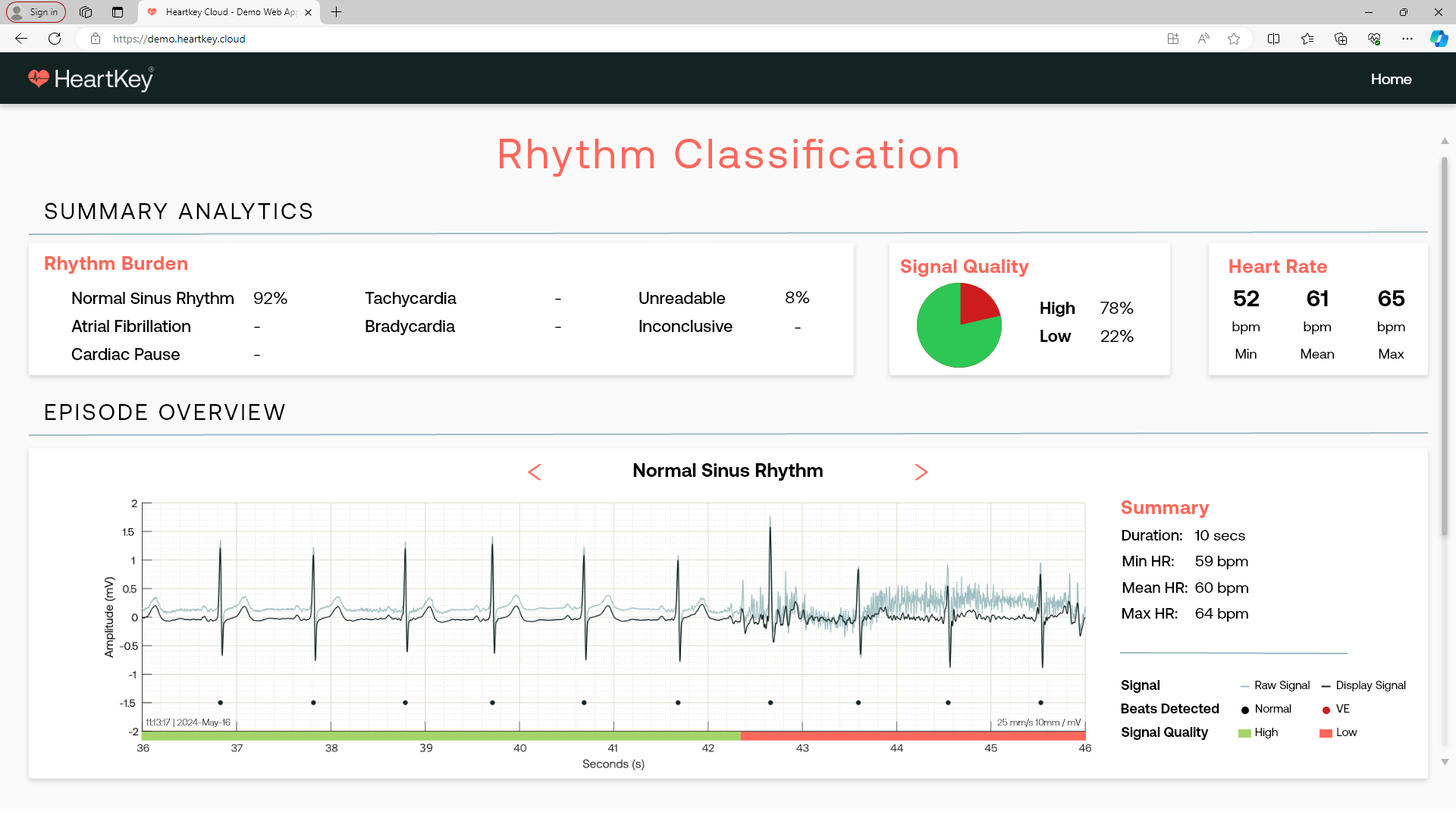
Response Parameters
After successfully making an API call to a Signal Processing Engine algorithm endpoint, the returned response object will contain the following output parameters in a text (JSON) format by default:
Table: Top level fields
| Variable | Unit | Data Type | Description |
|---|---|---|---|
| "processedSignal" | N/A | Object | Contains data relating to processed signal. See processedSignal table. |
| "sigQualityInfo" | N/A | Object | Contains "sigQualityRatings" and "burdens" data. See sigQualityInfo table. |
| "rawEcgSamples" | N/A | Object | Contains data relating to raw signal. See rawEcgSamples table. |
| "processedFile" | N/A | String | The response represented as a Base64 encoded string. Only populated when the "returnFormat" request parameter evaluates to true. Otherwise a 'null' value is returned. |
Table: processedSignal
| Variable | Unit | Data Type | Description |
|---|---|---|---|
| "processedDataSamples" | N/A | Object of arrays | Contains "processedValues" and "leadsOn" data. See processedDataSamples table. |
| "validRPeakLocs" | Sample index | Array of integers | The position index of R peaks within the ECG input samples |
| "samplingFrequency" | Hertz | Integer | The sampling frequency of the processed data |
Table: processedDataSamples
| Variable | Unit | Data Type | Description |
|---|---|---|---|
| "processedValues" | Millivolts | Array of doubles | Filtered ECG sample values |
| "leadsOn" | N/A | Array of booleans | The electrode-contact status of sample readings (0 = Leads-Off, 1 = Leads-On) |
A 0 within the "leadsOn" array corresponds to the signal being deemed unavailable. During this period of unavailability, the "processedValues" will return the raw sample values from the request.
Table: sigQualityInfo
| Variable | Unit | Data Type | Description |
|---|---|---|---|
| "sigQualityRatings" | N/A | Array | Contains data relating to signal quality. See sigQualityRatings table. |
| "burdens" | N/A | Array | Contains "LOW" and "HIGH" burden data. See burdens table. |
Table: sigQualityRatings
| Variable | Unit | Data Type | Description |
|---|---|---|---|
| "startSample" | Sample index | Integer | The start position index of the analysed ECG window |
| "endSample" | Sample index | Integer | The end position index of the analysed ECG window |
| "durationSamples" | Samples | Integer | Duration of the analysed ECG window expressed as a sample number |
| "startTimestampMs" | Milliseconds | Integer | The start position of the analysed ECG window expressed as a time value since library initialisation |
| "endTimestampMs" | Milliseconds | Integer | The end position of the analysed ECG window expressed as a time value since library initialisation |
| "durationTime" | Milliseconds | Integer | Duration of the analysed ECG window expressed as a time value |
| "startTimestampUTC" | Date and time in an ISO 8601 format ("YYYY-MM-DDTHH:mm:ss.sssZ") | String | The start position of the analysed ECG segment denoted in Coordinate Universal Time (UTC) |
| "endTimestampUTC" | Date and time in an ISO 8601 format ("YYYY-MM-DDTHH:mm:ss.sssZ") | String | The end position of the analysed ECG segment denoted in Coordinate Universal Time (UTC) |
| "sigQualityRating" | N/A | String | Signal Quality status ("LOW" or "HIGH") |
Table: burdens
| Variable | Unit | Data Type | Description |
|---|---|---|---|
| "LOW" | Percentage | Double | The proportion of time that the analysed segment is deemed to be in a low quality state |
| "HIGH" | Percentage | Double | The proportion of time that the analysed segment is deemed to be in a high quality state |
Table: rawEcgSamples
| Variable | Unit | Data Type | Description |
|---|---|---|---|
| "data" | N/A | Array of doubles | Raw ECG sample values |
| "leadsOn" | N/A | Array of booleans | The electrode-contact status of sample readings (0 = Leads-Off, 1 = Leads-On) |
| "dataFormat" | N/A | String | The data format of the raw ECG sample values. Either "MILLIVOLTS" or "COUNTS" |
Arrhythmia Analysis
Overview
HeartKey Rhythm's Arrhythmia Analysis algorithm analyses the input ECG signal and returns a range of rhythm and beat annotations. These annotations can be provided to a clinician, helping them focus on the specific problem areas within the ECG.
Example User Interface
The screenshot below is provided as an example of how HeartKey Rhythm results can be displayed by an end platform that integrates the software. This figures are included just for guidance, the end platform that integrates HeartKey will have a different User Interface.
From a beat analysis perspective, HeartKey Rhythm provides summary analytics such as the beat types burden and the number of beat types within the ECG file. It also provides the following outputs that allow the physician to visualise:
- Beat cluster templates with:
- The number of beats on each cluster
- The beat classification
Other outputs such as the beat locations, the ECG display signal and the signal quality are also available to the physician.
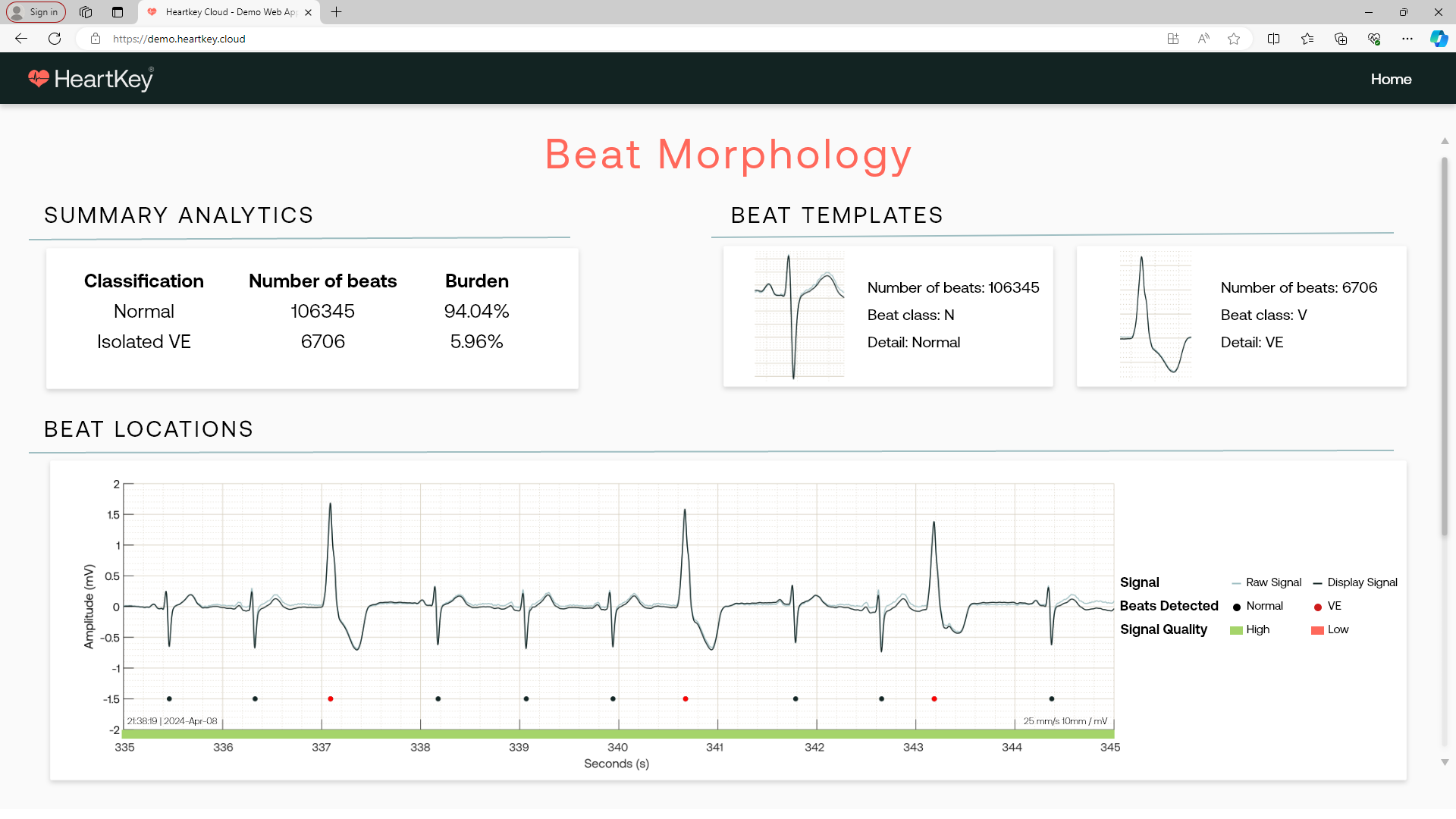
Response Parameters
After successfully making an API call to an Arrhythmia Analysis endpoint, the returned response object will contain the following output parameters in a text (JSON) format:
Table: Arrhythmia Analysis Top Level Fields
| Variable | Unit | Data Type | Description |
|---|---|---|---|
| "arrhythmiaClassifications" | N/A | Array of objects | Stores all response outputs related to the arrhythmia classifications. See arrhythmiaClassifications table. |
| "beatClusters" | N/A | Array of values | Stores response outputs related to beat clustering based on rhythm similarity. See beatClusters table. |
| "heartRates" | N/A | Array of objects | Stores all response outputs related to heart rate. See heartRates table. |
| "rhythmBurdens" | N/A | Object | Contains burden data relating to rhythms. See rhythmBurdens table. |
| "beatBurdens" | Percentage | Object | Stores burden data relating to beats. See beatBurdens table. |
| "ectopicBeatBurdens" | N/A | Object | Stores burden data relating to ectopic beats. See ectopicBeatBurdens table. |
| "arrhythmiaAnalysisConfig" | N/A | Object | Stores the configuration settings used during algorithm analysis. See arrhythmiaAnalysisConfig table. |
| "heartRateTrend" | N/A | Object | Stores min, max and average heart rate. See heartRateTrends table. |
Table: arrhythmiaClassifications
| Variable | Unit | Data Type | Description |
|---|---|---|---|
| "arrClassification" | N/A | String | Arrhythmia classification |
| "durationSamples" | Samples | Integer | Duration of the analysed ECG segment expressed as a sample number |
| "durationTime" | Milliseconds | Integer | Duration of the analysed ECG segment expressed as a time value |
| "startSample" | Sample index | Integer | The start position index of the analysed ECG segment |
| "endSample" | Sample index | Integer | The end position index of the analysed ECG segment |
| "startTimestampMs" | Milliseconds | Integer | The start position of the analysed ECG segment expressed as a time value since library initialisation |
| "endTimestampMs" | Milliseconds | Integer | The end position of the analysed ECG segment expressed as a time value since library initialisation |
| "startTimestampUTC" | Date and time in an ISO 8601 format ("YYYY-MM-DDTHH:mm:ss.sssZ") | String | The start position of the analysed segment denoted in Coordinate Universal Time (UTC) |
| "endTimestampUTC" | Date and time in an ISO 8601 format ("YYYY-MM-DDTHH:mm:ss.sssZ") | String | The end position of the analysed segment denoted in Coordinate Universal Time (UTC) |
| "heartRateMetrics" | Heart Rate Metrics data | Object | Min , Max and Average Heart Rate Metrics. See heartRateMetrics table. |
| "beatCount" | Beats | Integer | Number of beats captured in the analysed ECG segment |
Table: heartRateMetrics
| Variable | Unit | Data Type | Description |
|---|---|---|---|
| "min" | Beats per minute | Double | Minimum heart rate in this arrhythmia classification window |
| "max" | Beats per minute | Double | Maximum heart rate in this arrhythmia classification window |
| "avg" | Beats per minute | Double | Average heart rate in this arrhythmia classification window |
Table: beatClusters
| Variable | Unit | Data Type | Description |
|---|---|---|---|
| "beatLevel" | N/A | Object of values | Stores all response outputs related to the beat level generated from clustering. See beatLevel table. |
| "beatClusterLevel" | N/A | Object of values | Stores all outputs related to the beat cluster level. See beatClusterLevel table. |
Table: beatLevel
| Variable | Unit | Data Type | Description |
|---|---|---|---|
| "beatClassification" | N/A | String | Beat classification |
| "beatClusterIndex" | Beat cluster index | Integer | Beat cluster index position |
| "rpeakLocationSampleIndices" | Sample index | Integer | Position of R peak locations expressed as a sample number |
| "rpeakLocationTimestampsMs" | Milliseconds | Integer | Position of R peak location expressed as a time value since library initialisation |
| "rpeakLocationTimestampsUTC" | Date and time in an ISO 8601 format ("YYYY-MM-DDTHH:mm:ss.sssZ") | String | Position of R peak locations expressed in Coordinate Universal Time (UTC) |
Table: beatClusterLevel
| Variable | Unit | Data Type | Description |
|---|---|---|---|
| "template" | Millivolts | Array of doubles | Averaged heart beat template of the beat cluster level |
| "numberOfBeats" | Beats | Integer | Number of beats within the beat cluster level |
| "numberofClusters" | Clusters | Integer | Number of clusters within the beat cluster level |
Table: heartRates
| Variable | Unit | Data Type | Description |
|---|---|---|---|
| "heartRate" | Beats per minute | Integer | Heart rate |
| "sampleIndex" | Sample index | Integer | Sample position index of heart rate output |
| "timestampMs" | Milliseconds | Integer | Time of heart rate output since library initialisation |
| "timestampUTC" | Date and time in an ISO 8601 format ("YYYY-MM-DDTHH:mm:ss.sssZ") | String | Time of heart rate output expressed in Coordinate Universal Time (UTC) |
| "displayStatus" | N/A | String | Display status of heart rate output ("DO_NOT_DISPLAY", "ESTIMATED" or "ACCURATE") |
Table: rhythmBurdens
| Variable | Unit | Data Type | Description |
|---|---|---|---|
| "UNCLASSIFIED" | Percentage | Float | Burden of unclassified rhythms |
| "INCONCLUSIVE" | Percentage | Float | Burden of Inconclusive rhythms |
| "NORMAL" | Percentage | Float | Burden of normal rhythms |
| "ATRIAL_FIBRILLATION" | Percentage | Float | Burden of atrial fibrillation rhythms |
| "BRADYCARDIA" | Percentage | Float | Burden of bradycardia rhythms |
| "TACHYCARDIA" | Percentage | Float | Burden of tachycardia rhythms |
| "VENTRICULAR_BIGEMINY" | Percentage | Float | Burden of ventricular bigeminy rhythms |
| "VENTRICULAR_TRIGEMINY" | Percentage | Float | Burden of ventricular trigeminy rhythms |
| "VENTRICULAR_QUADRIGEMINY" | Percentage | Float | Burden of ventricular quadrigeminy rhythms |
| "VENTRICULAR_COUPLET" | Percentage | Float | Burden of ventricular couplet rhythms |
| "VENTRICULAR_TACHYCARDIA" | Percentage | Float | Burden of ventricular tachycardia rhythms |
| "PAUSE" | Percentage | Float | Burden of pause rhythms |
| "UNREADABLE" | Percentage | Float | Burden of unreadable rhythms |
| "UNKNOWN" | Percentage | Float | Burden of unknown rhythms |
Table: beatBurdens
| Variable | Unit | Data Type | Description |
|---|---|---|---|
| "Q" | Percentage | Float | Burden of Q beats |
| "N" | Percentage | Float | Burden of normal beats |
| "V" | Percentage | Float | Burden of PVC beats |
| "S" | Percentage | Float | Burden of Supraventricular ectopic beats |
| "F" | Percentage | Float | Burden of Fusion beats |
| "UNKNOWN" | Percentage | Array | Burden of unknown beats |
Table: ectopicBeatBurdens
| Variable | Unit | Data Type | Description |
|---|---|---|---|
| "ISOLATED_PVC" | N/A | Object | Stores the total number and burden of isolated PVC ectopic beats. See ectopicBeatBurdens burdens table. |
Table: ectopicBeatBurdens burdens
| Variable | Unit | Data Type | Description |
|---|---|---|---|
| "total" | Beats | Integer | The total number of ectopic beats relating to a specific beat annotation |
| "burden" | Percentage | Float | The burden of ectopic beats relating to a specific beat annotation |
Table: arrhythmiaAnalysisConfig
| Variable | Unit | Data Type | Description |
|---|---|---|---|
| "bradycardiaThreshold" | BPM | Integer | Threshold for defining bradycardia used during algorithm analysis |
| "tachycardiaThreshold" | BPM | Integer | Threshold for defining tachycardia used during algorithm analysis |
| "absolutePauseThreshold" | Seconds | Float | Threshold for defining absolute pause used during algorithm analysis |
| "relativePauseThreshold" | BPM | Integer | Threshold for defining relative pause used during algorithm analysis |
Table: heartRateTrend
| Variable | Unit | Data Type | Description |
|---|---|---|---|
| "min" | Beats per minute | Integer | Overall minimum heart rate |
| "max" | Beats per minute | Integer | Overall maximum heart rate |
| "avg" | Beats per minute | Double | Overall average heart rate |
Endpoint Types
The HTTP endpoints connected to each HeartKey algorithm can be categorised based on their operation type (synchronous or asynchronous) and the input ECG format they accept. Additionally, the available endpoints offer a variety of input and response delivery options to the user, further expanding the flexibility of HeartKey. The types of endpoints are summarised in the following table:
| Endpoint Type | Operation Type | Input ECG Format | URL Request Parameters | Input ECG File Location | Response Delivery Location | Input ECG Data Upload Limit |
|---|---|---|---|---|---|---|
| JSON | Synchronous | Raw JSON | N/A | N/A | Client application | 24 hours |
| File Upload | Synchronous | CSV or EDF(+) | N/A | Local storage accessible via the client application | Client application | 500 MB |
| File Upload Webhook | Asynchronous | CSV or EDF(+) | "responseUrl" | Local storage accessible via the client application | Custom online location accessible to HeartKey ("responseUrl") | 500 MB |
| File Download Webhook | Asynchronous | CSV or EDF(+) | "fileUrl" and "responseUrl" | Online location made accessible to HeartKey ("fileUrl") | Custom online location accessible to HeartKey ("responseUrl") | 24 hours |
For each data-processing URL, it is possible to formulate the algorithm-specific version by replacing the <algorithm_name> string with one of the algorithm names listed at the beginning of the HeartKey Rhythm Algorithms section.
Base URL
The base URL is specific to each user's deployment. Usually the base URL should be updated to the hostname and port where the application was deployed. For example, if it's running locally on port 8080, it would be http://localhost:8080. If you deployed it on another service or server, http://ip number:port
Synchronous
When a call is made to a synchronous endpoint, the client application/code execution block will wait until a response is returned before continuing.
JSON
Request Example
curl --location --request POST '<base_url>/<algorithm_name>' \
--header 'Authorization: Bearer <access_token>' \
--header 'Content-Type: application/json' \
--data-raw '{
"rawEcgSamples": {
"dataFormat": "MILLIVOLTS",
"data": [-1.000000,-1.100000,-1.200000,-1.300000],
"leadsOn": [1,1,1,1]
},
"hardwareConfig": {
"ecgRangeMinUv": -32768,
"ecgRangeMaxUv": 32767,
"samplingFrequency": 500,
"adcRange": 65536,
"ecgLeadConfig": "UNKNOWN"
}
}'
# Import packages
import requests
# Define payload
payload = {
"rawEcgSamples": {
"dataFormat": "MILLIVOLTS",
"data": [
-1.000000,-1.100000,-1.200000,-1.300000],
"leadsOn": [1,1,1,1]
},
"hardwareConfig": {
"ecgRangeMinUv": -32768,
"ecgRangeMaxUv": 32767,
"samplingFrequency": 500,
"adcRange": 65536,
"ecgLeadConfig": "UNKNOWN"
}
}
# Send request
response = requests.post('<base_url>/<algorithm_name>',
headers={'Authorization': 'Bearer <access_token>'},
json=payload)
# Print response
response = print(response.text)
JSON endpoints support synchronous requests containing input ECG data in JSON format within the request body.
<base_url>/<algorithm_name>
CSV File Upload URL
Request Example
curl --location '<base_url>/<algorithm_name>/csv-file' \
--header 'Authorization: Bearer <access_token>' \
--form 'file=@"<path_to_csv_file>"' \
--form 'config="{
\"dataFormat\": \"MILLIVOLTS\",
\"hardwareConfig\": {
\"ecgRangeMinUv\": -32768,
\"ecgRangeMaxUv\": 32767,
\"samplingFrequency\": 500,
\"ecgLeadConfig\": \"UNKNOWN\",
\"adcRange\": 65536
},
\"hasHeaders\": true,
\"ecgColumnIndex\": 0,
\"leadsOnColumnIndex\": 1
}";type=application/json'
# Import packages
import json
import requests
# Define config
config = {
"dataFormat": "MILLIVOLTS",
"hardwareConfig": {
"ecgRangeMinUv": -32768,
"ecgRangeMaxUv": 32767,
"samplingFrequency": 500,
"ecgLeadConfig": "UNKNOWN",
"adcRange": 65536,
},
"hasHeaders": True,
"ecgColumnIndex": 0,
"leadsOnColumnIndex": 1
}
# Define payload
payload = {
"file": (
"file",
open("<path_to_csv_file>", "rb"),
"application/octet-stream",
{"Content-Disposition": "form/data"}
),
"config": (
"config",
json.dumps(config),
"application/json",
{"Content-Disposition": "form/data"}
)
}
# Send request
response = requests.post("<base_url>/<algorithm_name>/csv-file",
headers={"Authorization": "Bearer <access_token>"},
files=payload)
# Print response
print(response.text)
The CSV File Upload URL supports synchronous requests containing input ECG data stored in CSV files.
<base_url>/<algorithm_name>/csv-file
EDF(+) File Upload URL
Request Example
curl --location '<base_url>/<algorithm_name>/edf-file' \
--header 'Authorization: Bearer <access_token>' \
--form 'file=@"<path_to_edf_file>"' \
--form 'config="{
\"ecgChannelName\": \"ECG\",
\"hardwareConfig\" : {
\"ecgLeadConfig\": \"UNKNOWN\"
}
}";type=application/json'
# Import packages
import json
import requests
# Define config
config = {
"ecgChannelName": "ECG",
"hardwareConfig": {
"ecgLeadConfig": "UNKNOWN"
}
}
# Define payload
payload = {
"file": (
"file",
open("<path_to_edf_file>", "rb"),
"application/octet-stream",
{"Content-Disposition": "form/data"}
),
"config": (
"config",
json.dumps(config),
"application/json",
{"Content-Disposition": "form/data"}
)
}
# Send request
response = requests.post("<base_url>/<algorithm_name>/edf-file",
headers={"Authorization": "Bearer <access_token>"},
files=payload
# Print response
response = print(response.text)
The EDF(+) File Upload URL supports synchronous requests containing input ECG data stored in EDF or EDF+ files.
<base_url>/<algorithm_name>/edf-file
CSV File Download URL
Request Example
curl --location '<base_url>/<algorithm_name>/csv-file/download' \
--header 'Authorization: Bearer <access_token>' \
--header 'Content-Type: application/json' \
--data '{
"fileUrl": "<file_url>",
"dataFormat": "MILLIVOLTS",
"hardwareConfig": {
"ecgRangeMinUv": -32768,
"ecgRangeMaxUv": 32767,
"samplingFrequency": 500,
"ecgLeadConfig": "UNKNOWN",
"adcRange": 65536
},
"hasHeaders": true,
"ecgColumnIndex": 0,
"leadsOnColumnIndex": 1
}'
# Import packages
import requests
import json
# Define payload
payload = json.dumps({
"fileUrl": "<file_url>",
"dataFormat": "MILLIVOLTS",
"hardwareConfig": {
"ecgRangeMinUv": -32768,
"ecgRangeMaxUv": 32767,
"samplingFrequency": 500,
"ecgLeadConfig": "UNKNOWN",
"adcRange": 65536
},
"hasHeaders": True,
"ecgColumnIndex": 0,
"leadsOnColumnIndex": 1
})
# Send request
response = requests.post("<base_url>/<algorithm_name>/csv-file/download",
headers={"Authorization": "Bearer <access_token>", "Content-Type": "application/json"},
data=payload)
# Print response
response = print(response.text)
The CSV File Download URL supports synchronous requests to enable the downloading of input ECG data stored in CSV files, accessible via direct download links, for algorithm analysis.
<base_url>/<algorithm_name>/csv-file/download
EDF(+) File Download URL
Request Example
curl --location '<base_url>/<algorithm_name>/edf-file/download' \
--header 'Authorization: Bearer <access_token>' \
--header 'Content-Type: application/json' \
--data '{
"fileUrl": "<file_url>",
"ecgChannelName": "ECG",
"hardwareConfig": {
"ecgLeadConfig": "UNKNOWN"
}
}'
# Import packages
import requests
import json
# Define payload
payload = json.dumps({
"fileUrl": "<file_url>",
"ecgChannelName": "ECG",
"hardwareConfig": {
"ecgLeadConfig": "UNKNOWN"
}
})
# Send request
response = requests.post("<base_url>/<algorithm_name>/edf-file/download",
headers={"Authorization": "Bearer <access_token>", "Content-Type": "application/json"},
data=payload)
# Print response
response = print(response.text)
The EDF(+) File Download URL supports synchronous requests to enable the downloading of input ECG data stored in EDF or EDF+ files, accessible via direct download links, for algorithm analysis.
<base_url>/<algorithm_name>/edf-file/download
Asynchronous (Webhooks)
Webhooks offer a resource-light method to facilitate data sharing via event reactions. Subscribing to the webhook infrastructure embedded in HeartKey enables request processing to be configured asynchronously, meaning that the client application does not have to wait for a response using the same, single HTTP connection. As a result, HeartKey webhooks are particularly efficient when processing large volumes of ECG data.
Webhook-Specific Response Parameters
When a request to a webhook-supporting endpoint is successfully processed, the following parameters will be returned to the response URL ("responseUrl") in a text (JSON) format by default:
| JSON Parameter | Data Type | Description |
|---|---|---|
| "requestId" | String | Request ID in a UUID RFC-4122 format that is unique to each processed request. Also returned to the client application to acknowledge that the request has been received and to facilitate payload recognition |
| "status" | String | HTTP response status |
| " |
Array of values | Contains algorithm-specific response data. The JSON Parameter name varies depending on the name of the algorithm connected to the endpoint detailed in the request |
CSV File Upload Webhook URL
Request Example
curl --location '<base_url>/<algorithm_name>/csv-file/webhook' \
--header 'Authorization: Bearer <access_token>' \
--form 'file=@"<path_to_csv_file>"' \
--form 'config="{
\"responseUrl\": \"<response_url>\",
\"dataFormat\": \"MILLIVOLTS\",
\"hardwareConfig\" : {
\"ecgRangeMinUv\": -32768,
\"ecgRangeMaxUv\": 32767,
\"samplingFrequency\": 500,
\"ecgLeadConfig\": \"UNKNOWN\",
\"adcRange\": 65536
},
\"hasHeaders\": true,
\"ecgColumnIndex\": 0,
\"leadsOnColumnIndex\": 1
}";type=application/json'
# Import packages
import requests
import json
# Define config
config = {
"responseUrl": "<response_url>",
"dataFormat": "MILLIVOLTS",
"hardwareConfig": {
"ecgRangeMinUv": -32768,
"ecgRangeMaxUv": 32767,
"samplingFrequency": 500,
"ecgLeadConfig": "UNKNOWN",
"adcRange": 65536
},
"hasHeaders": True,
"ecgColumnIndex": 0,
"leadsOnColumnIndex": 1
}
# Define payload
payload = {
"file": (
"file",
open("<path_to_csv_file>", "rb"),
"application/octet-stream",
{"Content-Disposition": "form/data"}
),
"config": (
"config",
json.dumps(config),
"application/json",
{"Content-Disposition": "form/data"}
)
}
# Send request
response = requests.post("<base_url>/<algoritm-name>/csv-file/webhook",
headers={"Authorization": "Bearer <access_token>"},
files=payload)
# Print response
print(response.text)
The CSV File Upload Webhook URL supports asynchronous requests via webhooks, enabling the uploading of ECG data stored in CSV files for algorithm analysis, whilst allowing responses to be delivered to a custom URL.
<base_url>/<algorithm_name>/csv-file/webhook
EDF(+) File Upload Webhook URL
Request Example
curl --location '<base_url>/<algorithm_name>/edf-file/webhook' \
--header 'Authorization: Bearer <access_token>' \
--form 'file=@"<path_to_edf_file>"' \
--form 'config="{
\"responseUrl\": \"<response_url>\",
\"ecgChannelName\": \"ECG\",
\"hardwareConfig\": {
\"ecgLeadConfig\": \"UNKNOWN\"
}
}";type=application/json'
# Import packages
import requests
import json
# Define config
config = {
"responseUrl": "<response_url>",
"ecgChannelName": "ECG",
"hardwareConfig": {
"ecgLeadConfig": "UNKNOWN"
}
}
# Define payload
payload = {
"file": (
"file",
open("<path_to_edf_file>", "rb"),
"application/octet-stream",
{"Content-Disposition": "form/data"}
),
"config": (
"config",
json.dumps(config),
"application/json",
{"Content-Disposition": "form/data"}
)
}
# Send request
response = requests.post("<base_url>/<algorithm_name>/edf-file/webhook",
headers={"Authorization": "Bearer <access_token>"},
files=payload)
# Print response
print(response.text)
The EDF(+) File Upload Webhook URL supports asynchronous requests via webhooks, enabling the uploading of ECG data stored in EDF or EDF+ files for algorithm analysis, whilst allowing responses to be delivered to a custom URL.
<base_url>/<algorithm_name>/edf-file/webhook
CSV File Download Webhook URL
Request Example
curl --location '<base_url>/<algorithm_name>/csv-file/download/webhook' \
--header 'Authorization: Bearer <access_token>' \
--header 'Content-Type: application/json' \
--data '{
"fileUrl": "<file_url>",
"responseUrl": "<response_url>",
"dataFormat": "MILLIVOLTS",
"hardwareConfig": {
"ecgRangeMinUv": -32768,
"ecgRangeMaxUv": 32767,
"samplingFrequency": 500,
"ecgLeadConfig": "UNKNOWN",
"adcRange": 65536
},
"hasHeaders": true,
"ecgColumnIndex": 0,
"leadsOnColumnIndex": 1
}'
# Import packages
import requests
import json
# Define payload
payload = json.dumps({
"fileUrl": "<file_url>",
"responseUrl": "<response_url>",
"dataFormat": "MILLIVOLTS",
"hardwareConfig": {
"ecgRangeMinUv": -32768,
"ecgRangeMaxUv": 32767,
"samplingFrequency": 500,
"ecgLeadConfig": "UNKNOWN",
"adcRange": 65536
},
"hasHeaders": True,
"ecgColumnIndex": 0,
"leadsOnColumnIndex": 1
})
# Send request
response = requests.post("<base_url>/<algorithm_name>/csv-file/download/webhook",
headers={"Authorization": "Bearer <access_token>", "Content-Type": "application/json"},
data=payload)
# Print response
response = print(response.text)
The CSV File Download Webhook URL supports asynchronous requests via webhooks. This endpoint enables the downloading of ECG data stored in CSV files, accessible via direct download links, for algorithm analysis whilst allowing for responses to be delivered to a custom URL.
<base_url>/<algorithm_name>/csv-file/download/webhook
EDF(+) File Download Webhook URL
Request Example
curl --location '<base_url>/<algorithm_name>/edf-file/download/webhook' \
--header 'Authorization: Bearer <access_token>' \
--header 'Content-Type: application/json' \
--data '{
"fileUrl": "<file_url>",
"responseUrl": "<response_url>",
"ecgChannelName": "ECG",
"hardwareConfig" : {
"ecgLeadConfig": "UNKNOWN"
}
}'
# Import packages
import requests
import json
# Define payload
payload = json.dumps({
"fileUrl": "<file_url>",
"responseUrl": "<response_url>",
"ecgChannelName": "ECG",
"hardwareConfig": {
"ecgLeadConfig": "UNKNOWN"
}
})
# Send request
response = requests.post("<base_url>/<algorithm_name>/edf-file/download/webhook",
headers={"Authorization": "Bearer <access_token>", "Content-Type": "application/json"},
data=payload)
# Print response
response = print(response.text)
The EDF(+) File Download Webhook URL supports asynchronous requests via webhooks. This endpoint enables the downloading of ECG data stored in EDF or EDF+ files, accessible via direct download links, for algorithm analysis whilst allowing for responses to be delivered to a custom URL.
<base_url>/<algorithm_name>/edf-file/download/webhook
API Parameters
Although all HeartKey algorithms accept ECG data as an input, the outputs from each algorithm vary significantly due to differences in purpose and design. This variation is reflected in the respective request and response data types of each algorithm.
Each algorithm service is connected to multiple HTTP endpoints that accept POST requests. Together, these support varying input ECG formats and upload methods.
Global Request Parameters
When making a data-processing API request to HeartKey Rhythm, there are specific parameters within the request payload which must be configured correctly to prevent errors and ensure optimum algorithm performance. These parameters relate to the technical properties of the input ECG data and are detailed in the table below:
| JSON Parameter | Unit | Data Type | Acceptable Value | Raw JSON Object Name | Description |
|---|---|---|---|---|---|
| "dataFormat" | N/A | String | "MILLIVOLTS", "COUNTS" or "UNKNOWN" | "rawEcgSamples" | Informs the library whether to treat provided ECG samples as millivolts ("MILLIVOLTS"), counts ("COUNTS") or unknowns ("UNKNOWN"). |
| "data" | Millivolts, Counts | Array of doubles if expressed in voltage, or an array of int or uint values if expressed in counts | Numerical values (size of values vary depending on ADC range if data is represented in counts) | "rawEcgSamples" | Raw ECG sample data for analysis. When processing counts data ("dataFormat": "COUNTS"), if any ECG counts samples are negative, the library will assume that all samples are signed. Otherwise, all samples will be assumed to be unsigned |
| "leadsOn" | N/A | Array of boolean values | Numerical values of either 0 or 1 | "rawEcgSamples" | The electrode-contact status of sample readings (0 = Leads-Off, 1 = Leads-On). Recommended for optimal algorithm performance, but not essential |
| "ecgRangeMinUv" | Microvolts | Integer | Numerical value ≥ -2000000 | "hardwareConfig" | The lower limit of the dynamic range relating to the input voltage at the ECG electrodes at a resolution of 1uV per bit. Only strictly necessary when processing data in counts ("dataFormat": "COUNTS"), but should always be included to guarantee optimal algorithm performance |
| "ecgRangeMaxUv" | Microvolts | Integer | Numerical value ≤ 2000000 | "hardwareConfig" | The higher limit of the dynamic range relating to the input voltage at the ECG electrodes at a resolution of 1uV per bit. Only strictly necessary when processing data in counts ("dataFormat": "COUNTS"), but should always be included to guarantee optimal algorithm performance |
| "samplingFrequency" | Hertz | Integer | 125 ≤ Numerical value ≤ 500 | "hardwareConfig" | The number of samples recorded per second at a resolution of 1Hz. Decimal values are not currently supported. |
| "ecgLeadConfig" | N/A | String | "LEAD_I", "LEAD_II", "LEAD_III", "MLII", "MLIII", "STERNUM" or "UNKNOWN" (default) | "hardwareConfig" | The lead configuration used to acquire the input ECG data. Inclusion is optional, but recommended for achieving optimal algorithm performance. Arrhythmia Analysis only supports Lead II or Modified Lead II input ECG signals. |
| "adcRange" | ADC Counts | Integer | 4096 (12-bit ADC) ≤ Numerical value ≤ 16777216 (24-bit ADC) | "hardwareConfig" | The range of signal amplitudes which the ADC can resolve at a resolution of 1 count. Only strictly necessary when processing data in counts ("dataFormat": "COUNTS"). |
| "returnFormat" | N/A | Boolean | 0 (default) or 1 | N/A | Whether the algorithm output should be returned in the response in a text (JSON) format or in the same file format as the request input ECG file (0 = JSON, 1 = Same File Format). |
| "responseIndexFormat" | N/A | String | "TIME" (default), "SAMPLES" or "BOTH" | "rawEcgSamples" | The desired format of the timestamp/duration response outputs from the algorithm. |
| "responseTimeIndexUnit" | N/A | String | "MILLISECONDS" (default) or "UTC" | "rawEcgSamples" | The desired unit of the timestamp response outputs from the algorithm. Only impactful when a time format is specified ("responseIndexFormat": "TIME" or "BOTH"). |
| "recordingStartTime" | N/A | String | Date and time in an ISO 8601 format ("YYYY-MM-DDTHH:mm:ss.sssZ") | "rawEcgSamples" | The starting time to which all response timestamp outputs from the algorithm will be calculated in relation to. Only impactful when a Coordinated Universal Time format is specified ("responseIndexFormat": "TIME" or "BOTH" and "responseTimeIndexUnit": "UTC") |
| "useExtendedClassifications | N/A | boolean | true or false (default) | N/A | Whether extended rhythm classifications should be returned in response, Setting 'true' would send extended rhythm classifications |
Algorithm-Specific Request Parameters
The HeartKey Rhythm Arrhythmia Analysis algorithm enables the user to set the threshold parameters for particular features. These parameters may be included within the request payload using a text (JSON) format:
| JSON Parameter | Unit | Data Type | Acceptable Value | Raw JSON Object Name | Description |
|---|---|---|---|---|---|
| "bradycardiaThreshold" | BPM | Integer | 60, 55, 50 (default), 45, 40, 35 or 30 | "rawEcgSamples" | Threshold for defining bradycardia |
| "tachycardiaThreshold" | BPM | Integer | 100 (default), 110, 120, 130, 140 or 150 | "rawEcgSamples" | Threshold for defining tachycardia |
| "absolutePauseThreshold" | Seconds | Float | 1.5, 2.0, 2.5 (default), 3.0, 3.5, 4.0 or 4.5 | "rawEcgSamples" | Threshold for defining absolute pause |
| "relativePauseThreshold" | BPM | Integer | 150, 175, 200 | "rawEcgSamples" | Threshold for defining relative pause |
URL Request Parameters
As detailed in the Endpoint Types section, certain endpoints require additional URL parameters to be provided when making an API call. Depending on the endpoint type, one or both of the following parameters must be included within the request payload using a text (JSON) format:
| JSON Parameter | Data Type | Acceptable Value | Description |
|---|---|---|---|
| "fileUrl" | String | Download URL | URL pointing to an ECG, CSV or EDF(+) file for downloading and processing. Only https URLs are permitted |
| "responseUrl" | String | Exposed URL | URL pointing to a valid response delivery location. Only https URLs are permitted |
Please refer to the Direct Download Links section for URL setup guidance.
File Request Parameters
HeartKey Rhythm can process input ECG data stored in a variety of file formats as explained in the Input ECG Formats section. Endpoints designed for processing certain file types require additional parameters to be included within the request payload in a text (JSON) format:
| File Type | JSON Parameter | Data Type | Acceptable Value | Description |
|---|---|---|---|---|
| CSV | "hasHeaders" | String | true or false | Whether the CSV file for processing has a header row (true = header present, false = no header present) |
| CSV | "ecgColumnIndex" | Integer | Numerical value | The index of the column in the CSV file that contains ECG data for processing. Column numbering begins at 0. |
| CSV | "leadsOnColumnIndex" | Integer | Numerical value | The index of the column in the CSV file that contains leads-on data for processing. Column numbering begins at 0. |
| EDF(+) | "ecgChannelName" | String | Any string | Location of ECG signal within the EDF(+) file. A default value of "ECG" will be assumed if not provided. |
Tutorials
Audit Logs
Format
Every request made to the application is logged in an audit log file. The following details are captured:
- Timestamp of the request
- The username associated with the user sending the request
- The host IP address from where the request was made
- The endpoint to where the request is made
- The HTTP status code sent with the response
- The size of the response in bytes
- The Study ID
- The Study Type
- The time taken to receive the response in milliseconds
- The length of the ECG samples processed in minutes
- The current HeartKey Rhythm version
Getting the image from the artifact registry
Getting your image from the Google Artifact Registry differs slightly depending on whether you are signed up with a Google Cloud Platform (GCP) account.
With a GCP account
- Log into your GCP account and access the Google Artifact Registry - the URL will be provided directly by B-Secur.
- Using the docker pull command, pull the HeartKey Docker Image from the registry.
Without a GCP account
- Access and download the JSON authentication key from the following location. The "cus-num" value will be provided to you by B-Secur - https://console.cloud.google.com/storage/browser/cus-num
- Using your auth key, authenticate with Google Artifact Registry by using the Standalone Credential Helper.
- Using the docker pull command, pull the HeartKey Docker Image from the registry. The registry URL will be provided to you directly by B-Secur.
Cloud Deployment Options Guide
HeartKey Rhythm is a software library that is integrated into a wider software ecosystem. There are many deployment options; this section will provide an overview on how deploy software like HeartKey Rhythm on various cloud computing services like GCP, AWS, and Azure. This is not an exhaustive guide and you must consult the official documentation for your chosen cloud provider.
You are responsible for ensuring the full system meets its regulatory obligations.
Google Cloud Platform (GCP)
Google Cloud Platform (GCP) is a suite of cloud computing services provided by Google. It offers a wide range of cloud-based solutions for computing, storage, data analytics, machine learning.
Deploy using Cloud Run
Cloud Run is a managed compute platform that automatically scales containerized applications. You can deploy Docker containers as stateless HTTP services, and Cloud Run handles the scaling and traffic management.
Link to Google documentation for deploying using Cloud Run: Deploy Using Cloud Run
Deploy using Compute Engine
Compute Engine is a computing and hosting service that lets you create and run virtual machines on Google infrastructure. Compute Engine offers scale, performance, and value that lets you easily launch large compute clusters on Google's infrastructure.
Link to Google documentation for deploying VM’s: Deploy using Compute Engine
Deploy using GKE (Google Kubernetes Engine)
GKE is a managed Kubernetes service on GCP. You can create a Kubernetes cluster and deploy Docker containers directly into it. Kubernetes supports various container runtimes, including Docker.
Link to Google documentation for deploying: Deploy Using GKE
Amazon Web Services (AWS)
Amazon Web Services (AWS) is a comprehensive and widely used cloud computing platform provided by Amazon.com. AWS offers a vast array of cloud-based services, including computing power, storage, databases, machine learning, analytics, content delivery, and more. These services allow individuals and organizations to build, deploy, and scale applications and infrastructure without the need to invest in and manage physical hardware.
Deploy using Amazon ECS
Amazon Elastic Container Service (ECS) allows you to deploy and manage Docker containers on EC2 instances. You can create task definitions and services to specify how your containers should run.
Link to AWS documentation: Deploy using ECS
Guidelines to deploy a docker image obtained from B-Secur using Amazon ECS
- Create a repository in Amazon ECR to store Docker container images. Tag the Docker image obtained from B-Secur appropriately and push it to the ECR repository.
- Navigate to the ECS Console and create a new cluster. Choose the appropriate cluster type based on your requirements: Fargate (serverless) or EC2 (self-managed instances).
- Configure the task definition in ECS. Specify the memory requirements, define network settings such as ports and networking mode, and provide details for the container definition, including image location in ECR.
- Create a new service in the ECS Console. Associate it with the previously defined task definition. This service manages the desired number of tasks based on your specifications.
- Set up a Load Balancer in AWS (such as Application Load Balancer or Network Load Balancer). Configure the listener port to receive incoming traffic and create a Target Group to route traffic to your ECS tasks.
- Deploy your ECS service using the ECS Console. Monitor the health of your targets (ECS tasks) through the Load Balancer's Target Group health checks. Additionally, monitor logs to troubleshoot and maintain visibility into your containerized application.
Deploy using Amazon EKS (Elastic Kubernetes Service)
EKS is a managed Kubernetes service on AWS. You can create a Kubernetes cluster and deploy Docker containers directly into it. Kubernetes supports various container runtimes, including Docker.
Link to AWS Documentation: Deploy using EKS
Deploy using ECR
Pushing an image
You can use the AWS Command Line Interface (CLI) or Docker CLI to push your Docker images to ECR.
Link to AWS Documentation: Push an image to ECR
Integration with ECS and EKS
ECR is tightly integrated with Amazon Elastic Container Service (ECS) and Amazon Elastic Kubernetes Service (EKS), making it a popular choice for container deployments on AWS.
Link to AWS Documentation to host images using ECS: Integration using ECS
Link to AWS Documentation to host images using EKS: Integration using EKS
Deploy Using AWS Lambda
AWS Lambda is a serverless computing service provided by Amazon Web Services (AWS). It lets you run your code without provisioning or managing servers. AWS Lambda automatically handles the compute fleet that runs your code.
Link to AWS Documentation to host images as Lambda: Deploy to AWS Lambda
Azure
Azure, also known as Microsoft Azure, is a comprehensive and widely used cloud computing platform and service provided by Microsoft. Azure offers a broad set of cloud-based services that include computing, analytics, storage, databases, networking, artificial intelligence (AI), Internet of Things (IoT), and more. These services enable individuals and organizations to build, deploy, and manage applications and infrastructure in the cloud.
Deploy using Azure AKS
Azure Kubernetes Service is a managed Kubernetes service that simplifies deploying, managing, and scaling containerized applications using Kubernetes.
Link to Azure documentation: Deploy using AKS
Deploy using Azure ACI
Azure Container Instances is a serverless container service that allows you to deploy Docker containers quickly without managing underlying infrastructure. You can create containers using the Azure CLI, Azure PowerShell, or Azure Portal.
Link to Azure Documentation: Deploy using ACI
Deploy Using Azure Functions
Azure Functions is a serverless compute service provided by Microsoft Azure, allowing you to run event-triggered code without explicitly provisioning or managing infrastructure.
Link to Azure Documentation: Deploy to Azure Function
Cloud Application Deployment Guide - Kubernetes
This section provides a more specific example workflow on how to deploy HeartKey Rhythm using Kubernetes. Kubernetes is a container orchestration service that handles the automatic deployment, configuration, and scaling of software containers. These platforms provide many configuration options, and you should consult the documentation to select the most appropriate option for your use case and product.
Step 1: Create a Kubernetes Cluster
In this example, we will use a Kubernetes environment. Kubernetes makes building and running complex applications much simpler. Other options are available, as mentioned in the section above. Each provider offers managed Kubernetes services:
AWS Elastic Kubernetes Service (EKS)
AWS's managed Kubernetes service. For creating clusters, use the AWS Management Console or the eksctl CLI tool. See AWS EKS Documentation.
Google Kubernetes Engine (GKE)
GCP's managed Kubernetes service. Clusters can be created using the GCP Console or the gcloud CLI tool. See GKE Documentation.
Azure Kubernetes Service (AKS):
Azure's managed Kubernetes service. Use the Azure portal or the az CLI tool for cluster creation. See AKS Documentation.
Step 2: Configure Cluster Security and Networking
Next you should configure your cluster for enhanced security and network isolation. Before starting, you should consider using service accounts and leveraging cloud-specific IAM (Identity and Access Management) roles with Principle of Least Privilege. The following links provide some further guidance on doing this within AWS / GCP / Azure:
- AWS: IAM Roles for Service Accounts
- GCP: Workload Identity
- Azure: Use Managed Identities
It's recommended you enable private clusters; this will restrict public internet access, reducing the ability for opportunistic attacks. The following links provide further information for the cloud providers:
- AWS EKS: Private Clusters
- GKE: Private Clusters
- AKS: Private Clusters
Finally, you should implement appropriate network policies for internal traffic within the cluster. This can help decouple and restrict the impact of a single service e.g. if one service starts to take too much resource, or if an attacker gains access to one of the services. The following links provide further information for the cloud providers:
- AWS: EKS Network Policies
- GCP: GKE Network Policies
- Azure: AKS Network Policies
Step 3: Deploy and Manage Applications
In order to store and manage Docker images securely, we will need to make use of a container registry. This is not a necessity, but recommended.
- AWS ECR: Elastic Container Registry.
- GCP Artifact Registry: Artifact Registry.
- Azure ACR: Container Registry.
The application can be deployed on Kubernetes using Kubernetes Deployments. If you want to know more about this, you can visit this link explaining Kubernetes Workloads.
The applications will be exposed through Kubernetes Services and Ingresses; it is recommended to use ClusterIP service type for internal cluster communication and Ingress for external communication. You may consider using a cloud-managed API Gateway for advanced traffic routing and security. Click here if you want to read about Kubernetes Networking.
Step 4: Data Integrity
Secure Communications
It is essential that SSL/TLS certificate services are leveraged with upto date SSL Policies (TLS versions 1.2 or 1.3) to secure traffic in transit i.e. Encryption in Flight via HTTPS. See the appropriate link for your cloud provider below.
- AWS: Certificate Manager
- GCP: Managed SSL Certificates
- Azure: Certificate Service
It is also recommended to use encryption in flight for internal cluster traffic. Please refer to the corresponding Cloud Provider documentation for detail:
GCP
AWS
Azure
Authentication and Authorisation
It is advised that you secure any exposing endpoints using OAuth 2.0 to add appropriate authentication and access control.
You may want to make use of identity providers to manage those users when using OAuth 2.0, here are examples of those within your selected cloud provider.
- AWS Cognito: Cognito Documentation
- Google Identity Platform: Identity Platform Documentation
- Azure Active Directory B2C: Azure AD B2C Documentation
Step 5: Monitoring and Observability
It is important to closely monitor the cluster to ensure it functions effectively and meets expectations. This involves regularly reviewing and analyzing data, either in real-time or at predetermined intervals, to detect anomalies and assess system performance
Enabling logging is essential, as it assists developers and administrators in monitoring system behavior. This functionality is crucial for identifying and resolving potential issues or errors, and for gaining insights into system performance and usage
Let's have a look at how we can set up logging in your selected cloud provider.
- AWS - EKS Observe - Individual setup procedures for the various tools can be found here
- GCP - Google Cloud Operations Suite provides a suite of services known as the Operations suite of which two most relevant services include Cloud Monitoring and Cloud Logging
- Azure - Azure Monitor - A getting started guide can be found here.
Cybersecurity Controls
HeartKey is intended to be integrated into other Rhythm systems as a library; many cybersecurity measures and controls occur in separate modules outside the library and are the responsibility of the system owner. The Cybersecurity Controls section of the "B012-009-002 Draft Physicians Guide" document outlines some considerations the system owner should take when integrating HeartKey Rhythm to ensure the safety of their patients and their product. If you have not received this document, please contact either your B-Secur representative or the B-Secur customer support team at: support@b-secur.com
The user shall store tokens in a secure location.
Internal APIs are hidden and obfuscated. Only public APIs are available to be viewed.
In the event of detecting an incident, including cybersecurity incidents, relating to HeartKey Rhythm, please notify B-Secur as soon as possible via support@b-secur.com.
Caution :
Cloud providers offer various security measures to protect the integrity of the deployed environments against numerous threats. However, these tools alone are insufficient for establishing a comprehensive secure system. We strongly recommend that you and your organization consult the FDA's extensive guidelines on cybersecurity to enhance system security. Familiarize yourself with these guidelines at the FDA’s Digital Health Center of Excellence here.
AWS
- Amazon GuardDuty: Offers intelligent threat detection to continuously monitor for malicious activity and unauthorised behavior.
- AWS Shield: Provides managed Distributed Denial of Service (DDoS) protection.
- AWS WAF (Web Application Firewall): Helps protect web applications from common web exploits.
- Amazon Inspector: Automatically assesses applications for vulnerabilities or deviations from best practices.
GCP
- Security Command Center: GCP's comprehensive security and risk management tool to identify and remediate security threats.
- Cloud Armor: Protects applications from multiple types of threats, including DDoS and web attacks.
- Event Threat Detection: Monitors logs for suspicious activity that might indicate a threat. A service within Security Comman Center
Azure
- Azure Security Center: Provides unified security management and advanced threat protection across hybrid cloud workloads.
- Azure Sentinel: A scalable, cloud-native SIEM (Security Information and Event Management) and SOAR (Security Orchestration Automated Response) solution.
- Azure DDoS Protection: Offers enhanced DDoS mitigation features to protect applications.
Third party Antivirus and Malware Protection
Integrating third-party antivirus protection with Kubernetes services enhances security measures by introducing an additional layer of defence against malware and cyber threats. These solutions extend malware detection capabilities through advanced security features, essential for detecting and mitigating sophisticated threats. Furthermore, they facilitate the enforcement of uniform security policies across multi-cloud configurations, ensuring comprehensive protection.
When deploying, it's important to choose solutions that are designed for containerised environments and are frequently updated to defend against the latest security threats. It is also recommended to use solutions with centralised management console to monitor and manage alerts across all clusters effectively.
There are many third party tools available. An example of two that can be used are:
Microsoft Defender
Microsoft Defender for Cloud is a cloud-native application protection platform (CNAPP) that is made up of security measures and practices that are designed to protect cloud-based applications from various cyber threats and vulnerabilities.
To deploy: - AWS: Connect your AWS account to Microsoft Defender for Cloud - Azure: Connect your Azure subscriptions - GCP: Connect your GCP project to Microsoft Defender for Cloud
Rapid7 InsightCloudSec
InsightCloudSec is a fully-integrated cloud-native security platform CNAPP (Cloud Native Application Protection Platform). Helps teams protect even the most complex multi-cloud and container environments from misconfiguration, policy violations, threats, and identity and access management (IAM) challenges.
To deploy you can follow through the following start guide: - InsightCloudSec start guide
By adding an extra layer of defence, third-party antivirus tools not only complement the built-in security measures of cloud providers but also offer options to meet specific organisational needs, making them an invaluable part of a cyber-security strategy.
It is possible to implement a multi-cloud failover strategy, this can further enhance the systems resilience against cyber threats and infrastructure failures. This involves integrating cloud services from multiple providers to create a redundant system where, in the event of a failure or security breach in one cloud environment, the system can automatically failover to another cloud environment. This approach requires careful planning and synchronisation of data and services across cloud platforms which is beyond the scope of this integration guide. If you are interested, please feel free to read this example.
Anti-virus policy
No issues are known regarding the compatibility between HeartKey and Anti-virus software.
B-Secur recommends to use an up-to-date anti-virus software on the device where HeartKey is installed. B-Secur also recommends to activate real time protection and to perform periodically definition update and scans when the system is not actively in use.
Phishing Guidance
Phishing is the practice of sending fraudulent communications that appear to come from a legitimate and reputable source, typically through email and text messaging. Its aim is to steal money, access sensitive data and login information, or install malware on the victim's device.
B-Secur recommends several best practices to help customers avoid phishing attempts:
- Verify the authenticity of emails and links before interacting. Avoid downloading attachments from unfamiliar or unexpected sources on devices with HeartKey.
- Keep your devices secure by updating anti-virus software and using a Virtual Private Network (VPN) for secure connections, especially on devices with HeartKey.
- Enhance security with Multi-Factor Authentication (MFA) and maintain a robust password policy.
- Cybersecurity training on social engineering and phishing to recognize suspicious emails and links, minimizing interaction with potentially harmful content.
These practices are crucial for safeguarding against phishing attacks and maintaining the security of systems where HeartKey is utilized.
Disclaimer
This library is not for public use. This is for Authorised Client use only. This library is designed to run on the client infrastructure only, and needs to be secured via the most appropriate means.
Containerising The HeartKey Executable
The HeartKey executable can be containerised using various containerisation tools such as Docker, Kubernetes, OpenShift, and more. The example below demonstrates the process of containerisation using Docker.
Build A Docker Image
From the HeartKey Rhythm application root folder, run this command to build a Docker image containing the HeartKey executable using dockerfile located at 'dockerFileLocation'.
docker build -f <dockerFileLocation> --build-arg <variable-name> = {heartkeyExecutable} -t {name}:{tag}
The docker build command is used to create a Docker image from a Dockerfile, which is a script-like configuration file that defines the steps and instructions to build an image.
- The
-fflag is used to specify the path to a different Dockerfile when building a Docker image. By default, the build command looks for a file named "Dockerfile" in the build context directory. - The
--build-argflag in the docker build command is used to pass build-time variables to the Docker build process. These variables can be accessed within the Dockerfile during the build process. - The
-tflag is used to assign a name and tag to the image
Example Related To HeartKey Rhythm
Let's assume that HeartKey Rhythm executable named heartkey-rhythm lies in target /heartkey-rhythm and Docker file lies in target/DockerFile, docker build command looks like
docker build -f target\DockerFile --build-arg APP_FILE =./target/heartkey-rhythm -t heartkey:v1
A docker image will be created with name and tag heartkey:v1
Query A Docker Image
The newly built docker image can be verified using the below command:
docker images
The docker images command is used to list the Docker images that are available on your local system. When you run this command in your terminal, it will display a list of images along with their repository name, tag, image ID, creation date, and size. This information provides an overview of the images you have pulled or built on your system.
An example of the output of this command is captured below:
| REPOSITORY | TAG | IMAGE ID | CREATED | SIZE |
|---|---|---|---|---|
| heartkey | v1 | abcdef123456 | 2 hours ago | 64.2MB |
| nginx | 1.21.1 | 789xyz456789 | 3 days ago | 133MB |
Run A Docker Image
The docker run command can be used to create and start a new Docker container based on a specified image.
docker run --name <container-name> -d -p <host_port>:<container_port> {dockerImageName}:{tag}
- The
--nameflag is used to assign a custom name to the container that you're creating from an image. - The
-dflag is used to run a Docker container in detached mode. When you run a container in detached mode, it means the container will run in the background without attaching the terminal to it. - The
-pflag in the docker run command is used to map ports between the host system and the running Docker container.
Example Related To HeartKey Rhythm
If the user wants to create a docker container with the name heartkey-rhythm and assigning host port and container port as 8080, the following command should be run:
docker run --name heartkey-rhythm -d -p 8080:8080 heartkey:v1
This will create a docker container named heartkey-rhythm exposed on port 8080 and the application endpoints can be accessed from port 8080.
Accessing Endpoints
Endpoints can be accessed through the curl command:
Curl [endpoint]
Example Related To HeartKey Rhythm
Once the Docker image is running, we can now access the HeartKey Rhythm endpoints. The following examples are assuming they are running at localhost and port 8080. These should be adjusted based on the specific settings you've chosen.
To access HeartKey Rhythm Services, users must be authorised by generating a token using their HeartKey Rhythm username and password. Tokens can be generated through the User Management service.
To retrieve Arrhythmia Analysis information from a .edf file, we can provide a .edf file to the following endpoint:
curl -X POST -F 'file=@path/to/your/file' http://localhost:8080/api/arrhythmia-analysis/edf-file
To retrieve Signal Quality information from a .csv file located at a specific URL we can provide the URL along with the hardware configuration to the following endpoint:
curl -X POST --data 'key=value' http://localhost:8080/api/signal-quality/csv-file/download
In a similar way other endpoints can be accessed by providing relevant data.
Docker File
A Dockerfile is a text file that contains instructions for building a Docker image. It defines the steps needed to create a reproducible and self-contained environment for running an application or service inside a Docker container. Dockerfiles are used with the docker build command to create images that can then be used to run containers.
Basic Structure:
FROM {base_image}:{tag}
ARG variable_name
EXPOSE port_number
COPY ${variable_name} app
ENTRYPOINT ["executable", “param”]
FROMspecifies the base image to build upon. This is the starting point for your image.ARGis used to declare build-time variables that can be passed to the Docker image builder using the docker build command with the --build-arg flag.EXPOSEinforms Docker that the container listens on a specific port.COPYcopies files from the host machine into the container.ENTRYPOINTis used to set the primary command that will be executed when a container starts from the built image.
Example Related To HeartKey Rhythm
The provided example Dockerfile has an APP_FILE variable which is used to get a HeartKey Rhythm executable through the docker build command and can be used in the subsequent steps to build the image.
FROM gcr.io/distroless/base
ARG APP_FILE
EXPOSE 8080
COPY target/${APP_FILE} app
ENTRYPOINT ["/app"]
Integration Test
Following the integration of HeartKey Rhythm, the system's functionality and operational status can be verified by accessing the health check and version endpoints.
Test 1 : Health Check
A health check is used to monitor and verify the status and overall health of an application.
GET Request:
http://[host]:[port]/
Expected Response:
Signal Processing health check good
Example Request :
curl --location http://[host]:[port]/
Test 2 : Version
Version Endpoint returns the integrated HeartKey Rhythm Version which can be used to confirm the successful integration of the product
GET Request:
http://[host]:[port]/api/version
Expected Response:
4.3.0
Example Request :
curl --location 'http://[host]:[port]/api/version' \
--header 'Authorization: Bearer [token]'
Post Integration Test
Signal Processing Engine
To verify that the signal-processing engine returns the expected results, run the following requests using the attached sample data. The expected response is also provided for comparison.
Test 1 : Raw Data Request
POST Request:
http://[host]:[port]/api/signal-processing-engine
Sample Raw Signal data input:
Raw Signal Input
Expected Response :
Example Request :
curl --location 'http://[host]:[port]/api/signal-processing-engine' \
--header 'Content-Type: application/json' \
--header 'Authorization: Bearer [token]' \
--data '[raw-signal-input]'
Test 2 : CSV File Request
POST Request:
http://[host]:[port]/api/signal-processing-engine/csv-file
Sample CSV File :
CSV File
Request Config : Use attached request config json
{
"hardwareConfig": {
"ecgRangeMinUv": -32767,
"ecgRangeMaxUv": 32767,
"samplingFrequency": 500,
"adcRange": 65536,
"ecgLeadConfig": "LEAD_I"
},
"hasHeaders": true,
"returnFormat": 0,
"dataFormat": "MILLIVOLTS",
"ecgColumnIndex": 0
}
Expected Response :
Signal Processing Response
Example Request :
curl --location 'http://[host]:[port]/api/signal-processing-engine/csv-file' \
--header 'Authorization: Bearer [token]' \
--form 'file=@"[csv-file-path]"' \
--form 'config="{
\"hardwareConfig\": {
\"ecgRangeMinUv\": -32767,
\"ecgRangeMaxUv\": 32767,
\"samplingFrequency\": 500,
\"adcRange\": 65536,
\"ecgLeadConfig\": \"LEAD_I\"
},
\"hasHeaders\": true,
\"returnFormat\": 0,
\"dataFormat\": \"MILLIVOLTS\",
\"ecgColumnIndex\": 0
}";type=application/json'
Test 3 : EDF File Request
POST Request:
http://[host]:[port]/api/signal-processing-engine/edf-file
Sample EDF File :
EDF File
Request Config : Use attached request config json
{
"hardwareConfig": {
"ecgLeadConfig": "LEAD_I"
},
"returnFormat": 0,
"ecgChannelName": "ecgChannelName"
}
Expected Response :
Signal Processing Response
Example Request :
curl --location 'http://[host]:[port]/api/signal-processing-engine/edf-file' \
--header 'Authorization: Bearer [token]' \
--form 'file=@"[edf-file-path]"' \
--form 'config="{
\"hardwareConfig\": {
\"ecgLeadConfig\": \"LEAD_I\"
},
\"returnFormat\": 0,
\"ecgChannelName\": \"ecgChannelName\"
}";type=application/json'
Arrhythmia Analysis
To verify that the arrhythmia-analysis returns the expected results, run the following requests using the attached sample data. The expected response is also provided for comparison.
Test 1 : Raw Data Request
POST Request:
http://[host]:[port]/api/api/arrhythmia-analysis
Sample Raw Signal data input:
Raw Signal Input
Expected Response :
Arrhythmia Analysis Response
Example Request :
curl --location 'http://[host]:[port]/api/arrhythmia-analysis' \
--header 'Content-Type: application/json' \
--header 'Authorization: Bearer [token]' \
--data '[raw-signal-input]'
Test 2 : CSV File Request
POST Request:
http://[host]:[port]/api/arrhythmia-analysis/csv-file
Sample CSV File :
CSV File
Request Config : Use attached request config json
{
"hardwareConfig": {
"ecgRangeMinUv": -32768,
"ecgRangeMaxUv": 32768,
"samplingFrequency": 500,
"adcRange": 65536,
"ecgLeadConfig": "LEAD_II"
},
"hasHeaders": true,
"returnFormat": 0,
"dataFormat": "MILLIVOLTS",
"ecgColumnIndex": 0,
"responseIndexFormat": "BOTH",
"bradycardiaThreshold": 50,
"tachycardiaThreshold": 100,
"absolutePauseThreshold": 2.5,
"relativePauseThreshold": 200
}
Expected Response :
Arrhythmia Analysis Response
Example Request :
curl --location 'http://[host]:[port]/api/arrhythmia-analysis/csv-file' \
--header 'Authorization: Bearer [token]' \
--form 'file=@"[csv-file-path]"' \
--form 'config="{
\"hardwareConfig\": {
\"ecgRangeMinUv\": -32768,
\"ecgRangeMaxUv\": 32768,
\"samplingFrequency\": 500,
\"adcRange\": 65536,
\"ecgLeadConfig\": \"LEAD_II\"
},
\"hasHeaders\": true,
\"returnFormat\": 0,
\"dataFormat\": \"MILLIVOLTS\",
\"ecgColumnIndex\": 0,
\"responseIndexFormat\": \"BOTH\",
\"bradycardiaThreshold\": 50,
\"tachycardiaThreshold\": 100,
\"absolutePauseThreshold\": 2.5,
\"relativePauseThreshold\": 200
}";type=application/json'
Test 3 : EDF File Request
POST Request:
http://[host]:[port]/api/arrhythmia-analysis/edf-file
Sample EDF File :
EDF File
Request Config : Use attached request config json
{
"hardwareConfig": {
"ecgLeadConfig": "LEAD_II"
},
"returnFormat": 0,
"ecgChannelName": "ecgChannelName",
"bradycardiaThreshold": 50,
"tachycardiaThreshold": 100,
"absolutePauseThreshold": 2.5,
"relativePauseThreshold": 200
}
Expected Response :
Arrhythmia Analysis Response
Example Request :
curl --location 'http://[host]:[port]/api/arrhythmia-analysis/edf-file' \
--header 'Authorization: Bearer [token]' \
--form 'file=@"[edf-file-path]"' \
--form 'config="{
\"hardwareConfig\": {
\"ecgLeadConfig\": \"LEAD_II\"
},
\"returnFormat\": 0,
\"ecgChannelName\": \"ecgChannelName\",
\"bradycardiaThreshold\": 50,
\"tachycardiaThreshold\": 100,
\"absolutePauseThreshold\": 2.5,
\"relativePauseThreshold\": 200
}";type=application/json'
Integration Test Results
Integration Test Completion Form
Customer:_______________________________________________
Project:_______________________________________________
Date of Completion:_______________________________________________
Integration Test Results
Complete the Result column with 'Pass', 'Fail' or 'Not Tested' for each test to indicate the result.
| Test ID | Test Name | Result | Comments |
|---|---|---|---|
| 1 | Health Check | ||
| 2 | Version Check |
Post-Integration Test Results
Complete the Result column with 'Pass', 'Fail' or 'Not Tested' for each test to indicate the result. Some of these tests may not be completed if the applicable feature is not present in a particular variant of the HeartKey Rhythm.
Signal Processing Engine
| Test ID | Test Name | Result | Comments |
|---|---|---|---|
| 1 | Raw Data Request | ||
| 2 | CSV File Request | ||
| 3 | EDF File Request |
Arrhythmia Analysis
| Test ID | Test Name | Result | Comments |
|---|---|---|---|
| 1 | Raw Data Request | ||
| 2 | CSV File Request | ||
| 3 | EDF File Request |
Signature
Name:_______________________________________________
Date:_______________________________________________
Job Title:_______________________________________________
Signature:_______________________________________________
Support
ECG Range Calculations
What are the hardware configuration settings and why are they necessary?
The Hardware Configuration information refers to the settings of the ECG acquisition device used to capture the ECG data. Such information includes the ECG data sampling frequency, the ADC range, minimum ECG range, maximum ECG range and lead configuration. It is mandatory to enter accurate values for each field in the hardware configuration data structure in order to configure the HeartKey ECG library correctly for the specific application hardware. Failure to do so may result in degraded performance.
What calculations are required to calculate the dynamic range of the input ECG voltage across the electrodes?
Dynamic Range Calculation Example
# Define Parameters
ADC Reference Voltage Range = 0 to 3V
Voltage Gain = 100
adcRange = 65536 counts
# Calculate Dynamic Range
Dynamic Range = (Upper Limit Of ADC Reference Voltage Range - Lower Limit Of ADC Reference Voltage Range) / Voltage Gain
Dynamic Range = (3-0)/100
Dynamic Range = 0.03 V
# Convert Dynamic Range Voltage to Microvolts
Dynamic Range Microvolts = Dynamic Range Voltage * 1000000
Dynamic Range Microvolts = 0.03 * 1000000
Dynamic Range Voltage = 30000 μV
# Determine ecgRangeMaxUv
ecgRangeMaxUv = 15000 μV
# Determine ecgRangeMinUv
ecgRangeMinUv = -15000 μV
The dynamic range of the input voltage at the ECG electrodes can be calculated by dividing the voltage range of the ADC reference in the hardware by the voltage gain applied to the signal.
As in the adjacent example, if an ADC reference voltage range of 0 to 3V is applied while using a voltage gain of 100, then the dynamic range of the input voltage at the ECG electrodes is (3-0)/100 = 30,000μV. Based on this value, the "ecgRangeMinUv" and "ecgRangeMaxUv" request parameters in the can be set to -15,000μV and 15,000μV respectively.
Change Log
ADF MS
[4.3.0] - 2025-05-20
Added
- Added new version number field to the audit log
Fixed
- MCL and ML II lead types being accepted. Update now maps these enum values to UNKNOWN.
[4.2.0] - 2025-02-13
Added
- Update the customer support email
- Added time taken for request and length of ECG samples processed to audit log
Fixed
- Version reported in integration test guide
[4.1.0] - 2024-11-07
Changed
- Audit logs now automatically get sent as opposed to being logged locally in a file
Added
- Added Study ID and Study Type to audit log
Removed
- Removed UNKNOWN as a rhythm burden
Fixed
- General performance fixes
[4.0.0] - 2024-07-12
Added
- Latest algorithms integrated
- Increased coverage for exceptions
- Increased input validation
- Audit Log File is now created
- Arrhythmia Analysis can now output a CSV file
Changed
- Arrhythmia Analysis lead validation changed to lead II and modified lead II
- HeartKey Rhythm naming used in label
- GraalVM Native Build used
Fixed
- Fixed NullPointerException return for Webhook CSV Same File endpoints
- Fixed Webhook Responses so they include ArrhythmiaAnalysisInfo and SpeResponse
- Cardiac Pause now rejects invalid thresholds
[3.3.0] - 2023-11-08
Added
- Modified leads added.
Changed
- Update Bradycardia and Absolute Pause thresholds.
[3.2.0] - 2023-11-07
Added
- Release label.
- Framework updates.
[3.1.0] - 2023-10-25
Added
- Framework updates.
- Update copyright headers.
- Update test report to include build version.
- Add version endpoint.
[3.0.0] - 2023-10-16
Added
- Framework updates.
- Auth/User permission updates.
[2.3.1] - 2023-07-16
Changed
- Update framework and remove Signal Quality.
[2.2.1] - 2023-06-06
Fixed
- Large file processing update.
[2.2.0] - 2023-05-26
Added
- Feature update.
[2.1.0] - 2023-05-04
Added
- Optimised processing of large files.
[2.0.0] - 2023-04-20
Added
- Add CSV File Endpoints for Arrhythmia Analysis.
- Add EDF File Endpoints for Arrhythmia Analysis.
- Add ECG File Endpoints for Arrhythmia Analysis.
- Signal Quality Service Layer Implementation.
- API Response Different Units and Formats.
- Return Arrhythmia Analysis durations and timestamps in samples.
Changed
- SPE ECG data field name.
[1.1.0] - 2023-07-05
Added
- Implement strict 30s Arrhythmia Check.
[1.0.1] - 2023-04-05
Changed
- Controller logic refactoring.
[1-0-0] - 2023-03-14
Added
- Add Async method to allow parallel processing.
- Update ecg parser version to adopt new write functionality.
- Send file size info in response.
Changed
- Update CSV file parsing and reading.
- Update CSV file column parameters in config to be of Integer type.
- Remove debug info from response.